Technical Tip: Configure the Lacework CLI using a downloaded API key
| Description | This article explains how to configure the Lacework FortiCNAPP CLI with a downloaded API key. |
| Scope | FortiCNAPP, Lacework, CLI, API. |
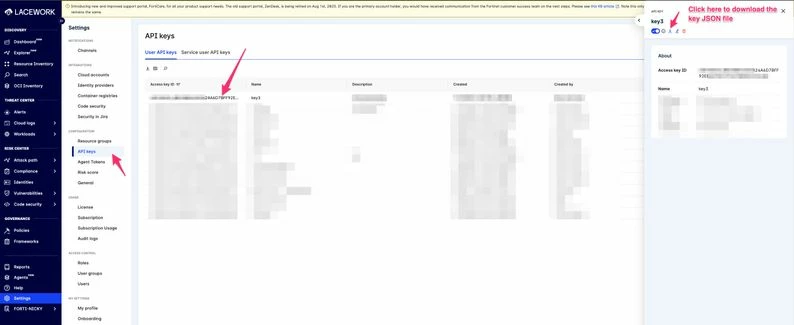
| Solution | First, download an API key from the Lacework FortiCNAPP platform by going to Settings -> API Keys. Select the key, then select the icon to download it.
Next, switch to the command line with the FortiCNAPP CLI installed:
Run the following command:
This will then automatically configure the FortiCNAPP Lacework CLI with the downloaded key. |