
Technical Tip: EMS Database Suspect mode
| Description | This article describes how to deal with suspect mode on any SQL database it could be related to damage in transaction log files, hindering database recovery, and preventing the rollback of a transaction. |
| Scope | FortiClient EMS until version 7.2 (Windows Server-based model), SQL Server, Database. |
| Solution | Corruption can be caused by many issues, such as:
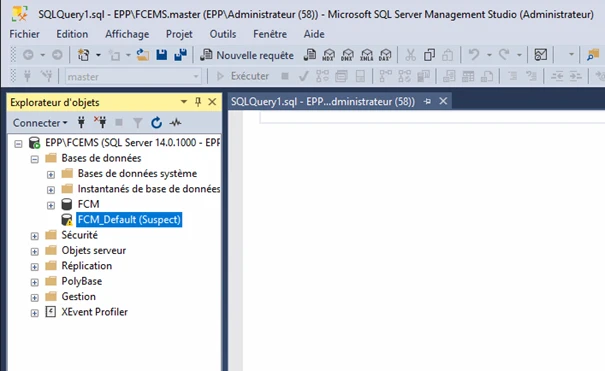
The following example uses this case:
To set emergency mode to fix a database suspected of issues:
To set up emergency mode in the suspected database, follow these steps:
ALTER DATABASE 'FCM_Default' SET EMERGENCY
Note: If the database cannot be set to EMERGENCY state, make the database OFFLINE and then bring it ONLINE again.
ALTER DATABASE 'FCM_Default' SET SINGLE_USER WITH ROLLBACK IMMEDIATE
DBCC CHECKDB ('FCM_Default', REPAIR_ALLOW_DATA_LOSS)
ALTER DATABASE 'FCM_Default' SET MULTI_USER
ALTER DATABASE 'FCM_Default' SET EMERGENCY ALTER DATABASE 'FCM_Default' SET SINGLE_USER WITH ROLLBACK IMMEDIATE DBCC CHECKDB ('FCM_Default', REPAIR_ALLOW_DATA_LOSS) ALTER DATABASE 'FCM_Default' SET MULTI_USER |