Technical Tip: Unable to change the HTTP/HTTPS port for onboarded application
| Description | This article describes how to make a change in the HTTP/HTTPS port after onboarding the application. |
| Scope | FortiAppSec Cloud. |
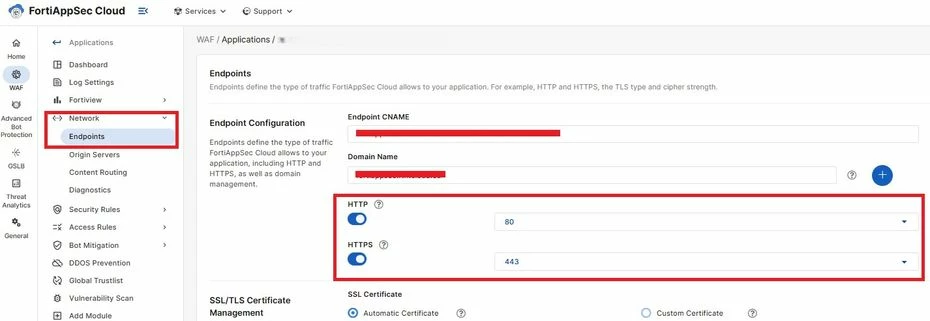
| Solution | After onboarding the application, there will be a requirement that the administrator will need to make changes in the frontend HTTP/HTTPS port to a custom port and when the administrator tries to do that, drop-down option for port will not be available, as shown screenshot below:
No drop-down option for port:
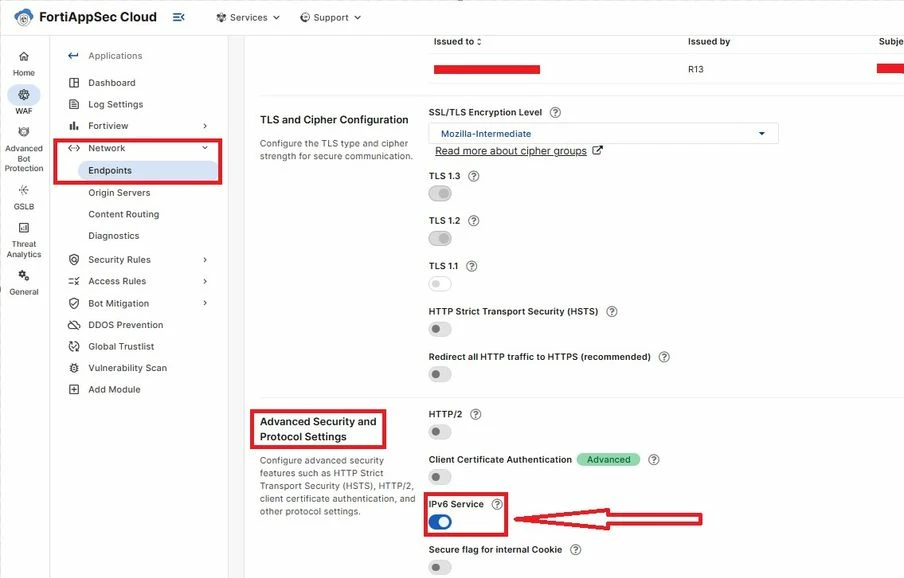
This is because if endpoint settings are enabled with IPv6 services under 'Advanced Security and Protocol Settings' as below, it will not allow changing the port for onboarded application, and the admin will not see the drop-down list for custom port.
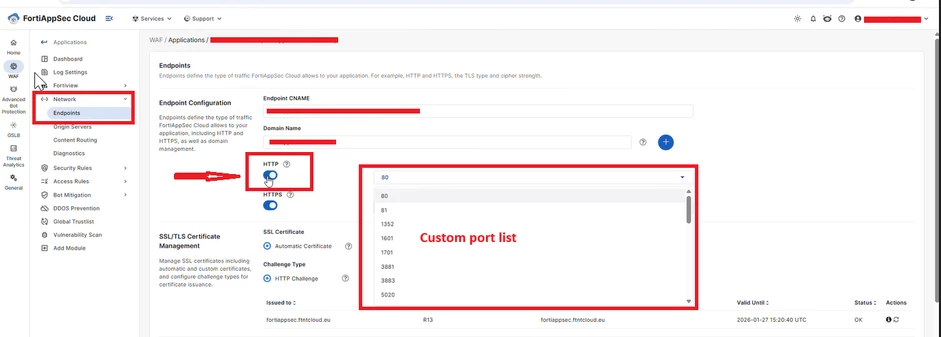
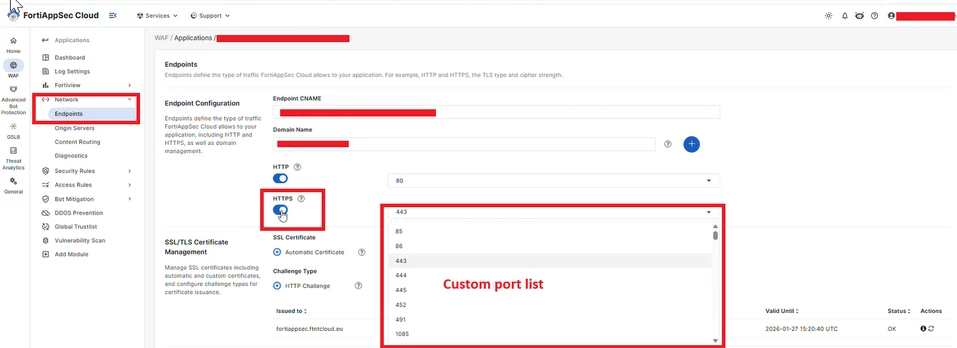
To get the dropdown list as shown below for the HTTP/HTTPS service administrator have to disable the IPv6 service.
|