


Technical Tip: How to block HTTP request that is missing a specific HTTP Header
Description
This article describes how to block an HTTP request that is missing a specific HTTP Header.
Scope
FortiAppSec Cloud WAF.
Solution
The HTTP request is missing a specific HTTP Header in the request sent to the application. For example, the request may be missing the User-Agent HTTP Header.
Such requests can be blocked using the FortiAppSec WAF Custom Rule feature accordingly.
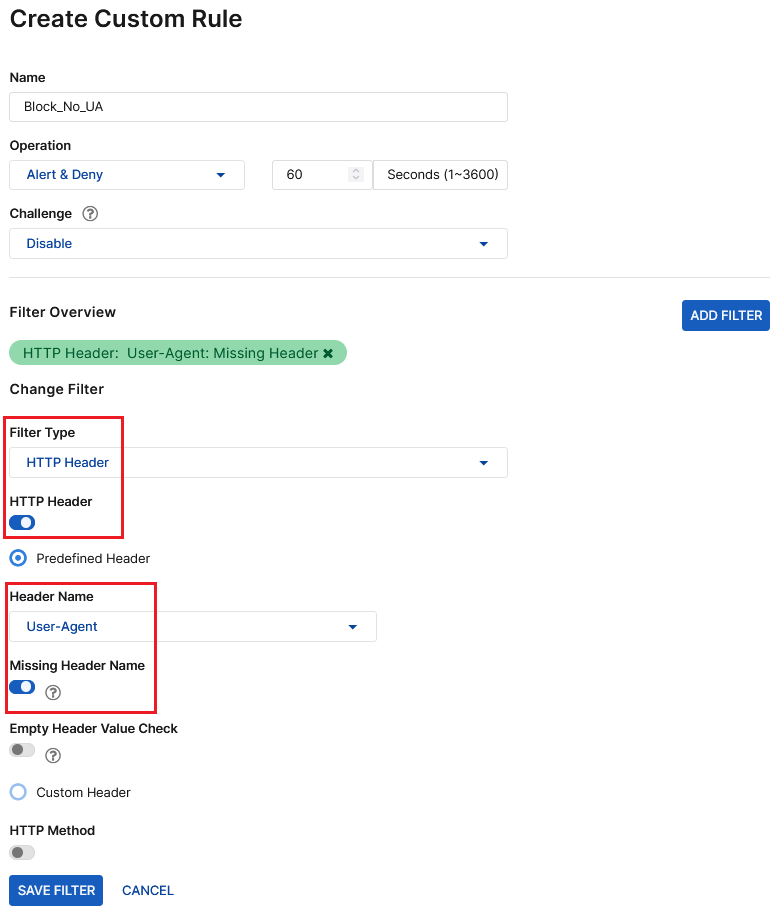
This article will provide steps to implement the blocking for HTTP request which is missing the User-Agent HTTP Header.
Step 1: On the WAF menu, select the respective Applications from the WAF -> Applications.
Step 2: Next, proceed to Advanced Applications -> Custom Rule.
Note: If the Custom Rule feature is not available, it can be enabled from the Add Module menu.

Step 3: Create a new Custom Rule and ADD FILTER with the below information as references.
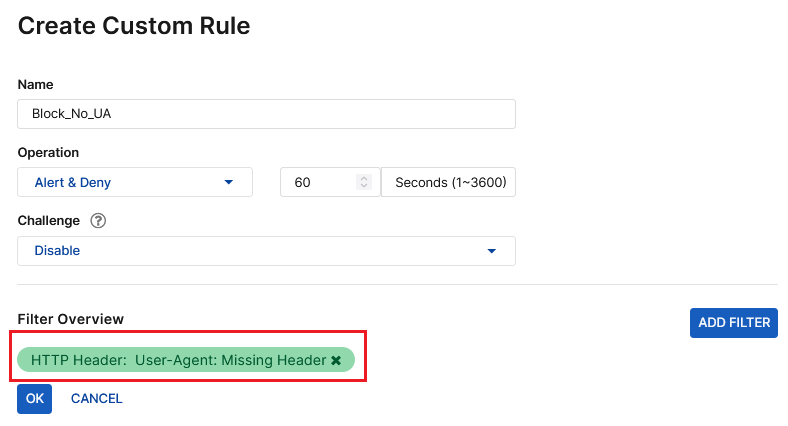
Step 4: Save the filter with SAVE FILTER and select OK, and SAVE the new rule.
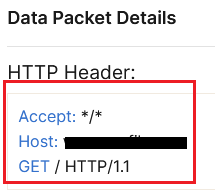
Step 5: Verify the rule by generating the respective HTTP request and reviewing the relevant Attack logs at Threat Analytics -> Attack Logs.

Related documents:
Custom Rule

