A handshake error may occur because the origin server supports HTTP/2, but HTTP/2 is not enabled in the FortiAppSec Cloud configuration. When traffic passes through FortiAppSec Cloud without HTTP/2 enabled, the connection falls back to HTTP/1.1, which causes the origin server to cancel the handshake.
To resolve the handshake error, follow these steps:
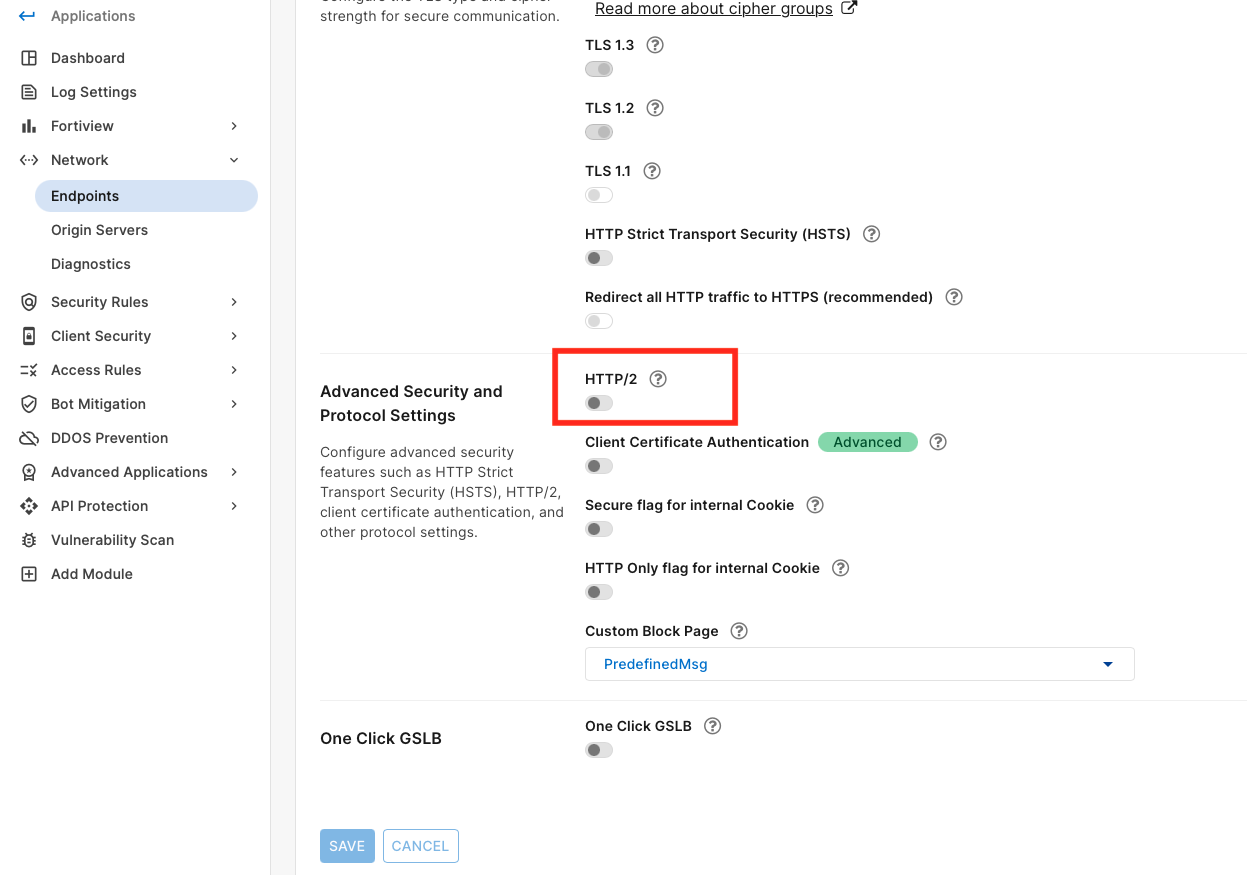
Enable HTTP/2 on both endpoints and origin servers in FortiAppSec Cloud. This can be done by going to Endpoints -> Advanced Security and Protocol Settings -> HTTP/2:
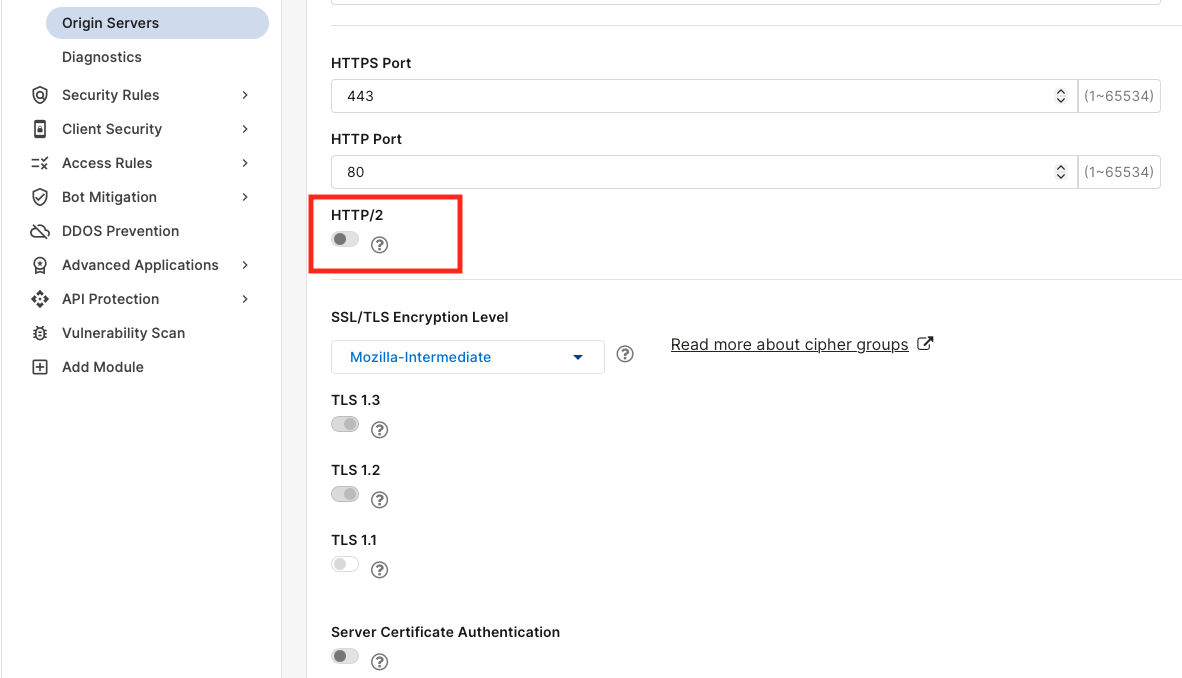
Under Origin Servers -> HTTP/2, select the Enable option:
Next, verify that the server supports HTTP/2. This can be done using a tool such as curl to ensure HTTP/2 traffic is successful. Execute the following commands:
curl --http2 https://"APP_endpoint"
Here, "APP_endpoint" (without quotation marks) could be the endpoint's hostname or its IP address.
If the command is successful, it indicates that the server supports HTTP/2.
Test the application again after enabling HTTP/2 on both endpoints and origin servers. If the error persists, check the server logs for any issues related to TLS negotiation.
Related documentation: Endpoints Origin Servers | 



