Traffic flow:
Client -> FortiADC Virtual Server -> Real Server Pool -> Server1 / Server2.
Requirement:
When the request matches the specified domain name, add the response HTTP header 'X-Backend-Server' with the real server identifier. Create a Server Load Balance script: Server Load Balance -> Scripting -> Create New.
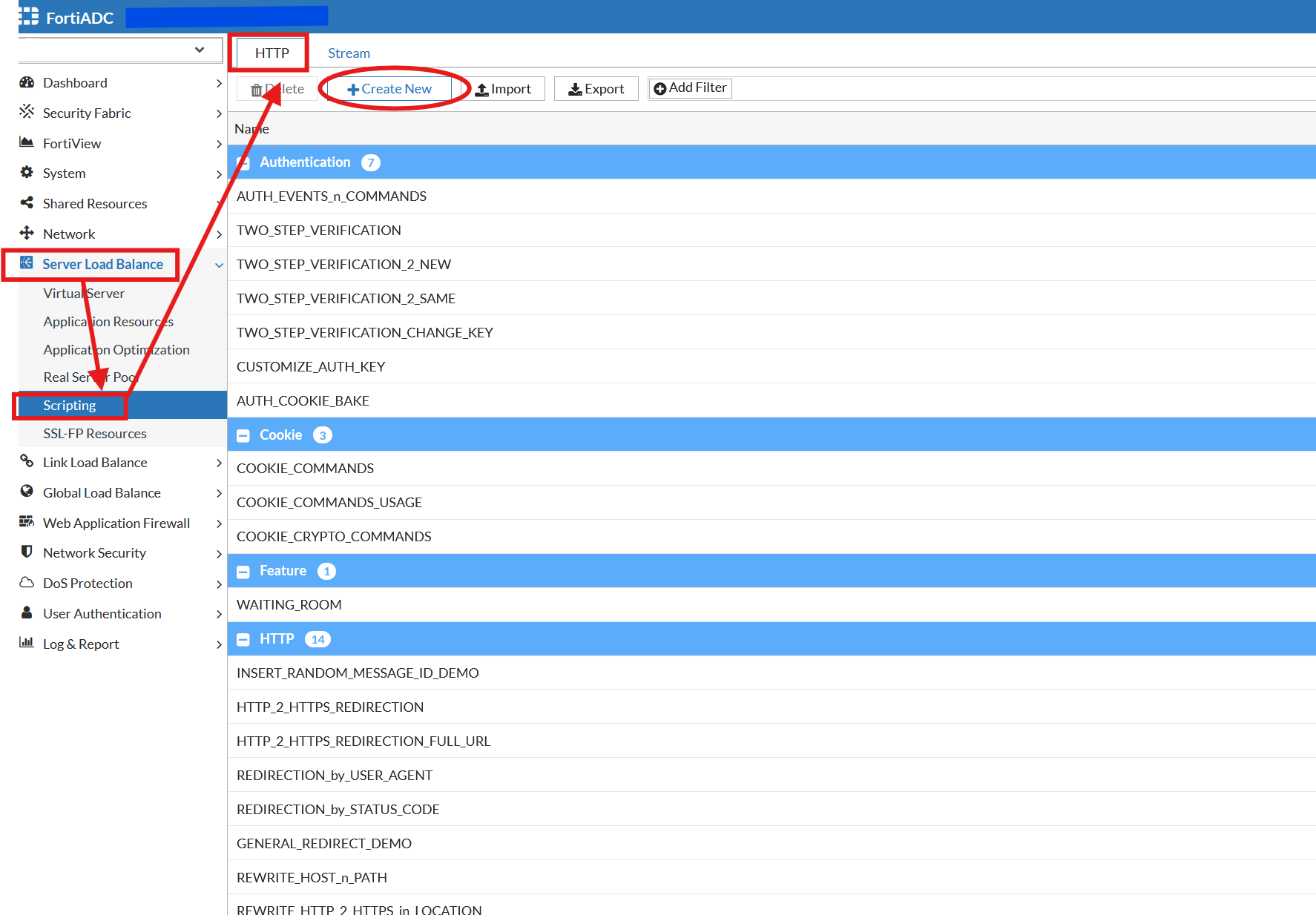 Define a name. Input the Lua script statement.
local shared_host
when HTTP_REQUEST {
host = HTTP:header_get_value("Host");
if host == "<domain-name>" then
shared_host = host
else
end
}
when HTTP_RESPONSE {
if shared_host then
sip = HTTP:server_addr()
debug("backend server IP is %s ", sip);
local backend_servers = {
["<serverIP-1"] = 1,
["<serverIP-2"] = 2,
}
if backend_servers[sip] then
local server_identifier = backend_servers[sip]
HTTP:header_insert("X-Backend-Server", tostring(server_identifier))
log("Server IP is: " .. sip .. ", Server identifier is: " .. server_identifier)
end
end
}
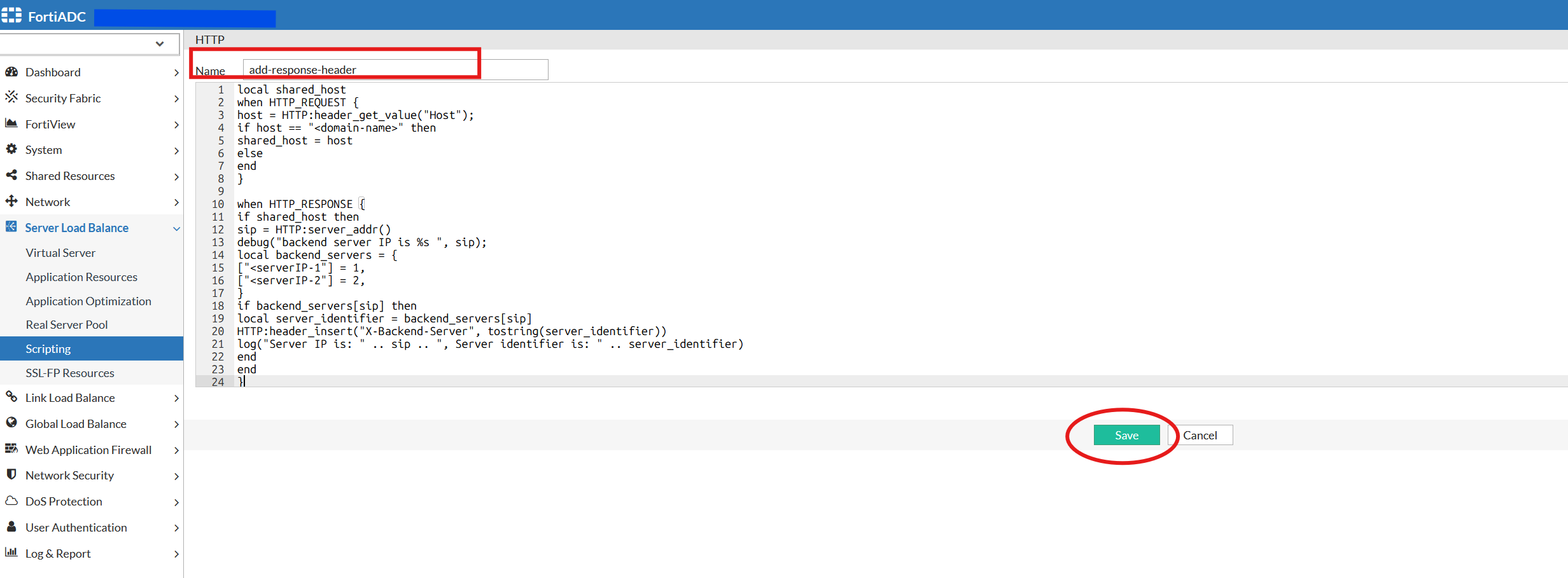
Details and comments on the Lua script are used in this article.
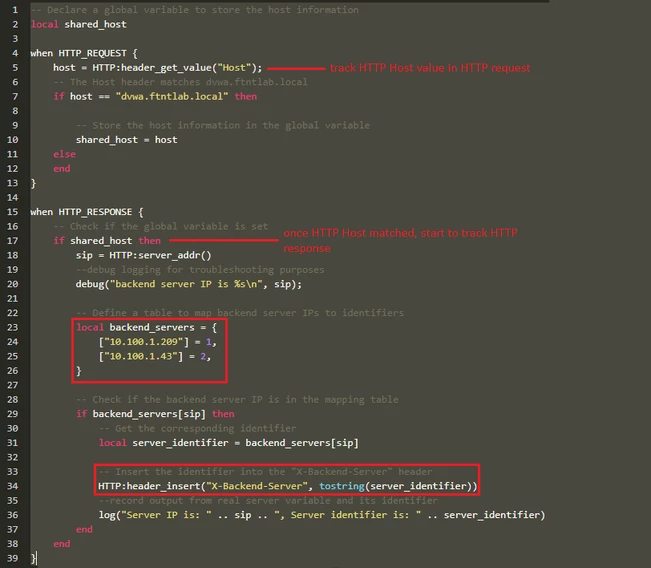 Note that there is a static record for variable backend_servers that needs to be maintained if the server IP address is changed. Assign Server Load Balance script to the Virtual Server.
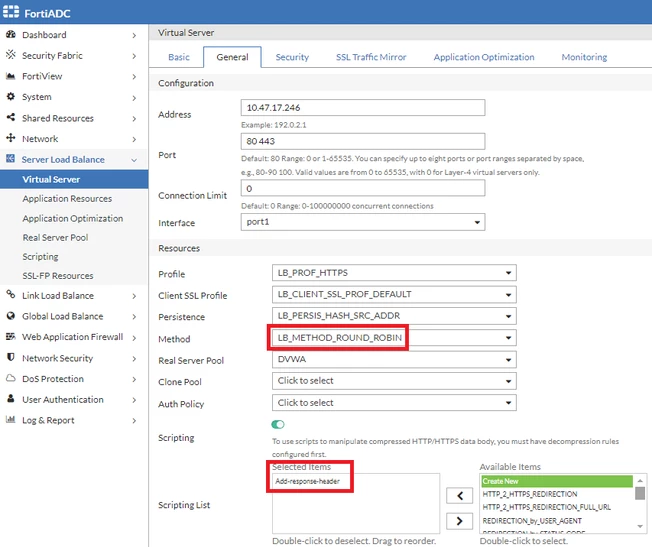
Note that the round-robin load-balancing method was used for this demonstration.
Demonstration:
First request:
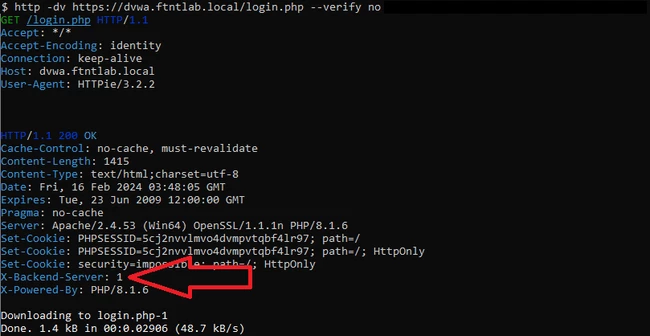
Second request:

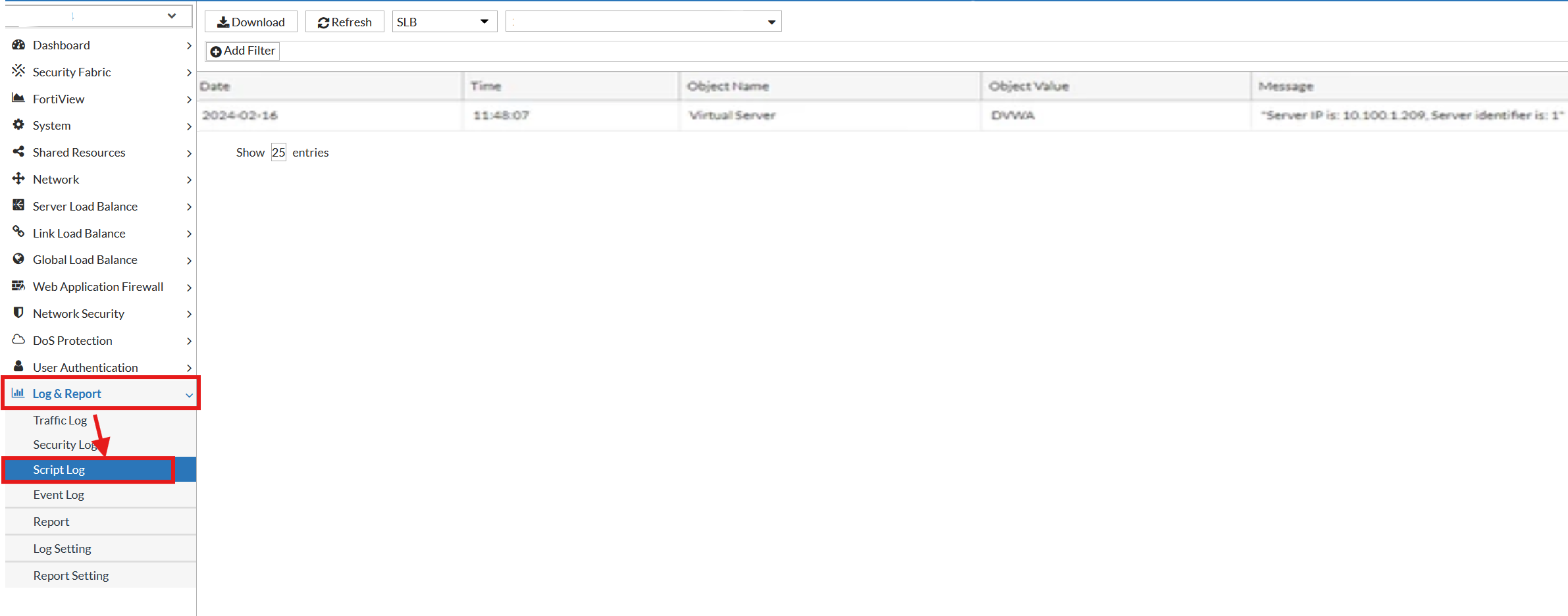
In the FortiADC script log, there will be a log generated if the script is triggered: Log & Report -> Script Log.

Note: Refer to the following article for more information: How to Generate script log.
Related documentation on Server Load Balance script usage:
Using HTTP scripting | 


