Technical Tip: Decrypt L7 HTTPS Virtual Server with TLS1.3 traffic
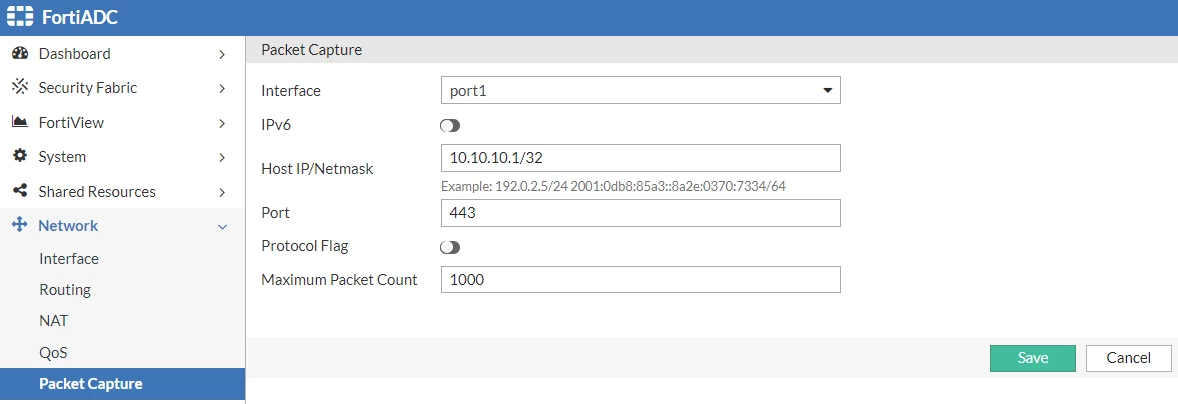
| Description | This article describes how to decrypt the L7 HTTPS virtual server with TLS1.3 traffic. |
| Scope | FortiADC, FortiADC-VM |
| Solution |
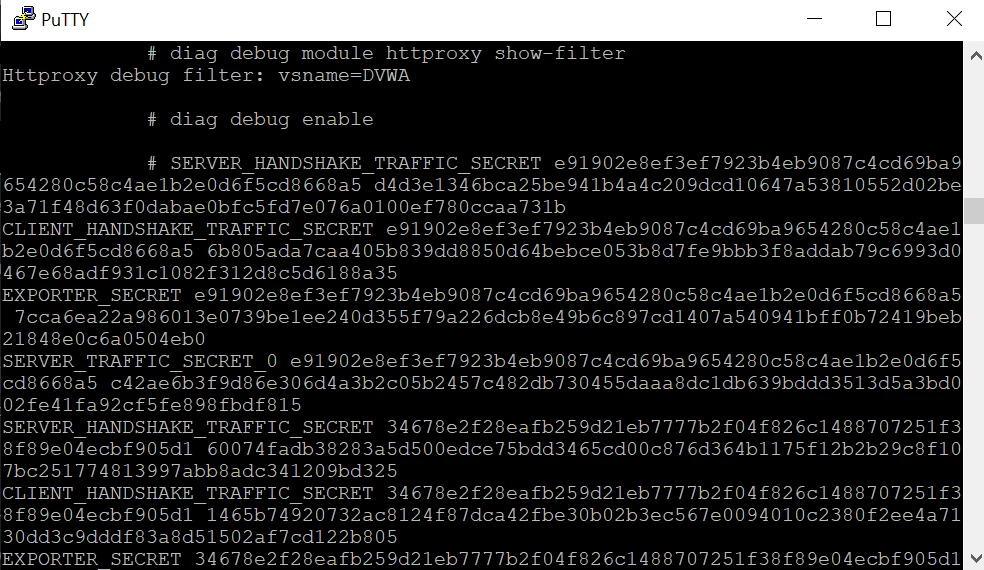
Sample of TLS1.3 keys output:
Note: If 'diagnose debug module httproxy all set' is used, debugging outputs include all features debugging. Use the below command in a Linux machine to filter TLS1.3 keys in the debug file.
awk '/EXPORTER_SECRET|SERVER_HANDSHAKE_TRAFFIC_SECRET|SERVER_TRAFFIC_SECRET_0|CLIENT_HANDSHAKE_TRAFFIC_SECRET|CLIENT_TRAFFIC_SECRET_0/{print $1" "$2" "$3}' tls1.3_flow.log > tls1.3_key.file <----- Replace 'tls1.3_flow.log' with the respective source debug file.
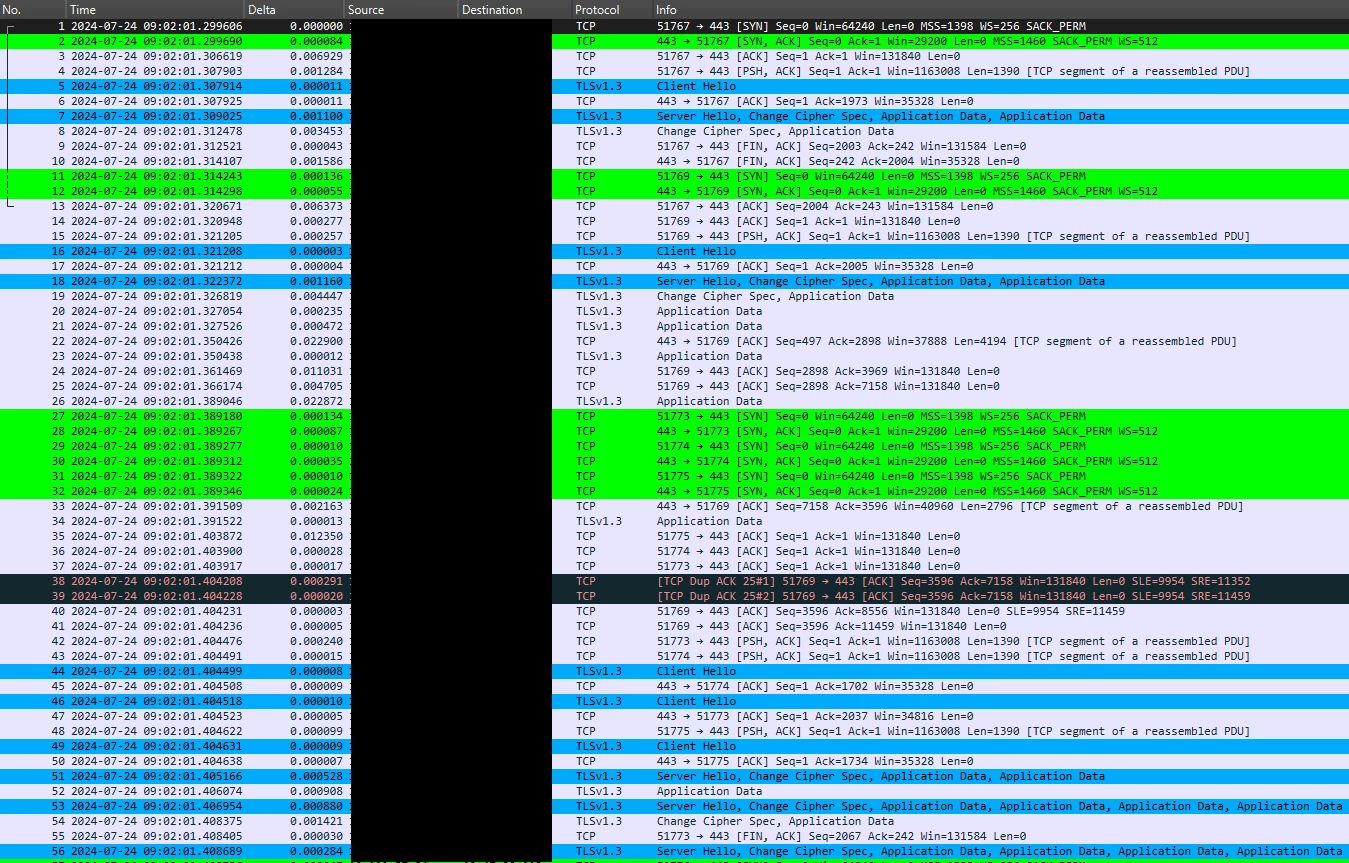
Encrypted HTTP content packet capture:
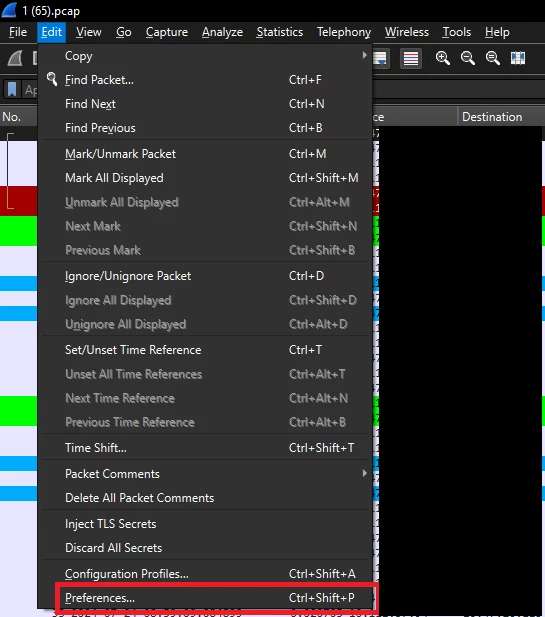
Go under Edit -> Preferences:
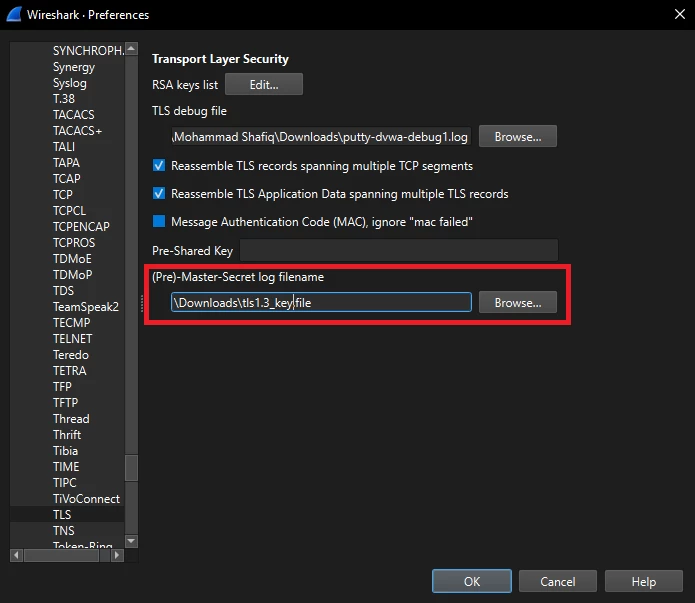
In the new window, select Protocols -> TLS:
Under (Pre)-Master-Secret log filename -> Browse, select TLS1.3 keys file and 'OK'.
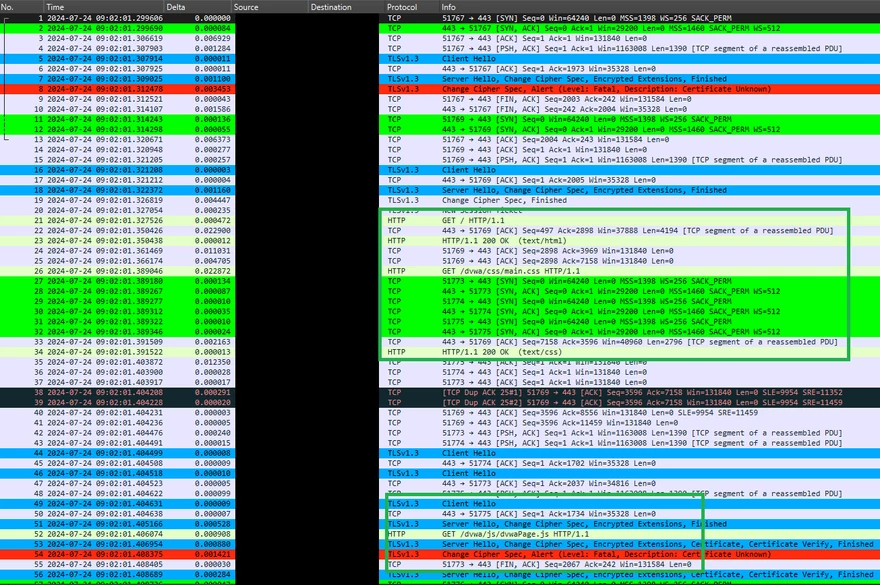
Decrypted HTTP content packet capture:
Refer below article to decrypt TLS1.2 traffic |