kmak
Staff
Staff
July 15, 2026

Technical Tip: Adding URL path to OAuth2.0 authentication in FortiADC server load balance HTTP/HTTPS virtual server

  • July 15, 2026
  • 0 replies
  • 15 views

Description

This article describes the steps to add a specific URL path to OAuth2.0 authentication in the FortiADC Server Load Balance HTTP/HTTPS Virtual Server.

Scope

FortiADC.

Solution

Prerequisite:

  • FortiADC Server Load Balance Virtual Server with HTTP/HTTPS application profile.

  • OAuth Policy is enabled.


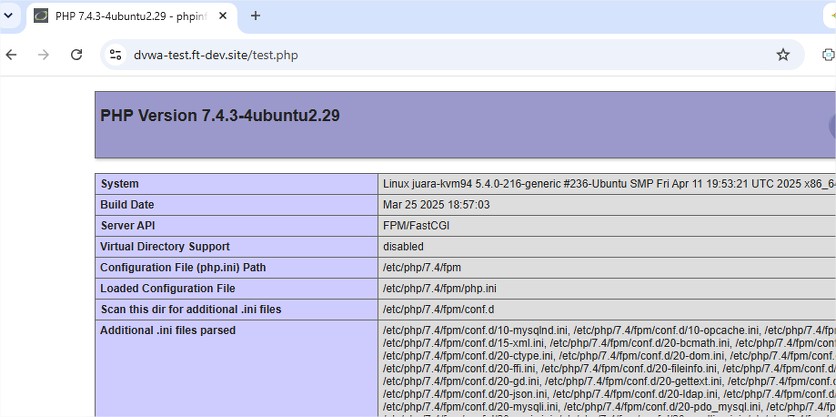
  1. A test page created under a FortiADC SLB HTTP/HTTPS Virtual Server. The page can be accessed without any authentication.
00fe63ea.jpg


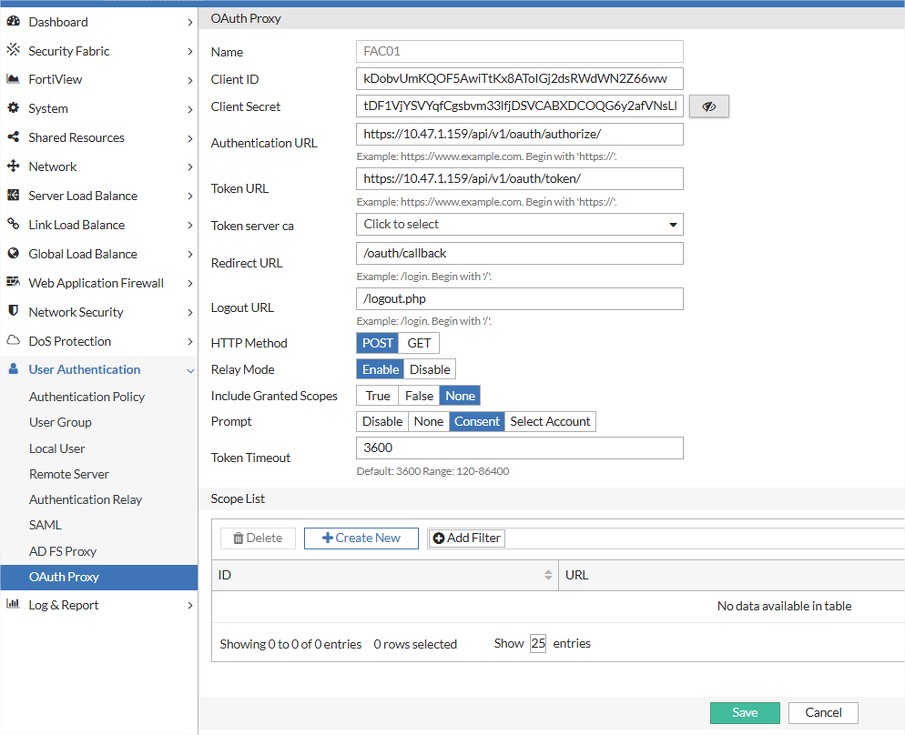
  1. FortiADC has already been created with the OAuth 2.0 policy. Each URL path of the Webpage hosted in FortiADC HTTP/HTTPS Virtual Server has to be added to the OAuth Policy path.
3becf8fc.jpg


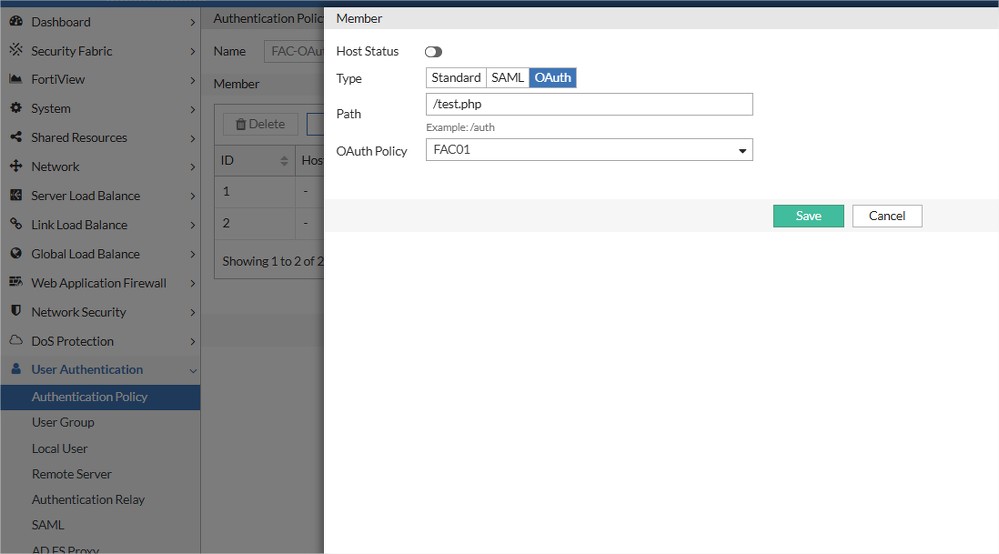
  1. In the Authentication Policy in FortiADC, create a member in the Authentication Policy, edit the path to be the hosted webpage URL path that needs to be protected by the OAuth policy.
b019df74.jpg


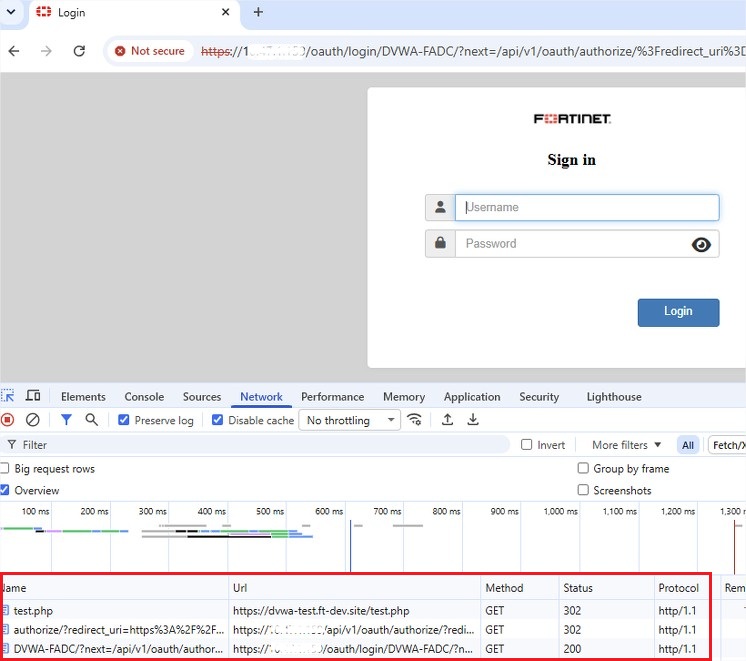
  1. Test the hosted webpage now, and it should be redirected to the OAuth authentication page.
3423f59b.jpg


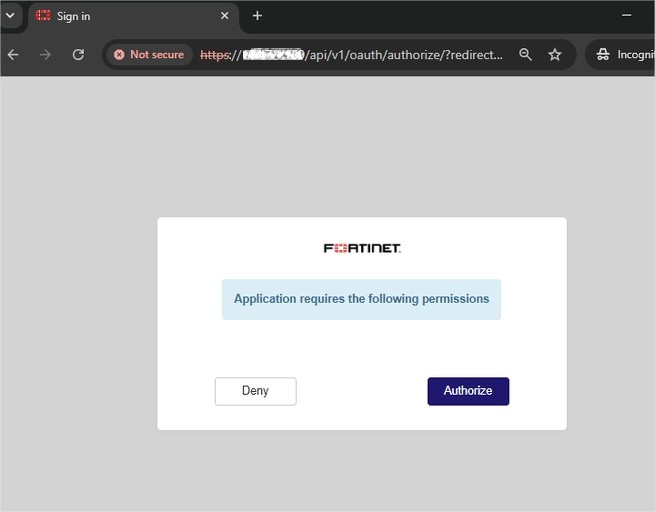
  1. A successful login shall be followed by the access authorization acceptance page. Select Authorize to proceed to the hosted webpage.
6e83a7ef.jpg

 
Related document:

OAuth 2.0 authentication

    Thought Leadership Security Summit. Outpace New Threats with AI - enhanced defense. Tuesday, Septmeber 15, 8:30 AM - 2:30 PM PT. The Golf Club at Newcastle, WA.
    Fortinet Flag the Hack. Wednesday, August 26, 9:00 AM - 5:00 PM ET, COSM, Atlanta, GA.
    Virtual event | September 2026. SASE summit. The age of autonomous trust. Register here!



