Description
This article describes how to troubleshoot local RADIUS authentication from GUI.
Scope
FortiNAC.
Solution
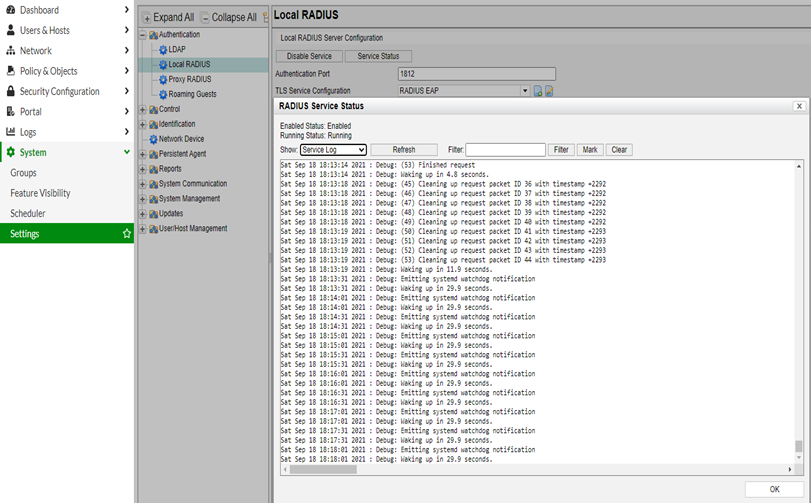
Go to Network Settings -> Settings, expand 'Authentication' tab -> Local RADIUS.
Under Local RADIUS Server Debugging:
- Service Log Level set to Verbose.
- FortiNAC Server Log Debug set to Enabled.
Select 'Service Status', then select 'Service Log'.