Matie
New Member
August 31, 2022
Question

Problem with connection

  • August 31, 2022
  • 1 reply
  • 4721 views

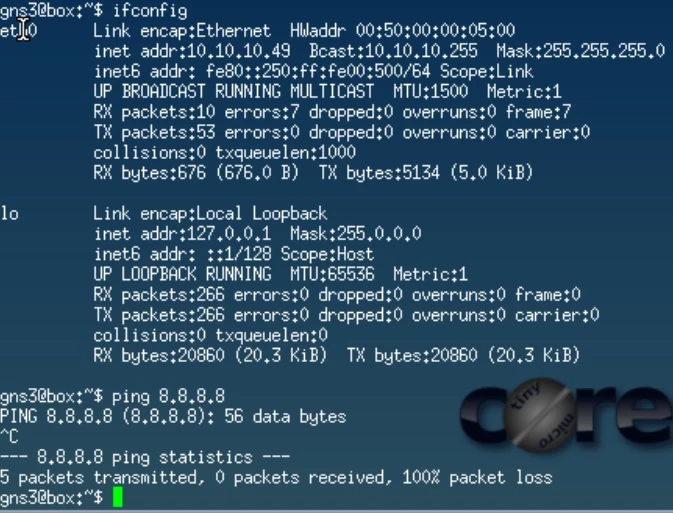
Hello, can someone take advice, why I cannot ping router interface and therefore internet from Linux?

Traceroute from Linux is useless -> no information 

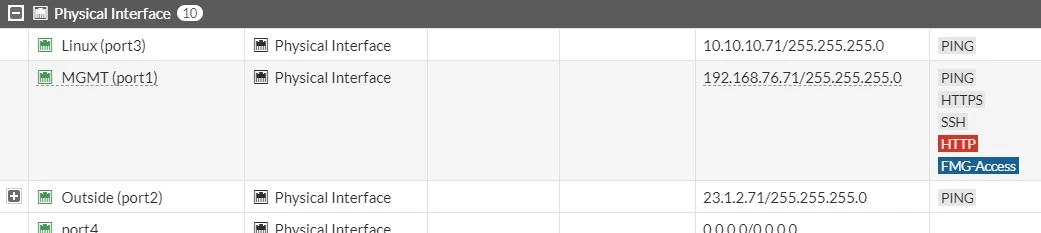
I have static default 0 route from FortiGate pointing to 23.1.2.1. I have policy from port 3 to port 2. And I have central SNAT from port 3 to port 2, where I translate to outgoing interface - no hit count.

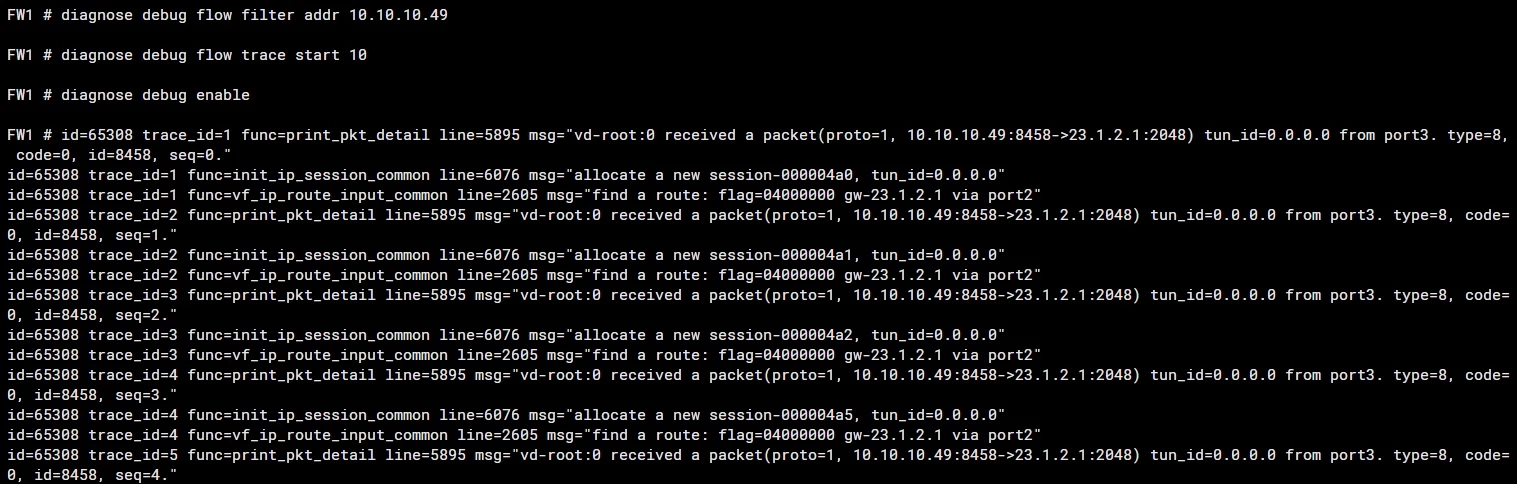
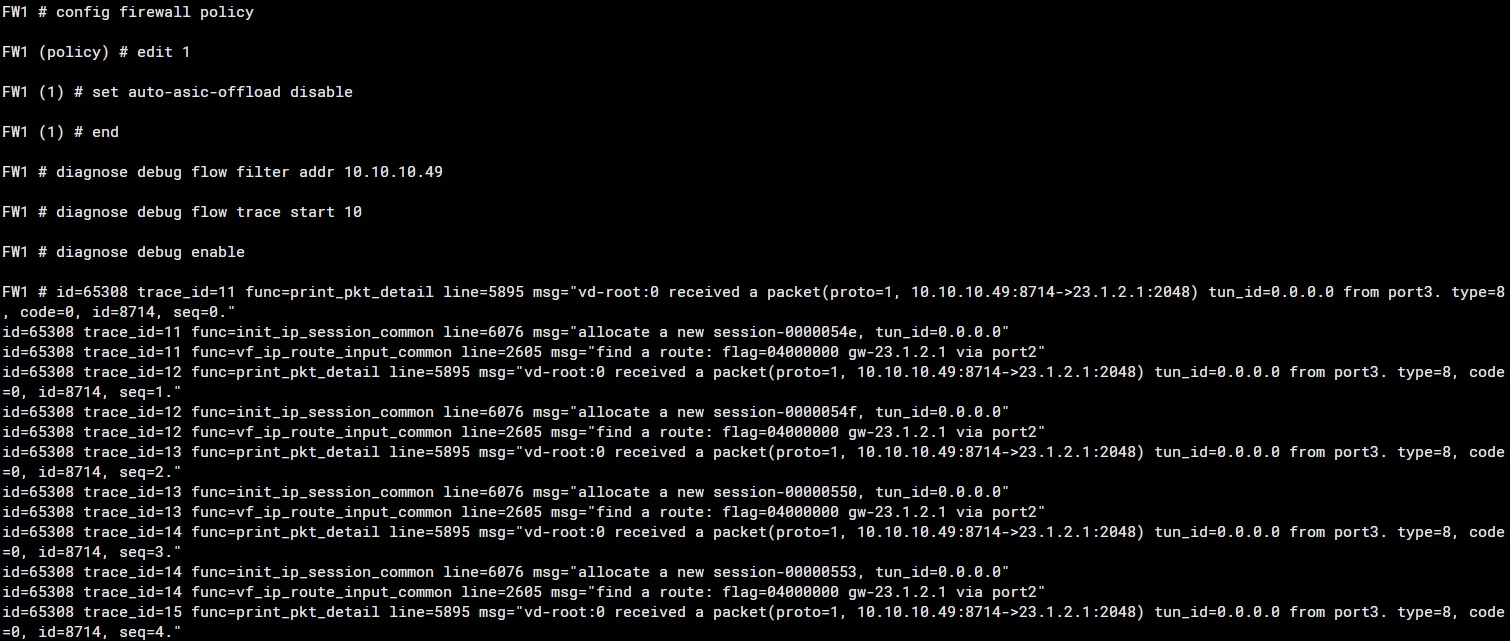
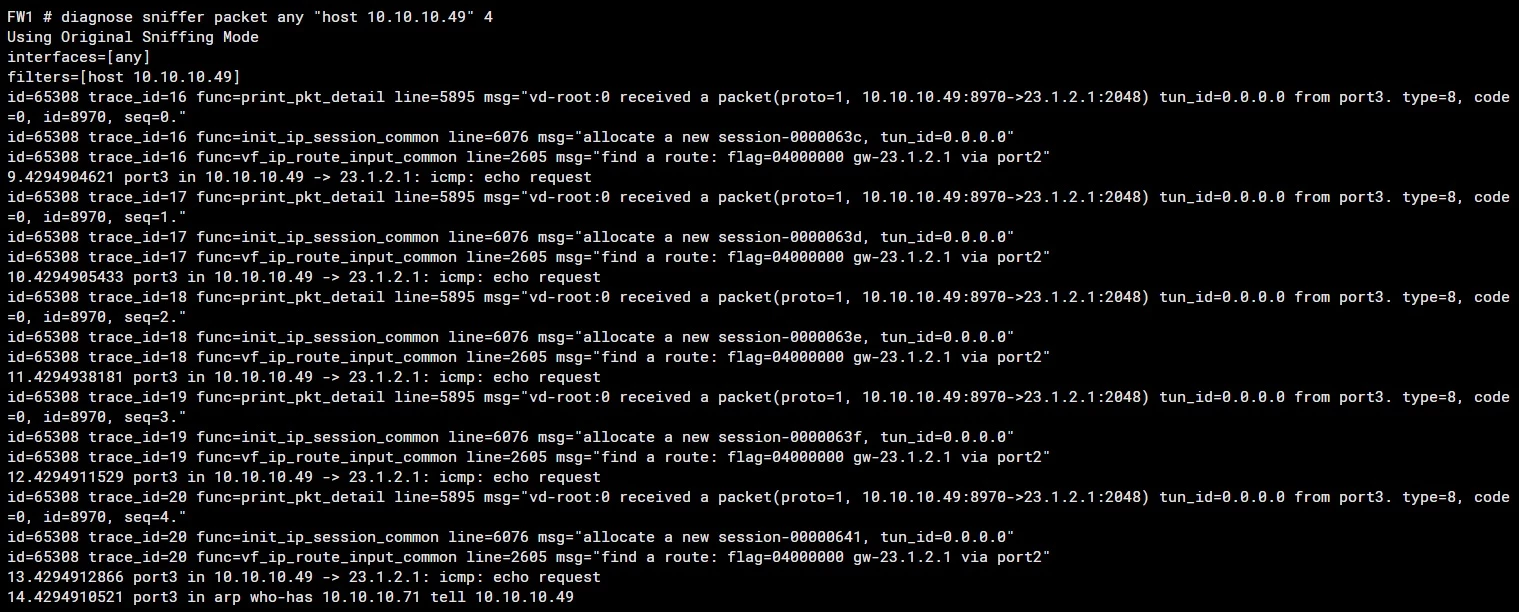
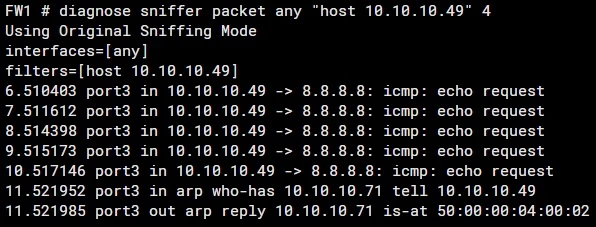
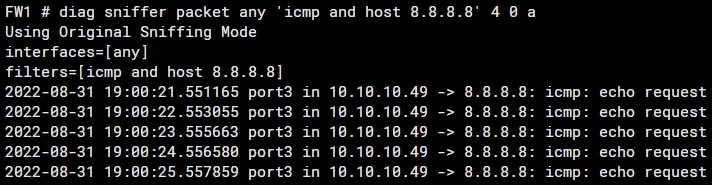
When I try to diagnose, I see only echo request and no echo reply. I dont know why. Any tip?

What is working is ping from Linux to fortigate:

10.10.10.49/24 ping to 10.10.10.71/24 -> ok

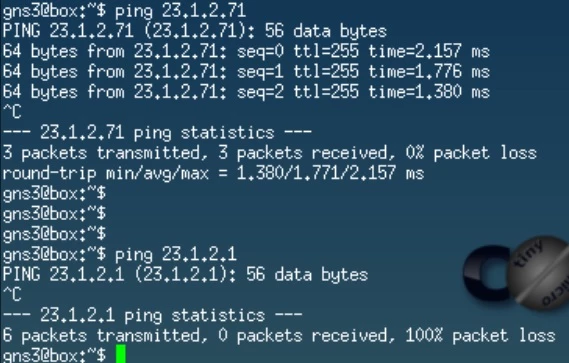
10.10.10.49/24 ping to 23.1.2.71/24 -> ok - policy take that traffic, I have some bytes

10.10.10.49 ping to 23.1.2.1 -> not ok - policy doesn't work, No more bytes

10.10.10.49 ping to 8.8.8.8 -> not ok

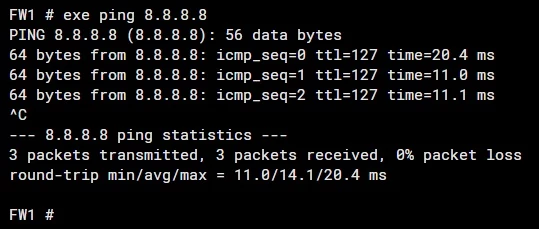
Also ping from Fortigate to internet 8.8.8.8 is working

FortiGate ping to 8.8.8.8 -> ok

Please help and bear with me. I am a new guy in Fortinet
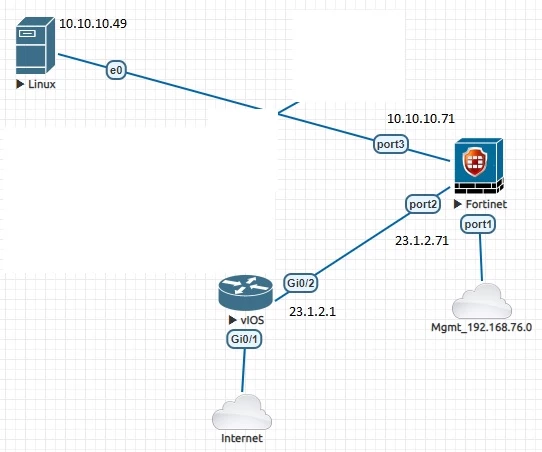


Topology.jpg


Linux.jpg


Ping.jpg


Ping Fortigate to internet.jpg


Interfaces.jpg


Static route.jpg

Central SNAT.jpg

Policies.jpg

First diagnose with Policy.jpg

Second diagnose without policy.jpg

Third diagnose.jpg

Fourth diagnose.jpg

Fifth diagnose.jpg

1 reply

akristof
Staff
Staff
September 1, 2022

Hi,

Can you rerun the debug flow with these two commands:

diag debug flow show func en

diag debug flow show iprope en?

Matie
MatieAuthor
New Member
September 1, 2022

Hi Adrian,

can you please tell me, how exactly should I type these commands. In which queue. Please bear with me, because I am new in Fortinet. I have typed commands like this. I don't know whether it is ok or don't. Please check output and let me know. Thank You
Debug.jpg

New Contributor III
September 1, 2022

Hi Matie.

Please use the below-mentioned commands,

diag deb disable
diag deb reset
diag deb flow filter daddr x.x.x.x
diag deb flow filter proto 1
diag debug flow show iprope en
diag deb flow sh fun en
diag deb flow trace start 999
diag deb en


You can replace x.x.x.x with the destination IP and you can use any destination.
I suggest you to use 4.2.2.2, also please try to send 2 or 3 packets.
Kindly avoid continuous ping