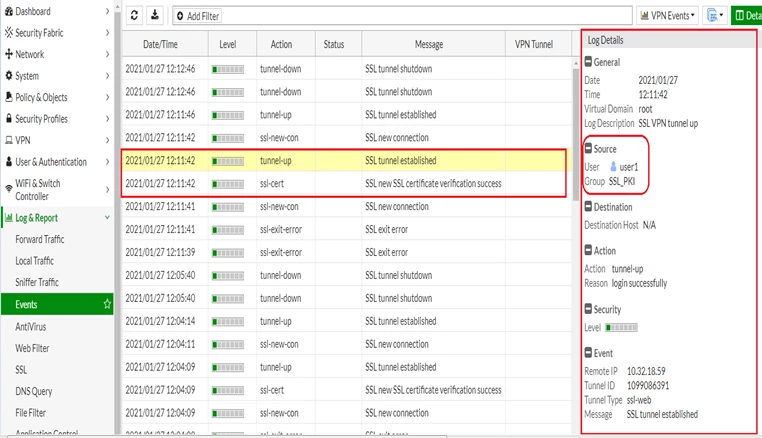
Technical Tip: SSL VPN PKI user based authentication with FortiAuthenticator as Local CA authority
Description
This article describes SSL VPN PKI user-based authentication with FortiAuthenticator as a Local CA authority.
Scope
FortiGate, FortiClient.
Solution
The FortiOS supports PKI users for SSL VPN authentication as standalone authentication or with two-factor authentication.
The following certificates have been used for this authentication, which has been generated from FortiAuthenticator.
- Intermediate CA Certificate.
- Root CA certificate.
- User certificate.
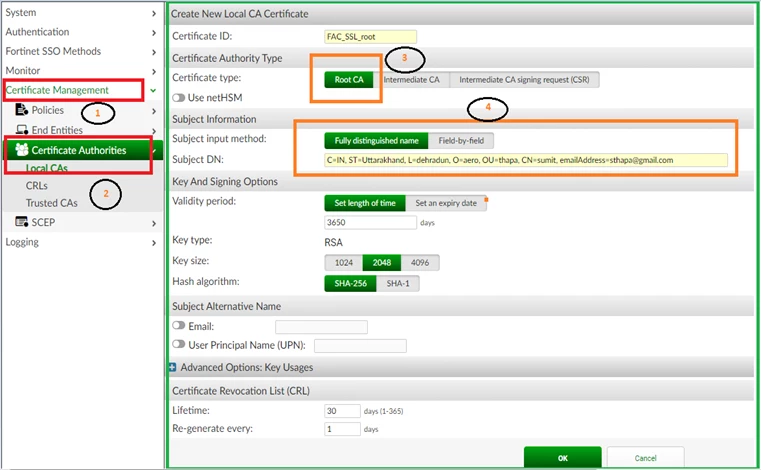
- Create the above certificate from the FortiAuthenticator. Go to Certificate -> Management -> Certificate Authorities -> Root CA.
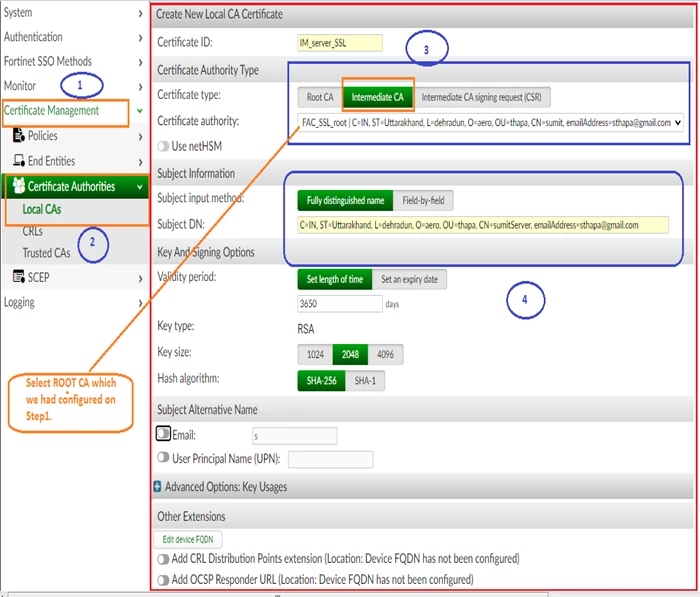
- Create an Intermediate CA Certificate from the FortiAuthenticator. Go to Certificate Management -> Certificate Authorities -> Intermediate CA.
Select Certificate Authority as Root CA, which we had configured in the previous setup.
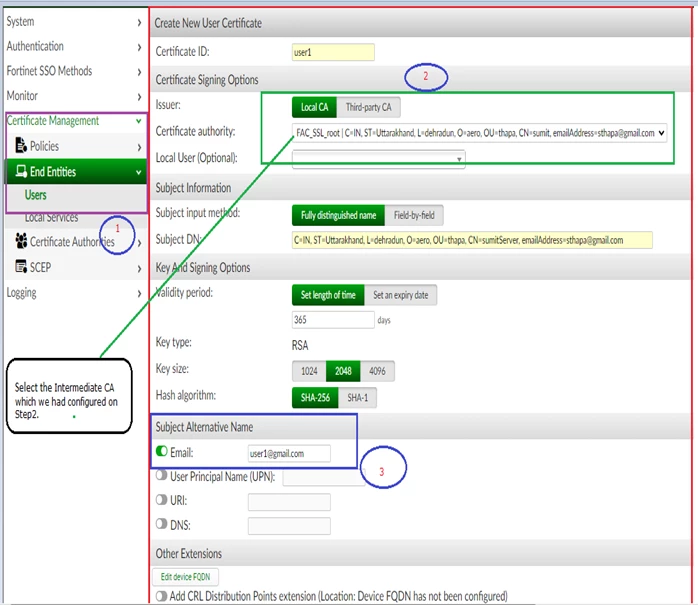
- Create a user Certificate from the FortiAuthenticator. Go to Certificate Management -> End Entities -> Create New User Certificate.
- Select the intermediate CA certificate that has been configured in step 2.
- Configure the certificate Subject Alternative Name, which is used in FortiGate to validate the Client certificate against the FortiGate PKI user.
- Export root CA, Intermediate CA, and client certificate from the FortiAuthenticator.
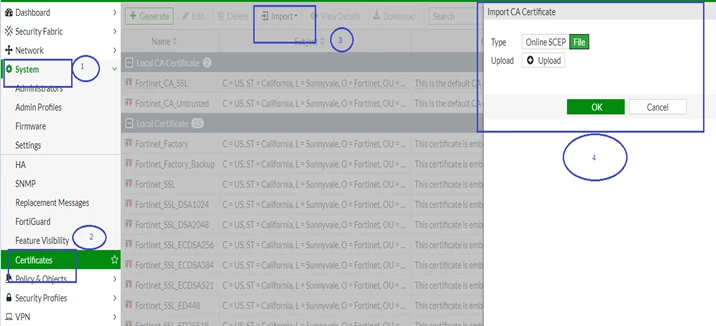
- Import the root CA and Intermediate CA certificates in the FortiGate to trust the client certificate.
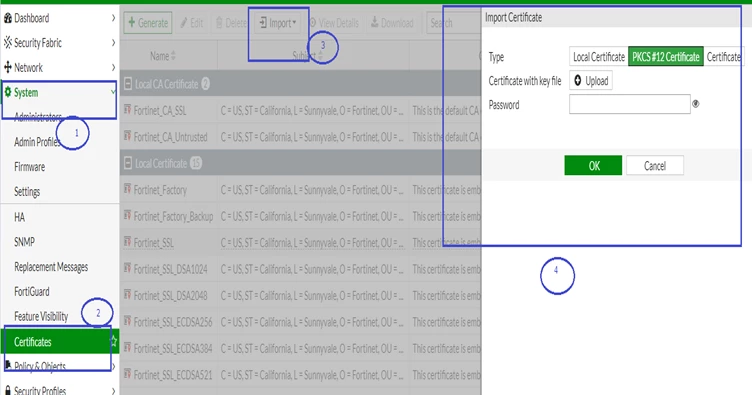
To import the CA certificate in the FortiGate, go to System -> Certificates -> Import -> CA Certificate -> File.
- Create PKI users and groups for SSL VPN authentication.
config user peer
edit "user1"
set ca "CA_Cert_1" <----- Select the root CA certificate.
set subject "user1@gmail.com" <----- Subject should match the user certificate.
next
end
Add the PKI users to PKI groups.
config user group
edit "SSL_PKI"
set member "user1"
next
end
Then, map the above group in the SSL VPN authentication rule.
- Then, import the Client and Root CA certificates on the client machine.
- Import Root CA Certificate under 'Trusted root Certificate Authority'.
- Import the Client certificate under the 'Personal' folder.
-
Configure the FortiClient and select the Client certificate for SSL VPN PKI authentication.
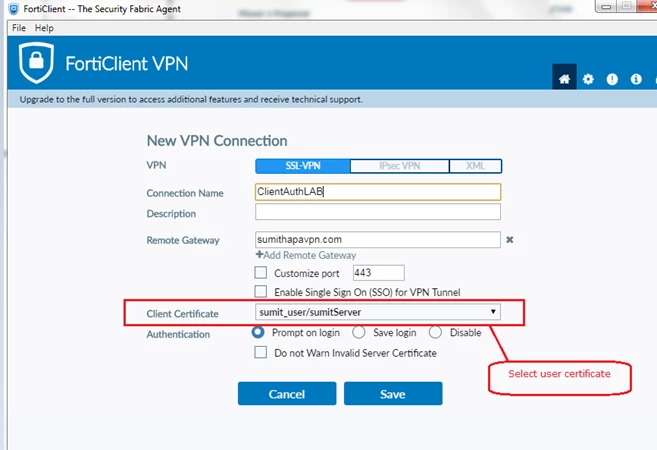
Result.