

JohnSmith33
New Member
August 15, 2025
Solved

LDAP cert Configuration error

  • August 15, 2025
  • 2 replies
  • 1486 views
 

Hello,


I'm trying to setup an ldaps srv on my fortigate 50E (6.2.17) and it works with the ip without cert and i can save but i would like it to work with a cert 
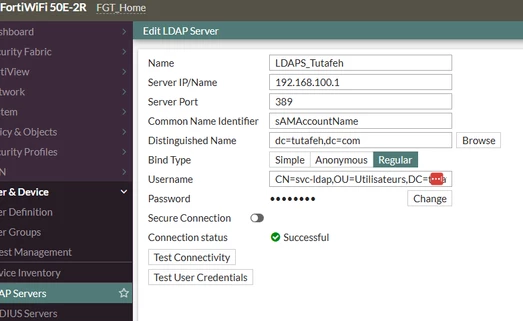
image.png

when i try with the fqdn, i can't save and shows invalid hostname (i can ping the fqdn from the fw) even if the connectivity test works and i can browse the distinguised name
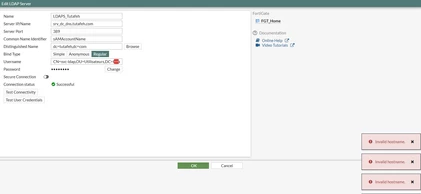
 

image_2025-08-15_111328759.png


then when i try to enable the secure connection and add the CA cert (with the fqdn as the cn), the connectivity test still works, i can still browse the distinguished name but when i try to validate, it disable the secure connexion with the cert and i get an invalid hostname error
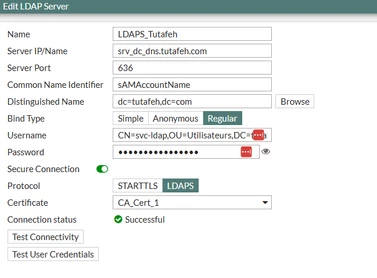
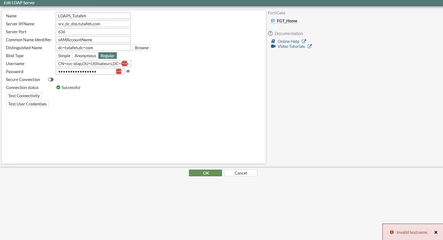
 

image.pngimage.png

even if i can ping this hostname and browse the dn and everything...


Does someone knows why it could do that ? 


Best Regards

John



Best answer by Markus_M

Possible to get rid of the underscores _ ?
https://datatracker.ietf.org/doc/html/rfc1035#section-2.3.1

The labels must follow the rules for ARPANET host names.  They must start with a letter, end with a letter or digit, and have as interior characters only letters, digits, and hyphen.  There are also some restrictions on the length.

You may be able to work around it, depending on your server certificate, with creating a DNS database entry on FortiGate for something similar to srvdcdns.tutafeh.com against that IP, and use that as FQDN in your LDAP server setting. The FQDN must match the server certificate.

2 replies

AEK
SuperUser
SuperUser
August 15, 2025

Hi John

Can you try set the hostname from CLI?

config user ldap
edit LDAPS_Tutafeh
set server "srv_dc_dns.tutafeh.com"
end
end


AEK
JohnSmith33
New Member
August 15, 2025

Hello AEK,


I tried but got this error

 image.png

ozkanaltas
Valued Contributor III
August 15, 2025

Hello @JohnSmith33 ,


Can you try removing the quotation marks?


set server srv_dc_dns.tutafeh.com
JohnSmith33
New Member
August 16, 2025

Hello guys,

thanks for the answers, I could only try without underscore this morning and i can now save, well it works without a certificate with the entry dns but not with the certificate even if i renewed it with the new name.

I think I'm gonna redeploy everything so i don't need the dns entry and I won't ever put underscore in my dc srv name x)

Anyway thanks for the solution about the underscore.

AEK
SuperUser
SuperUser
August 17, 2025

Keep in mind 6.x is old version and certificate was not mandatory.

Starting from 7.4.4 the trusted certificate is required.

AEK
Markus_M
Staff & Editor
Staff & Editor
August 18, 2025

Context: https://community.fortinet.com/t5/FortiGate/Technical-Tip-LDAPS-STARTTLS-certificate-issuer-enforcement/ta-p/316854

so plan for the certificate check.

Please mark the forum post as solved, that others may consider looking at it, when searching for the same problem. (saw you did that already)
