
Zhuo
Explorer
April 22, 2025
Question

FortiGate sdwan http probe

  • April 22, 2025
  • 2 replies
  • 1342 views

Fortigate detects teams.microsoft.com based on http, but the delay is always unstable. Is there any way to check which IP address teams.microsoft.com is detected by http?59c204d25e63a06ec95ef503b6037fc.png
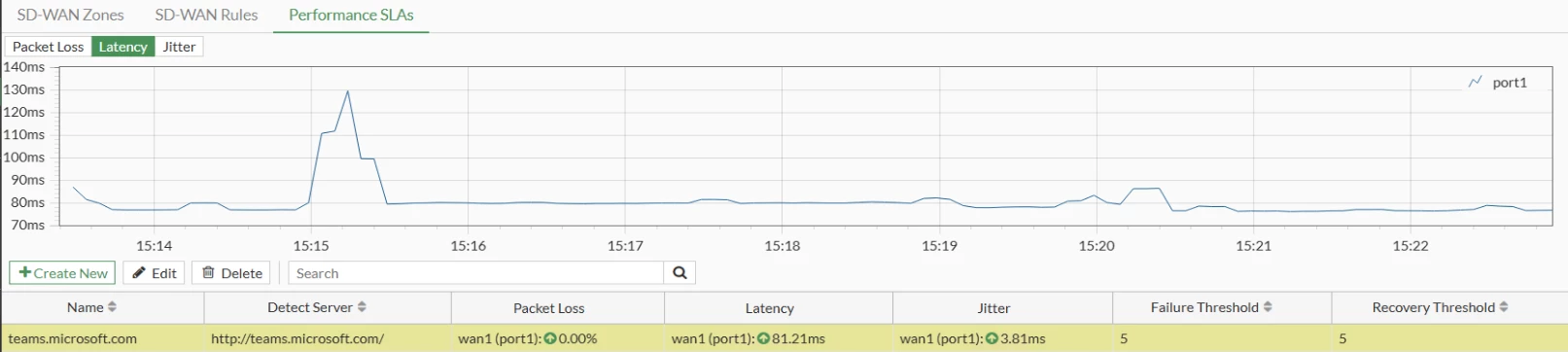
 

Thanks

2 replies

AEK
SuperUser
SuperUser
April 22, 2025

teams.microsoft.com resolves to 52.123.128.14 and 52.123.129.14.

Or did I misunderstand your question?

AEK
syordanov
Staff
Staff
April 22, 2025

Hello Zhuo,


Yes, like AEK wrote , the FQDN is resolved to 52.123.128.14 and 52.123.129.14, but there is a way to find the IP address to which this FQDN is resolved , because sometimes the DNS of your PC and FortiGate could be different and you can get a different IP address.  Try to filter the session list for the destination port, source IP address of wan1 and protocol number :


diag sys session filter src XXXXX.XXXXX.XXXX.XXXX <---- source IP of WAN1
diag sys session filter dport XXX <---- port used in SD-WAN for probes, according to screenshot it's TCP 80
diag sys session filter proto 6 <---- protocol No6 for TCP, if UDP is in use, put 17
diag sys session list


Best regards,


Fortinet



