Troubleshooting Tip: 'Backend error code: 255' error during new parser XML validation
| Description | The article provides steps to troubleshoot the 'Backend error code: 255' error during new parser XML validation. |
| Scope | FortiSIEM with EventDB (/data) as event storage. |
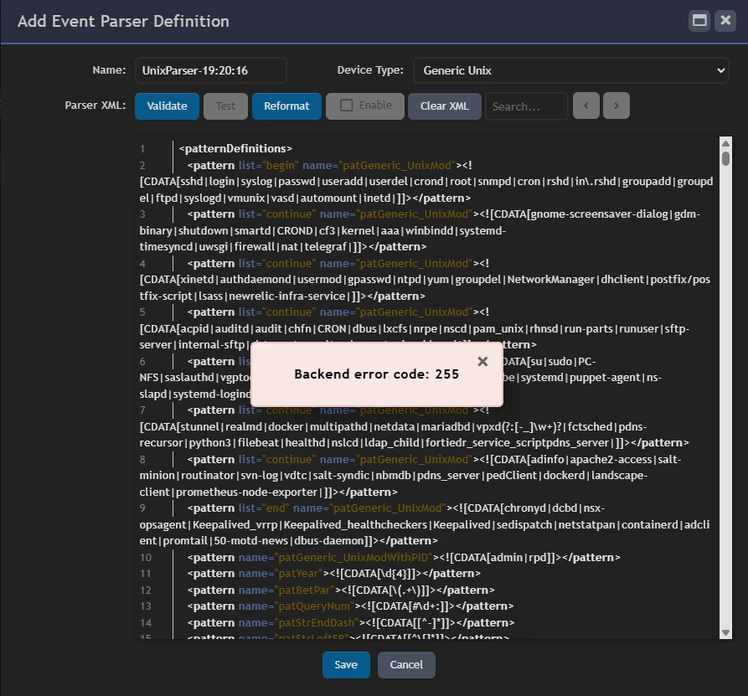
| Solution | When creating a new parser in FortiSIEM, the 'Backend error code: 255' error appears upon selecting the Validate button:
Cause: The directory /data/custParser does not exist or lacks appropriate permissions. FortiSIEM requires this directory to store and validate custom parsers.
Solution: Step 1: Create the Missing Directory. Log in as a privileged user and execute the following commands to create the directory and set ownership:
mkdir /data/custParser chown admin:admin /data/custParser
If permissions need to be recursively set:
chown -R admin:admin /data/custParser
Step 2: Validate File Permissions. Check that the admin user can read/write within the /data directory:
su admin ls -ltrh /data/ touch /data/testfile.txt
If these commands fail, verify and correct NFS export permissions if /data is NFS-mounted. Ensure the following options are set on the NFS server:
Refer to the NFS server setup guide for a Linux OS based NFS server:
Additionally, make sure to create and save the custom parser before testing it; otherwise, a 255 backend error will occur. After saving, select Validate and then proceed with the Test option. |