

Technical Tip: Using proxy features in lower-end FortiGates
Description | This article describes how to use the new proxy features implemented in version 7.2.4, as well as how to enable them in lower-end FortiGates. |
Scope | FortiGate v7.2.4 and above affected FortiGate models: 30D, 30E, 30G, 40C, 40F, 50E, 50G, 60D, 60E, 60F, 70D, 80C, 80D, 80E, 90D, and 90E series of devices, including variants such as FortiWiFi, Rugged, 3G/4G, DSL, SFP, and POE, as long as the RAM is 2 GB or less. |
Solution | To use some features (namely, the virtual server load balancer and security profile proxy features), it is necessary to configure a firewall policy or a security profile with proxy inspection mode.
There is a new feature ('gui-proxy-inspection') that is disabled by default on low-end platforms with 2GB or less RAM starting on v7.2.4. See the Release notes for more information.
When the settings 'gui-proxy-inspection' and 'proxy-and-explicit-proxy' are disabled, some features are greyed out or removed from the GUI:
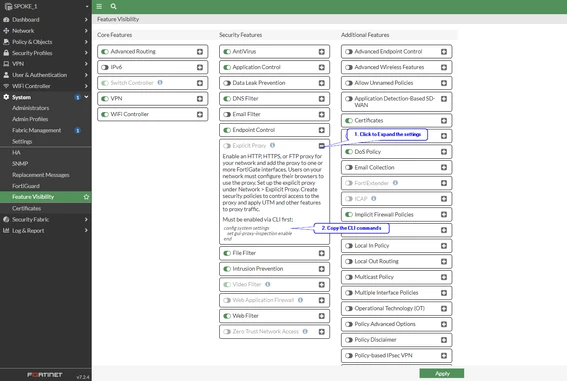
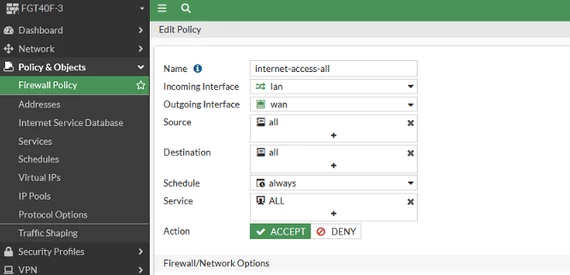
To enable Proxy Inspection on Firewall Policies, first log in to the FortiGate through the GUI and open a new CLI connection. Then, run the following commands:
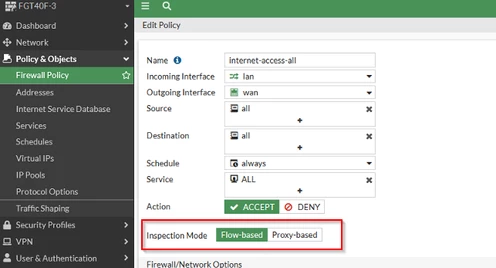
Refresh the browser. Afterward, it will be possible to select the inspection mode on the desired firewall policy or enable certain required proxy features.
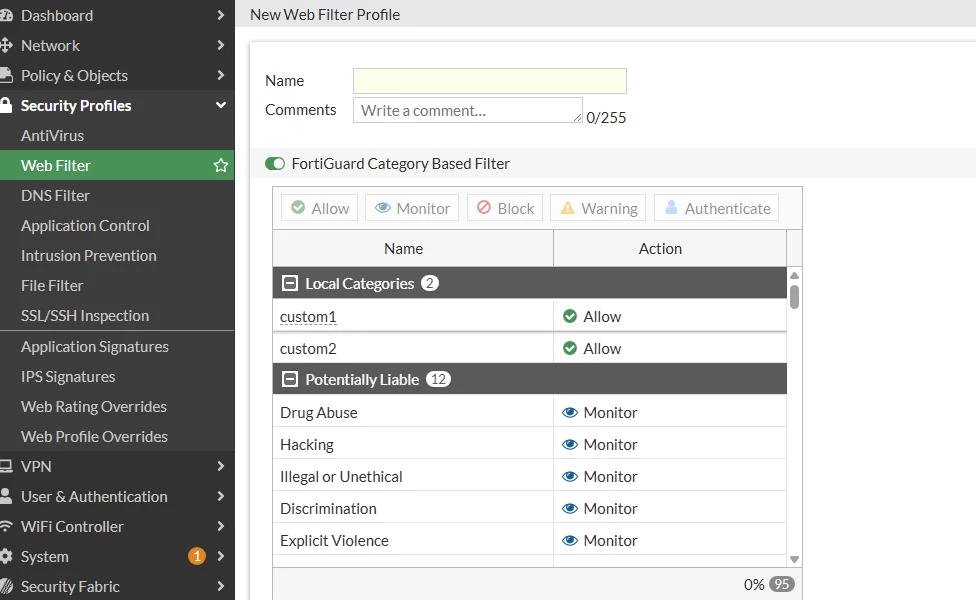
Note: This appears when creating new Security profiles for (webfilter, antivirus).
When the 'set gui-proxy-inspection' is disabled, the option to select (proxy/flow) will not be available, as per the image below:
To check the FortiGate device total RAM, run the commands below:
Related documents: Proxy-related features not supported on FortiGate 2 GB RAM models Technical Tip: Cannot enable Explicit Proxy feature in FortiGate 2GB Model Support proxy-based inspection for email protocols on models with 2 GB RAM |

