
Technical Tip: Show blocking page with application control
Description
This article describes how to show blocked pages by application control.
When multiple security profiles are enabled on the same policy, application control does not show the blocking page.
Scope
FortiGate.
Solution
In order to show the blocking page when application control is used, follow the next steps:
- All security profiles used on the policy have to be in 'Flow Mode'.
- Use SSL Deep Inspection.
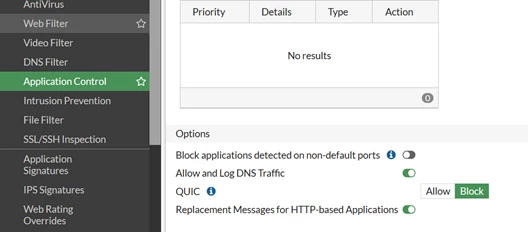
- On the application control profile enable 'Replacement Messages for HTTP-based Applications'.
- IPS detects block during SSL handshake.