


Technical Tip: Secure web proxy through FortiProxy gateway
Description
This article describes the flow and working of a secure proxy through FortiProxy device. With a secure proxy, the HTTP CONNECT message is sent encrypted over the TLS connection.
Scope
FortiProxy.
Solution
The following configuration needs to be set up on the FortiProxy. Navigate Proxy settings and enable the secure web proxy option:
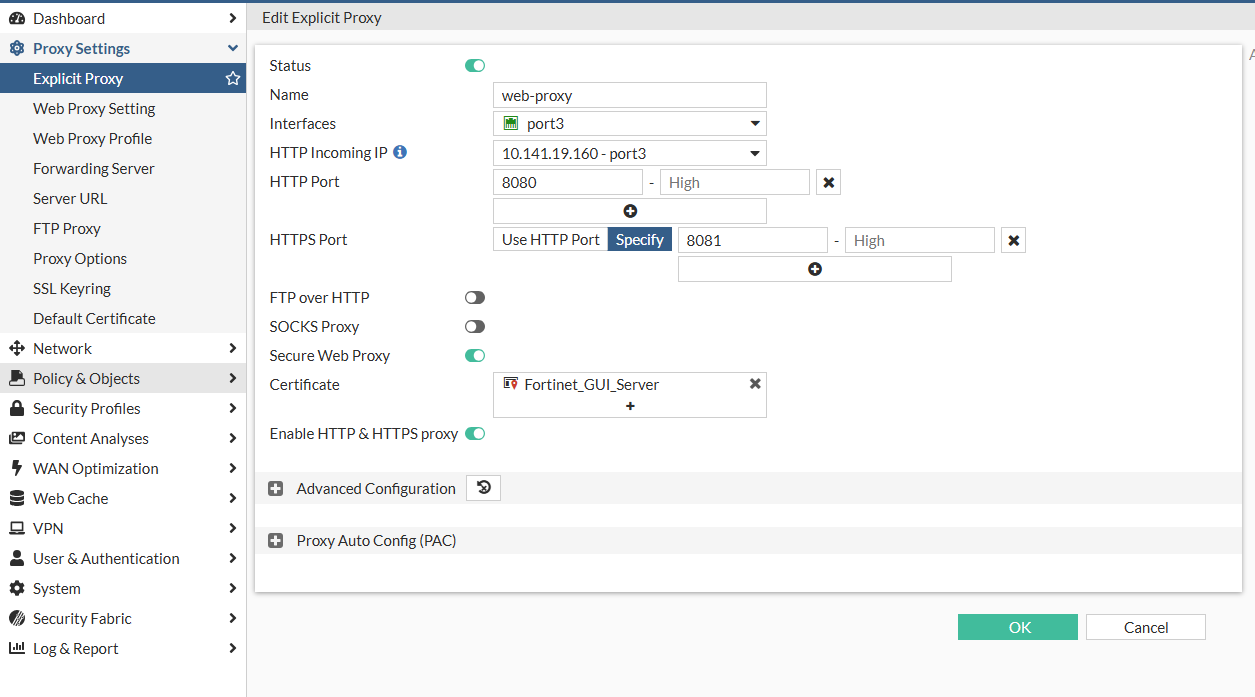
The certificate needs to be a server certificate not a CA certificate since the internal connection should be encrypted between user and FortiProxy.
CA certificate needs to be installed in the user PC who has signed this server certificate.
The following is the basic flow that shows the difference between an HTTP proxy and an HTTPS (secure) proxy.
Proxy with HTTP:
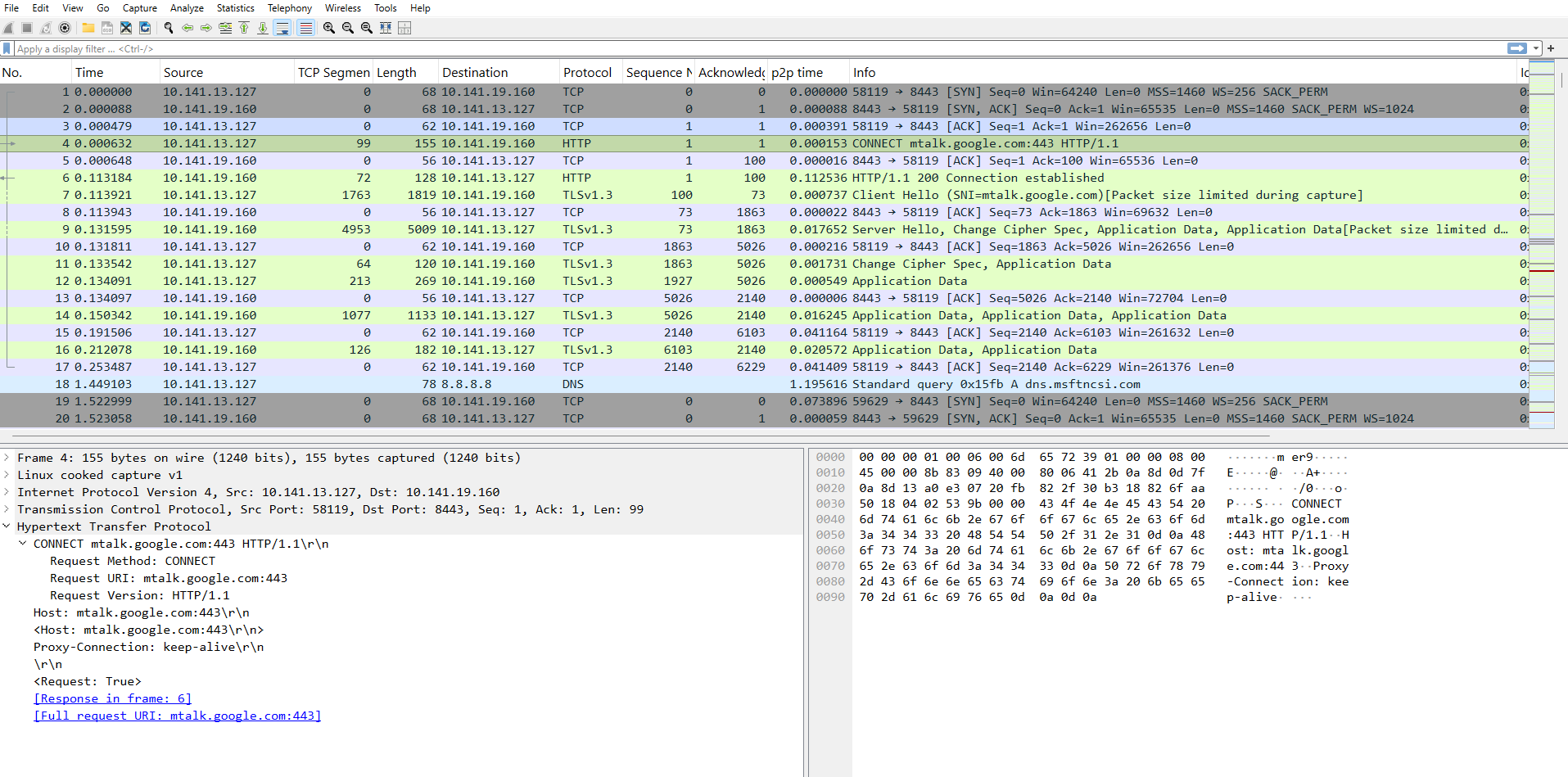
In the above output, the HTTP CONNECT message is sent unencrypted to the Proxy. After the TCP connection with the Proxy PC, it sends a CONNECT message with HTTP.
The following is the flow with secure proxy:
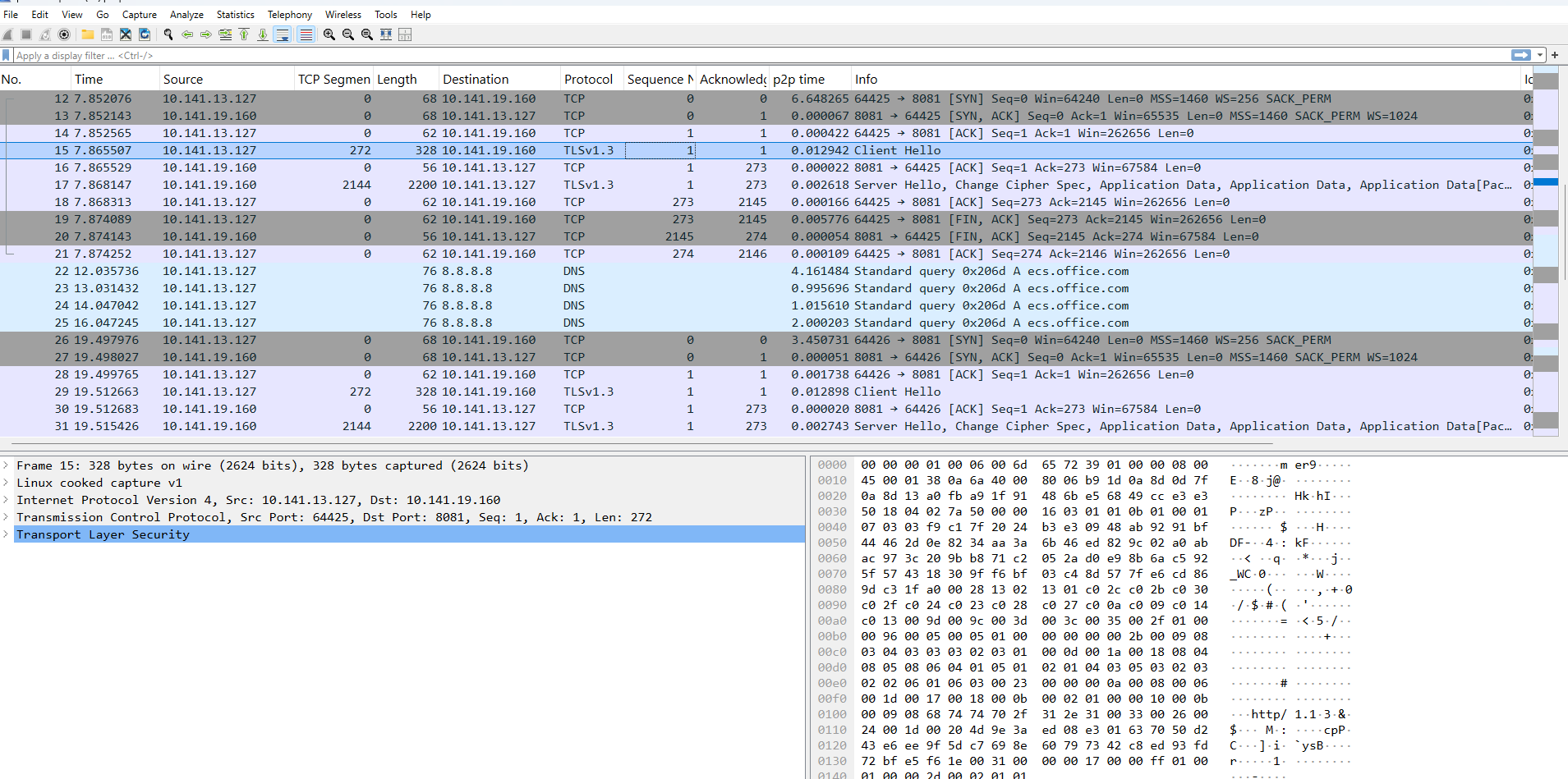
In the above capture, the PC initiates a TLS connection before sending the CONNECT request to the Proxy.
After, this CONNECT message is sent encrypted under TLS connection.
WAD debug for the secure proxy connection:
[I][p:1136][s:50333517] wad_ssl_port_caps_on_task :13890 wsp=0x7fe00576ee08/6 cts 2 pts 2 hs 2/0 cpcs 0

ppcs 0 se 0 ed 0/0 ph 0 pti 1/1746/0 cti 0/0 ci 0/0/5 cto 0/0 wb 0/0

[I][p:1136][s:50333517] wad_ssl_port_caps_on_task :13890 wsp=0x7fe00576ee08/6 cts 2 pts 4 hs 2/0 cpcs 0

ppcs 0 se 0 ed 0/0 ph 0 pti 1/1746/1746 cti 0/0 ci 0/0/5 cto 0/0 wb 0/0

[I][p:1136][s:50333517] wad_ssl_port_get_client_hello_sni :9086 wsp(0x7fe00576ee08/6) get clt_hello sni(yahoo.c

om), copied: 1 possible-encrypted
