


Technical Tip: IP address tooltips
Description
Hovering over an IP address on different GUI pages (for example, Dashboard -> Top Policies -> Log & Report -> Forward Traffic -> Security Fabric -> External Connectors) displays a tooltip that contains additional information about the IP such as its country, location, owner, resolved domains, and internet services.
This article describes how to use this feature.
Solution
Tooltip examples.
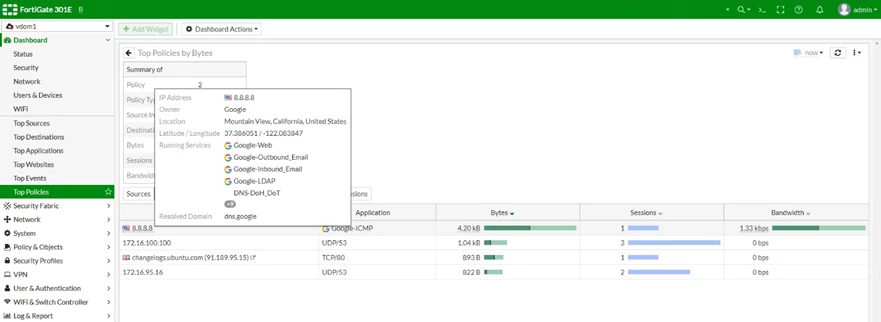
Dashboard -> Top Policies page:
Hovering over an IP address on different GUI pages (for example, Dashboard -> Top Policies -> Log & Report -> Forward Traffic -> Security Fabric -> External Connectors) displays a tooltip that contains additional information about the IP such as its country, location, owner, resolved domains, and internet services.
This article describes how to use this feature.
Solution
Tooltip examples.
Dashboard -> Top Policies page:
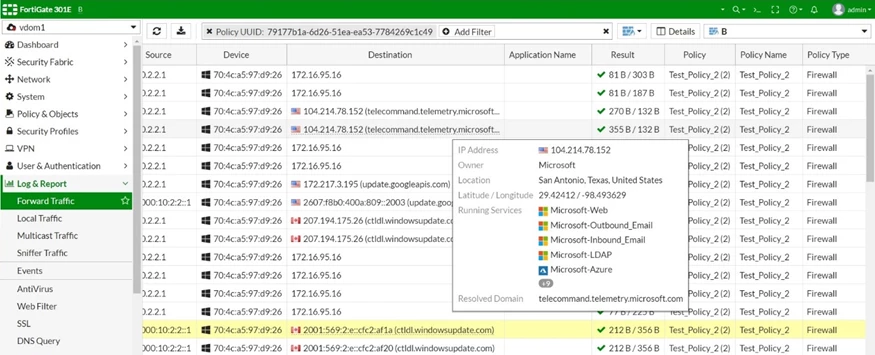
Log & Report -> Forward Traffic page:
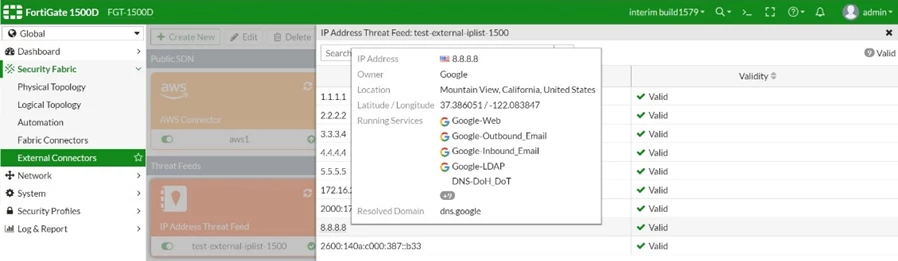
Security Fabric -> External Connectors page in the 'Threat Feeds' section. Hover over a card and select 'View Entries':
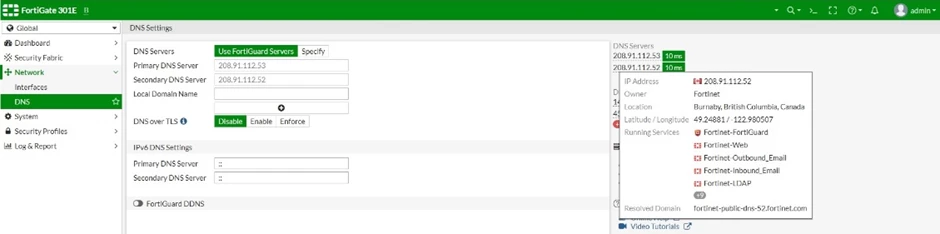
Network -> DNS page:
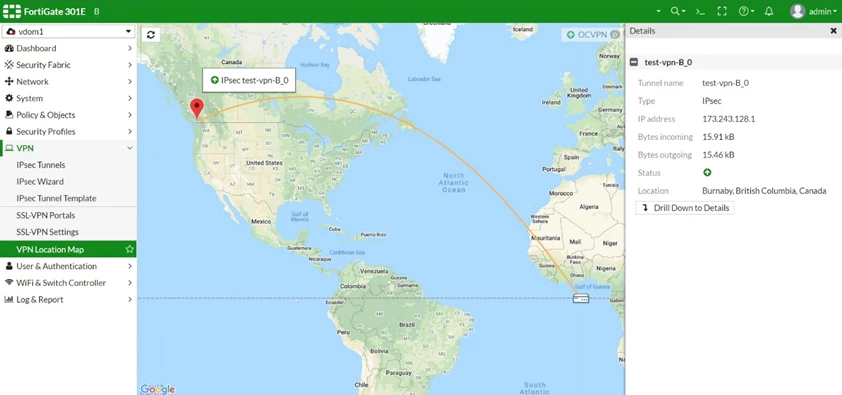
VPN -> VPN Location Map page:

