



Technical Tip: How to resolve value conflicts with system settings errors when applying CDR
Description
This article describes how to resolve value conflicts with system settings error when applying the CDR (Content Disarm and Reconstruction) feature in the FortiGate antivirus security profile.
Scope
FortiGate.
Solution
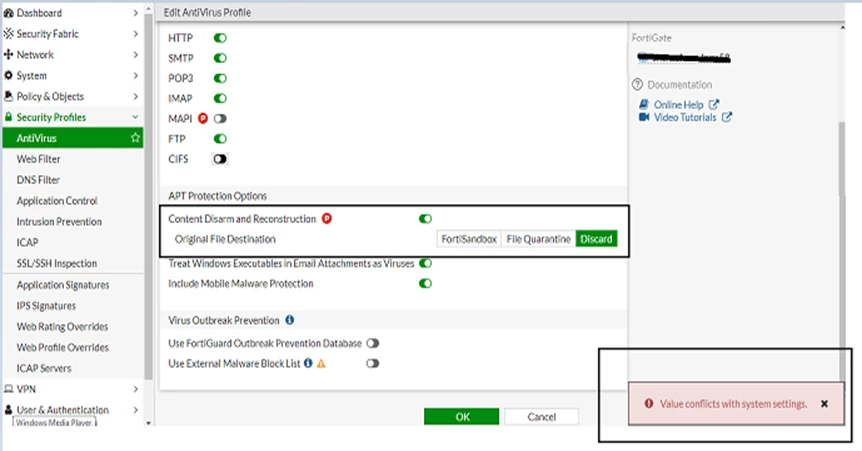
Error on FortiOS versions below 7.0:
Error on FortiOS versions of 7.0 and above:
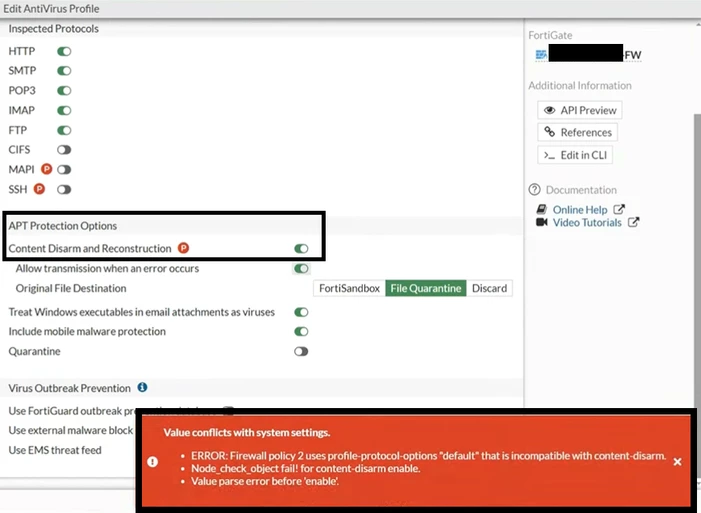
When the 'SMTP Splice' option is enabled in the proxy options profile, CDR cannot be used in the antivirus profile.
The 'SMTP Splice' option is incompatible with the CDR feature.
The 'SMTP Splice' option is incompatible with the CDR feature.
To resolve this issue, create a separate custom protocol option. For example:
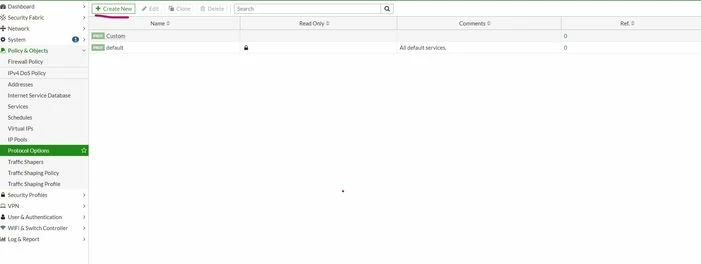
After, disable 'SMTP splice' options in the proxy profile.
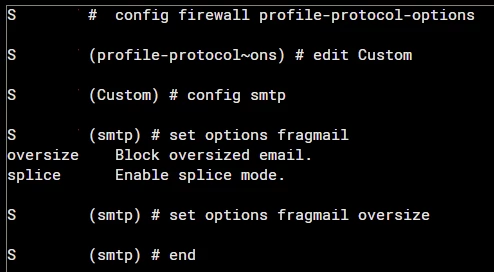
Login to the CLI and configure the following:
Login to the CLI and configure the following:
config firewall profile-protocol-options
edit Custom
config smtp
set options fragmail splice <- Change to 'oversize'.
end
end
set options fragmail splice <- Change to 'oversize'.
end
end
After, use the same protocol option under all of the firewall policies which are using Antivirus profiles with the Content disarm and reconstruction option enabled. For example:
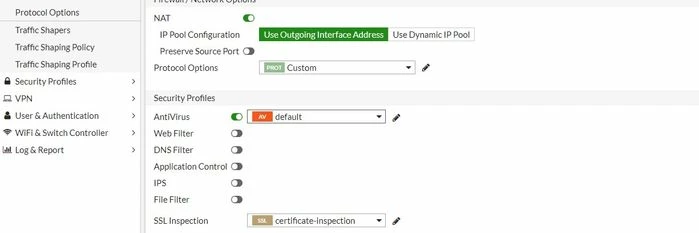
After making these changes, enable the Content Disarm and Reconstruction option again.