


Technical Tip: Application control based traffic shaper
Description
This article describes how to configure an application to control traffic shaper.
Related document:
Configuring application control traffic shaping
Scope
FortiGate.
Solution
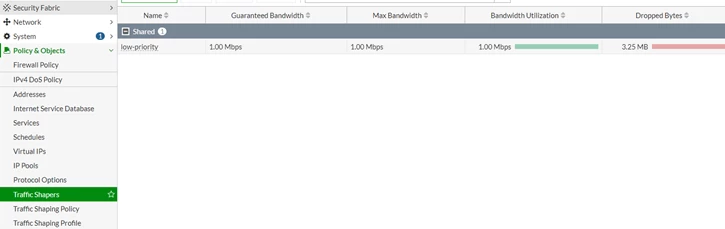
Create a traffic shaper or select/adjust one of the default shapers:
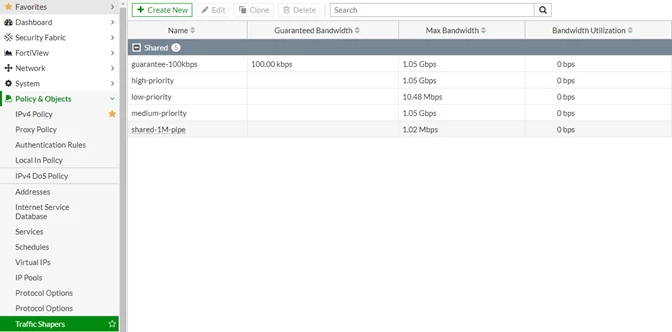
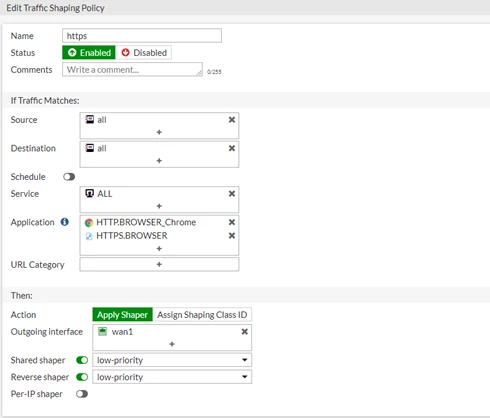
- 'Shared shaper' for upload bandwidth.
- 'Reverse shaper' for download bandwidth.
From CLI:
config firewall shaping-policy
edit 1
set name "https"
set status disable
set service "ALL"
set application 34039 40568
set dstintf "wan1"
set traffic-shaper "low-priority"
set traffic-shaper-reverse "low-priority"
set srcaddr "all"
set dstaddr "all"
next
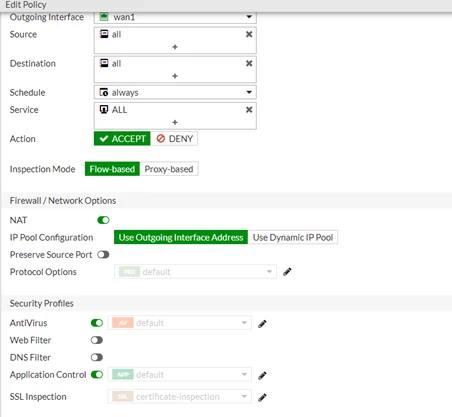
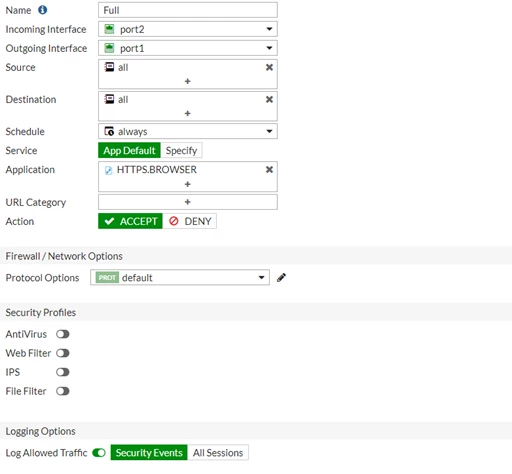
Enable application control in the firewall policy.
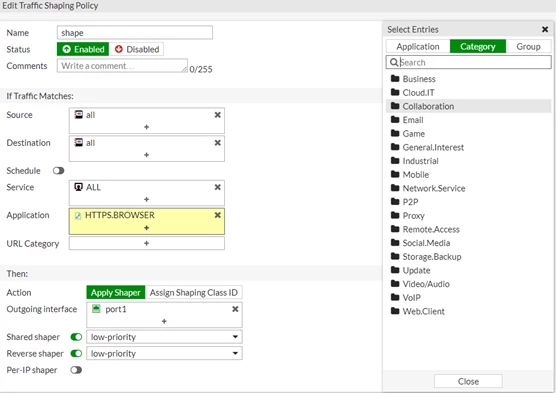
Checking the traffic shaper:
name low-priority
maximum-bandwidth 125 KB/sec
guaranteed-bandwidth 125 KB/sec
current-bandwidth 125 KB/sec
priority 4
overhead 0
tos ff
packets dropped 2108
bytes dropped 2812798
The session list:
session info: proto=6 proto_state=11 duration=129 expire=3587 timeout=3600 flags=00000000 socktype=0 sockport=0 av_idx=0 use=3
origin-shaper=low-priority prio=4 guarantee 125000Bps max 125000Bps traffic 227Bps drops 0B
reply-shaper=low-priority prio=4 guarantee 125000Bps max 125000Bps traffic 227Bps drops 0B
per_ip_shaper=
class_id=0 shaping_policy_id=1 ha_id=0 policy_dir=0 tunnel=/ vlan_cos=0/255
state=log may_dirty ndr os rs f00 app_valid
statistic(bytes/packets/allow_err): org=1544/13/1 reply=4363/11/1 tuples=2
tx speed(Bps/kbps): 11/0 rx speed(Bps/kbps): 33/0
orgin->sink: org pre->post, reply pre->post dev=5->3/3->5 gwy=192.168.55.1/10.10.0.100
hook=pre dir=org act=noop 10.10.0.100:42816->74.125.133.119:443(0.0.0.0:0)
hook=post dir=reply act=noop 74.125.133.119:443->10.10.0.100:42816(0.0.0.0:0)
pos/(before,after) 0/(0,0), 0/(0,0)
src_mac=52:54:00:03:75:67
misc=0 policy_id=13 auth_info=0 chk_client_info=0 vd=0
serial=000335e4 tos=ff/ff app_list=2000 app=31077 url_cat=0
sdwan_mbr_seq=0 sdwan_service_id=0
rpdb_link_id=00000000 rpdb_svc_id=0 ngfwid=n/a
npu_state=0x041008
Related documents:
Technical Tip: How to apply traffic-shaping in a firewall policy
Technical Tip: How to configure and check which traffic shaper is used

