




Technical Tip: Allow Facebook Workplace while Blocking Facebook
Description
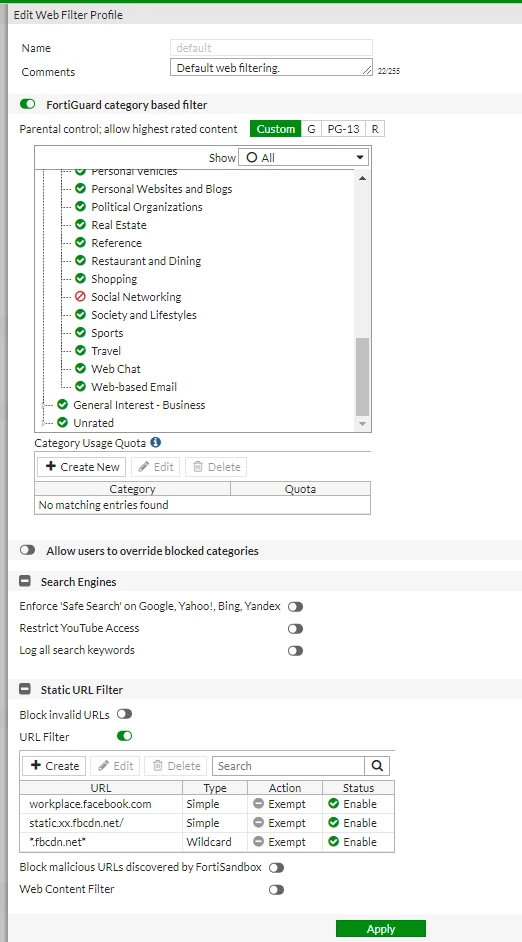
This article describes how to configure a web filter profile on FortiGate to block access to Facebook (www.facebook.com) but allow access to Facebook's workplace.
Scope
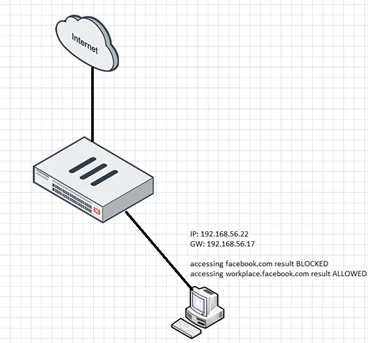
Solution
Expectations:
Access to the Facebook website will be blocked but access to the Facebook workplace will be allowed.
Configuration:
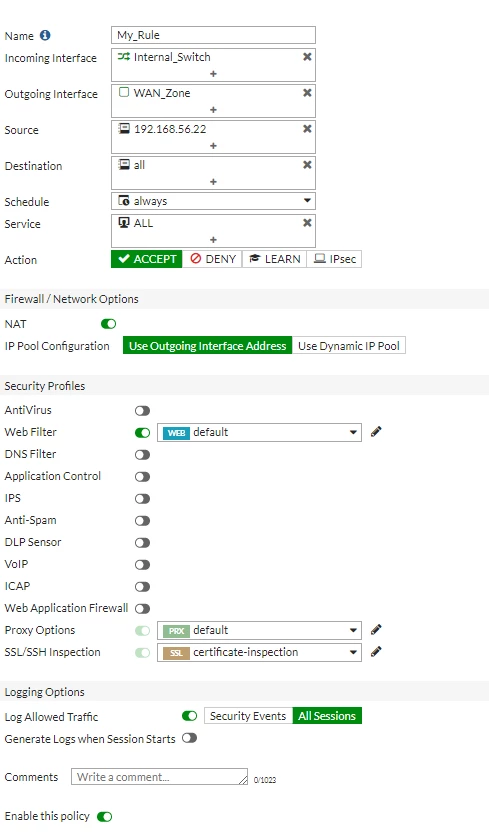
- The following is the configuration of IPv4 policy:
- The following is the configuration of the web filter profile:
Verification:
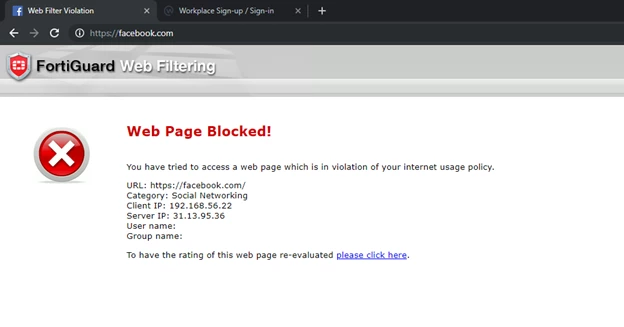
- Open a web browser and confirm that Facebook is blocked as follows:
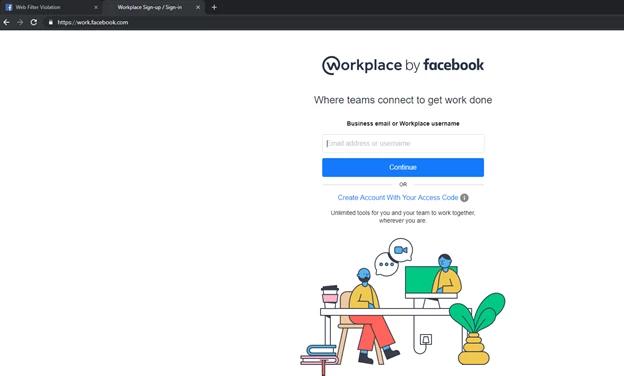
- Confirm that access to the Facebook workplace is allowed as follows:
Troubleshooting:
In this case, the test machine that is being used to replicate access to Facebook (facebook.com) and Facebook workplace (workplace.facebook.com) is 192.168.56.22.
This explains why 192.168.56.22 is used to filter the urlfilter debugging as follows:
diagnose debug reset
diagnose debug disable
diagnose debug urlfilter src-addr 192.168.56.22
diagnose debug app urlfilter -1
diagnose debug en
To stop debugging, run the following command:
diagnose debug disable
Related article:
Technical Tip: The difference between 'allow' and 'exempt' in the web filter URL filter

