




Technical Tip: 'Access Denied' error while accessing the Virtual Server with HTTP and HTTPS cookie persistence
| Description | This article describes the reason behind the 'Access Denied' error while accessing the Virtual Server with HTTP and HTTPS cookie persistence. |
| Scope | FortiGate. |
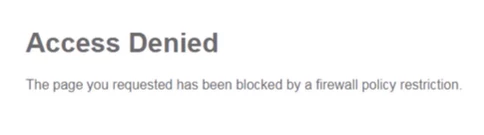
| Solution | The HTTP cookie persistence ensures that the user should connect to the same server, however, if that server gets unreachable then the user will face the 'Access Denied' error.
To fix the issue, it could be understood with the help of the below Virtual Server configuration.
# config firewall VIP
# config realservers
If the real server 192.168.1.1 becomes unreachable then the users trying to access the Virtual Server with the HTTP cookies already injected in the user's web browser will face an 'Access Denied' error.
The rest of the real servers 192.168.1.2 and 192.168.1.3 would be accessible using their respective HTTP cookies already injected in the user's web browsers.
New users with no HTTP cookies stored in the Web Browser will not face any issues as a new session would be created either with a real server 192.168.1.2 or 192.168.1.3 according to the Load Balance Method configured.
|


