


Technical Tip: Recommended configuration for HTTPS Virtual Server with deep inspection
Description | This article describes the recommended configuration on the FortiGate for an HTTPS Virtual Server with deep inspection.
Note: Some Low-end models do not support load balancing of secure protocols (HTTP, HTTPS, IMAPS, POP3S, SMTPS, and SSL). Check the documentation for the version & model in use:
|
Scope | FortiGate. |
Solution |
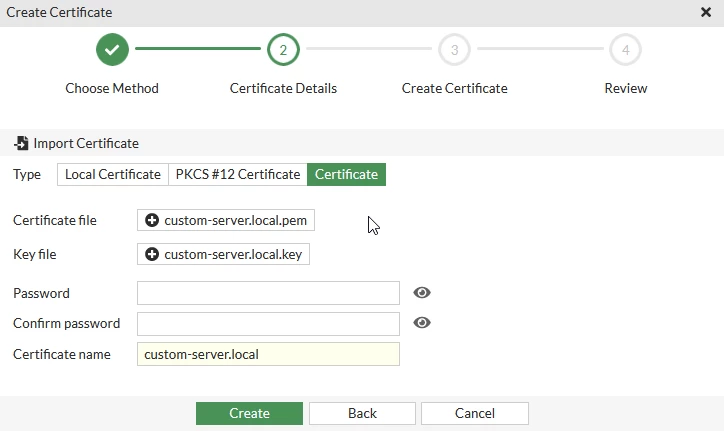
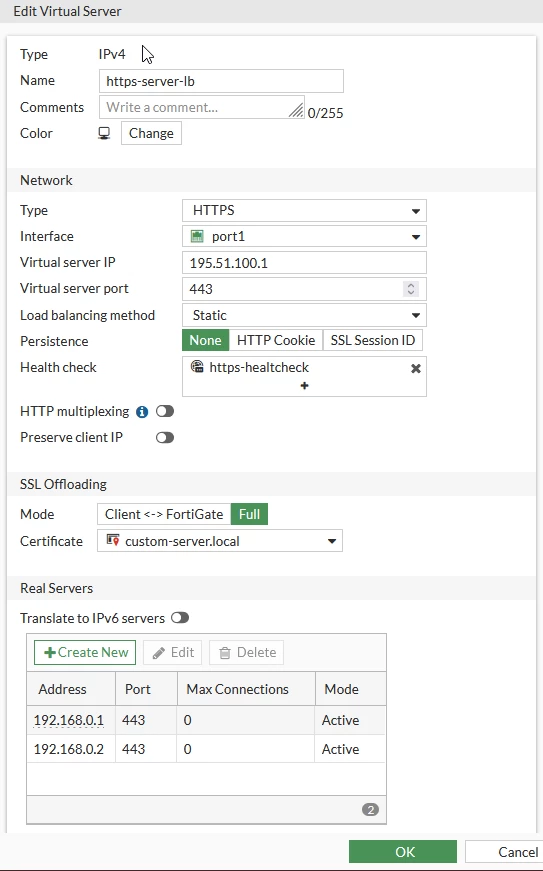
Note: In SSL-offloading, choose the imported certificate. Also, the default value for SSL Offloading is Client <-> FortiGate. Ensure that 'Full' is selected for access to virtual servers to work for HTTPS. If the internal server listens on HTTP (i.e. server type is HTTP), keep the default value Client <-> FortiGate.
To better understand how these two methods work, see Technical Tip: Difference Between SSL Half and Full Offloading.
Use the following commands:
Go to Security Profiles -> SSL/SSH Inspection and select 'Create New'.
Note: 'Inspect All Ports' should not be set as the port for this setup is already known and it may lead to a performance degradation.
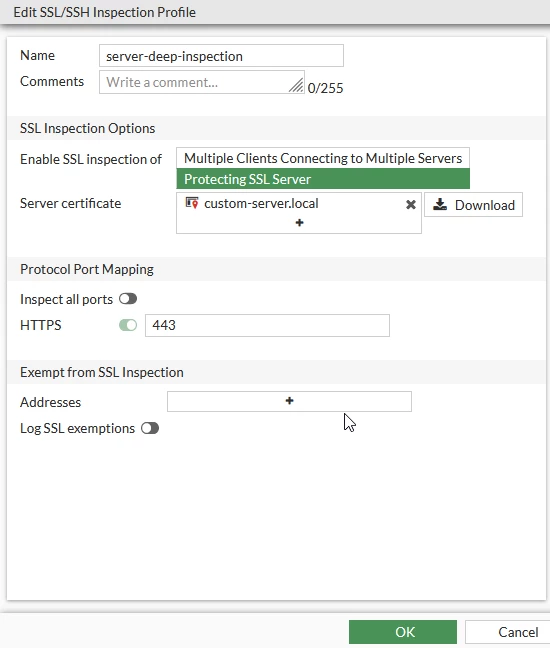
Go to Policy & Objects -> Firewall Policy and select 'Create New'.
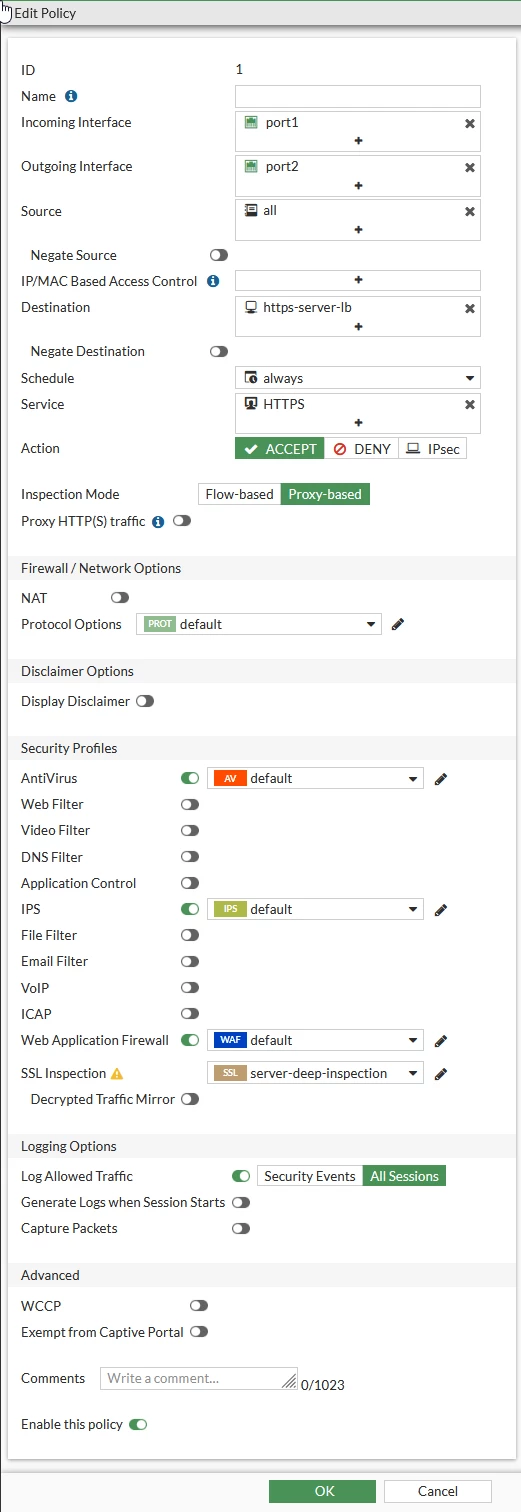 Policy configuration.
Note: Inspection mode must be set to proxy, otherwise the Virtual server will be filtered out in the 'Destination' field. Starting with FortiOS v8.0.1, FortiGate supports upstream SSL for HTTPS virtual servers. Refer to document: |

