
Technical Tip: FortiGate secure-explicit-proxy modes behavior
| Description | This article describes FortiGate’s default behavior when it is operating in a different secure-explicit-proxy mode. |
| Scope | FortiOS v7.4.0 and above, FortiOS v7.6.0 and above. |
| Solution | A secure-web-proxy option is available starting 7.4.0: New features or enhancements (ID - 829476). This article explains the behavior of FortiGate while different options are adjusted. As per the description, there are three options to set up:
config web-proxy explicit set secure-web-proxy ? disable Disable secure webproxy. enable Enable secure webproxy access. secure Require secure webproxy access.
Meanings:
There are outputs for two different modes: secure and enabled only.
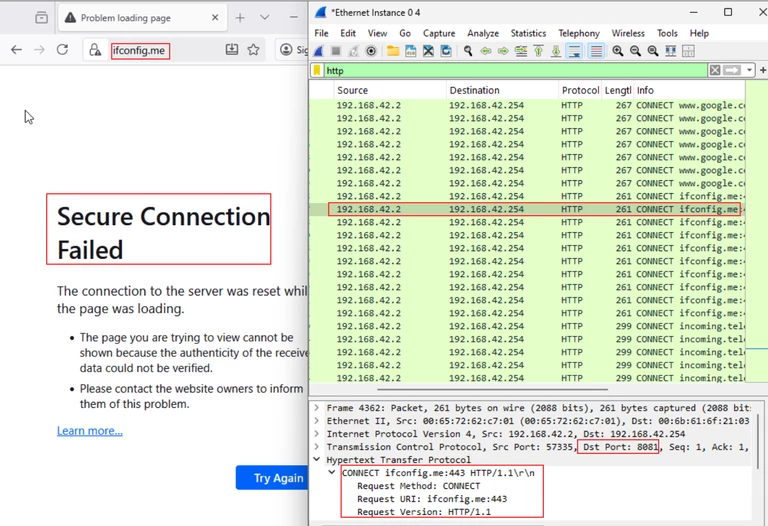
There are several browsers (for instance, Edge (some versions), and Firefox Mozilla) using an ‘HTTP CONNECT' to establish a proxy connection, which could be rejected by FortiGate configured with the ‘secure’ mode.
Test 1. FortiGate's explicit-proxy settings:
config web-proxy explicit set status enable set secure-web-proxy secure <--- set http-incoming-port 8080 set https-incoming-port 8081 set secure-web-proxy-cert "mu.fgt-nonCA" end
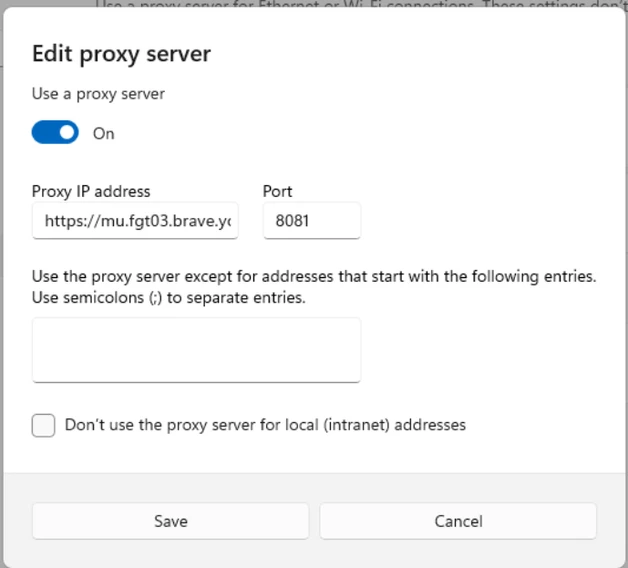
Proxy client system settings:
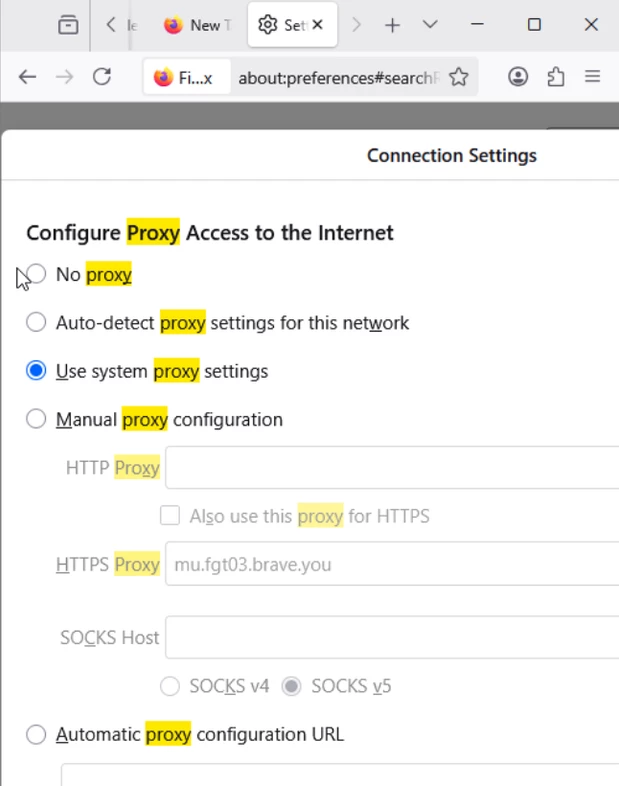
Firefox Mozilla settings on the same host:
Results: Client tried to connect to a 'https://www.ifconfig.me'. As per Wireshark outputs captured in the proxy client, Mozilla tried to establish a proxy connection with the 'HTTP CONNECT' message:
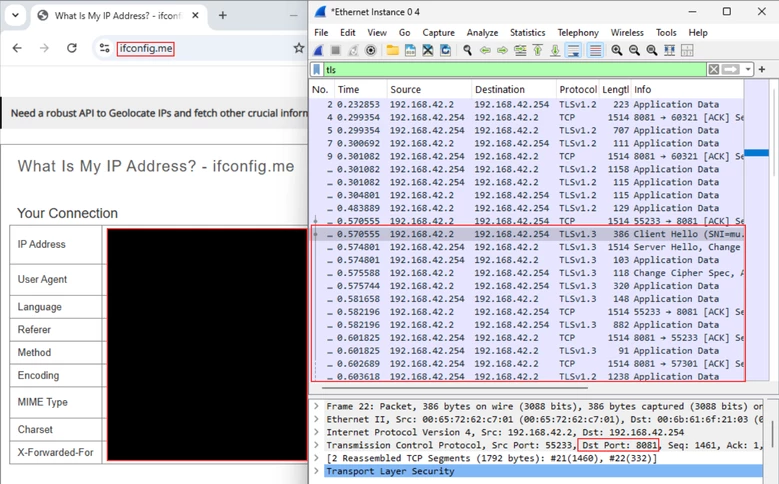
Outputs while using Chrome browser:
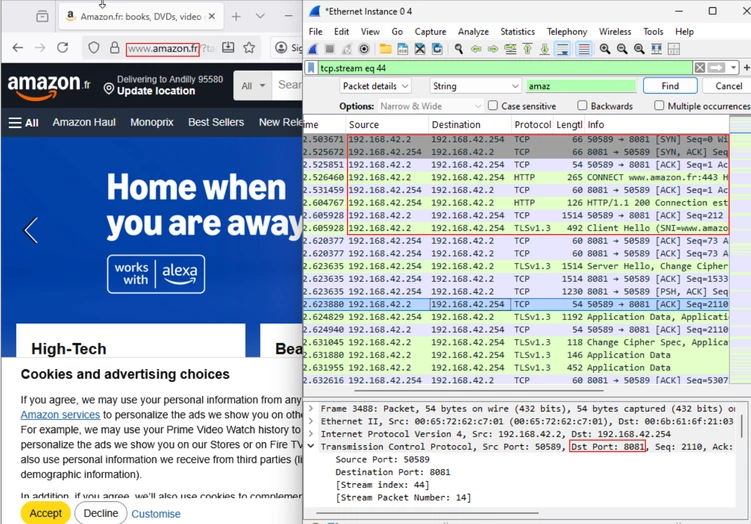
Test 2. Behavior of Firefox Mozilla when the 'secure-proxy-mode enable' is applied.
config web-proxy explicit set status enable set secure-web-proxy enable set http-incoming-port 8080 set https-incoming-port 8081 set secure-web-proxy-cert "mu.fgt-nonCA" end
Firefox Mozilla outputs while connecting to 'amazon.fr':
Related documents: Configuring a secure explicit proxy Technical Tip: Enhancing explicit Web proxy Security through SSL/TLS channel |