Technical Tip: Dynamically update FortiOS session list table when the external feed list is being updated
| Description | This article describes the capability of FortiOS to check if there is an existing session established with an IP that now belongs to the External Threat Feed list. |
| Scope | FortiGate v7.2.1+. |
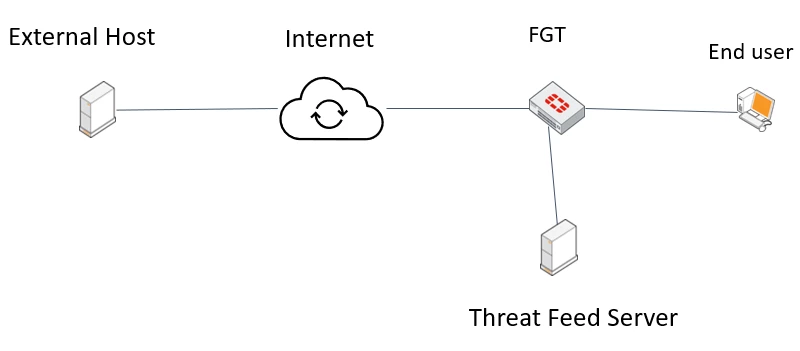
| Solution | Let's assume a network administrator is maintaining the below sample topology:
The administrator has configured the FotiGate to receive the malicious list IPs from an internal Threat feed server. An internal End user has established a communication channel with an External Host and by the time the connection was established the external host's IP did not belong inside the Threat feed database. However, the threat feed server has updated the database and now the IP of the external host belongs to the malicious IP addresses and the administrator expects all new subsequent packets to be blocked.
If a session has been already established, FortiOS needs to mark the session as 'dirty' to be re-examined based on the new criteria.
This feature has been implemented in the 7.2.1 GA release with the below VDOM setting command:
config system settings
With the addition of the above command when there is an updated version of the malicious IP database FortiOS will mark these sessions as 'dirty' and re-evaluate once again.
Note: FortiGate does not re-evaluate existing sessions immediately when an external threat feed is updated. Active sessions are re-evaluated after the smaller value of the configured feed refresh-rate or 30 minutes. |