
Technical Tip: Configuring Failover with Policy Routing on FortiGate for Redundant WAN Links
| Description | This article describes how to configure failover on a FortiGate using policy-based routing to manage two or more redundant WAN links for specific traffic. The topology consists of WAN1, WAN2, and WAN3, where WAN2 acts as the primary link, WAN1 as a secondary link, and WAN3 as the last resort in case both primary and secondary links fail. |
| Scope | FortiOS, FortiGate, Routing. |
| Solution | Topology:
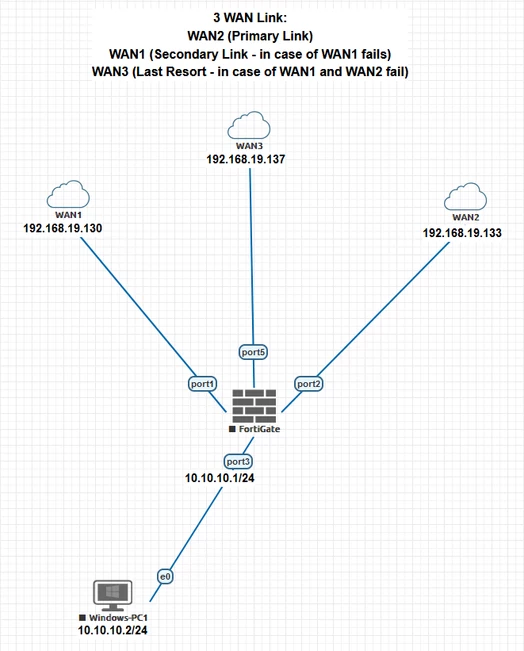
The firewall policies and routes will direct traffic from the internal network (LAN) to the available WAN interfaces based on their priority and availability. If WAN2 goes down, traffic will be routed through WAN1. If both WAN2 and WAN1 fail, traffic will be routed via WAN3.
Objectives:
Configuration:
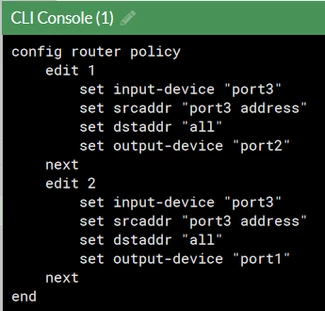
Policy Route Configuration:
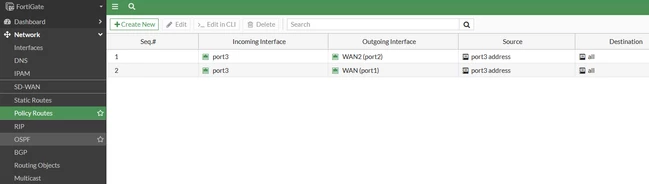
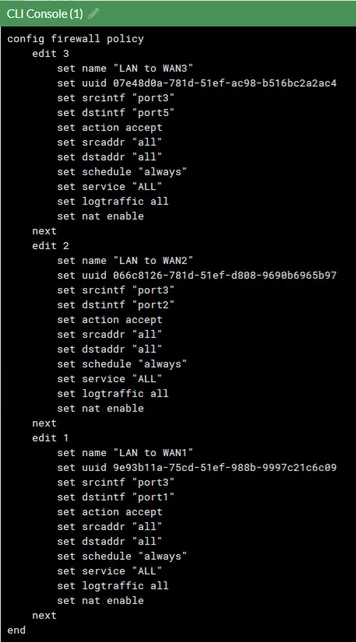
Firewall Policies for each WAN Link: 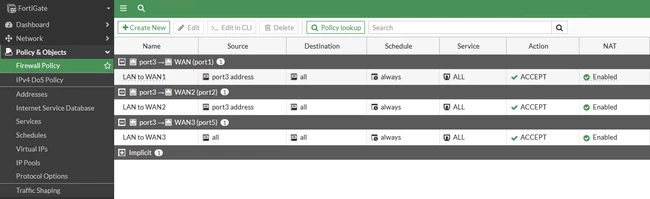
Testing and Verification:
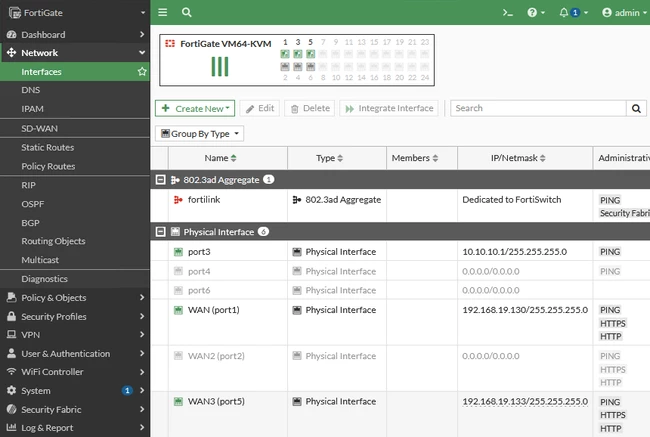
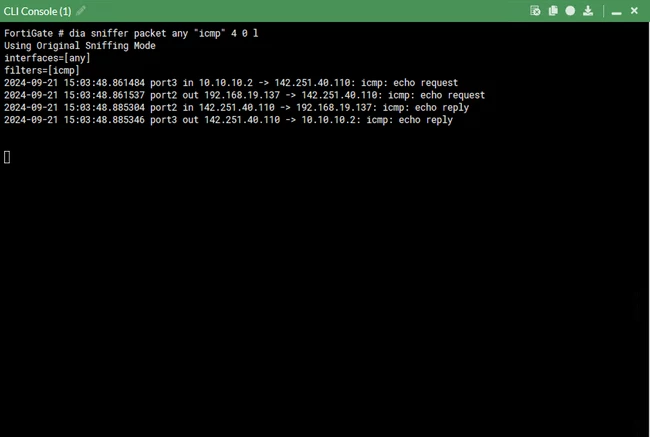
Initial Traffic Flow: WAN2 (Primary Link): 192.168.19.133 (Port 2) WAN1 (Secondary Link): 192.168.19.130 (Port 1) WAN3 (Last Resort): 192.168.19.137 (Port 5) Windows PC (Connected to LAN): 10.10.10.2
When all WAN links are operational, traffic is routed through WAN2 because the policy route for WAN2 is prioritized above WAN1, establishing WAN2 as the primary link.
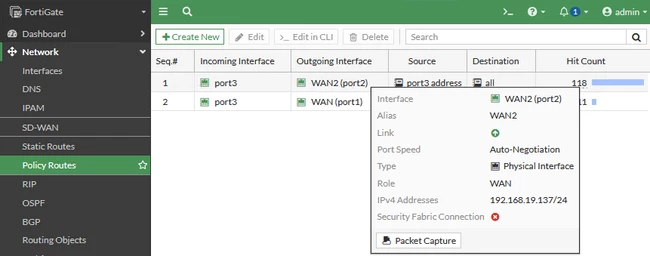
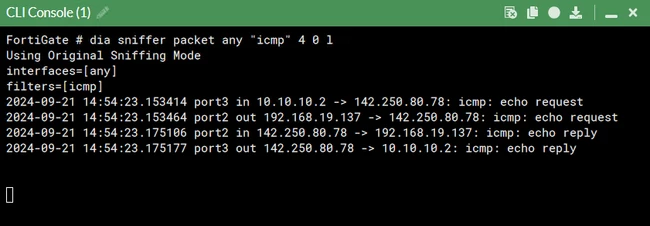
After a failover from WAN2, traffic is redirected to WAN1, making WAN1 the primary link.
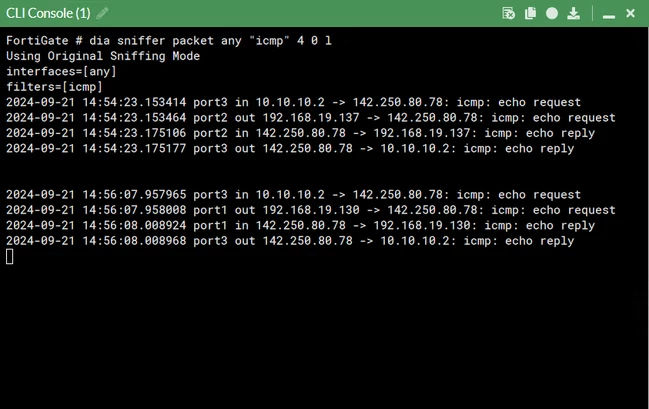
When both WAN2 and WAN1 fail, traffic is redirected to WAN3, making it the active link. Since there is no specific policy route configured for WAN3, all traffic will follow the default route in the absence of the interfaces tied to the policy route. If the goal is to block all traffic from reaching the internet during this failover, a Firewall Policy with the action set to 'Deny' needs to be created for the source subnet and placed above the general firewall policy to prevent outgoing traffic. 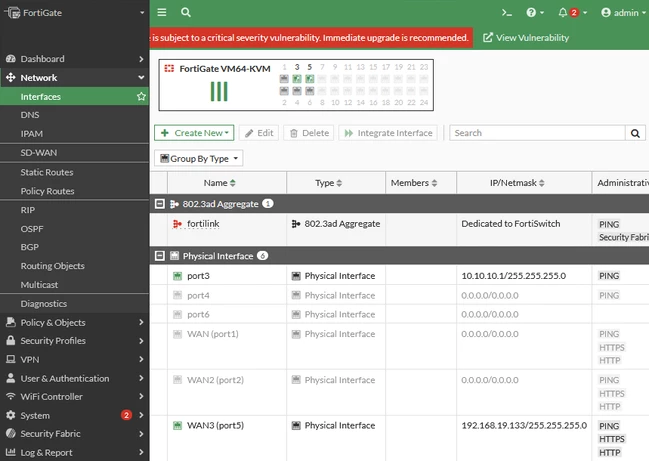
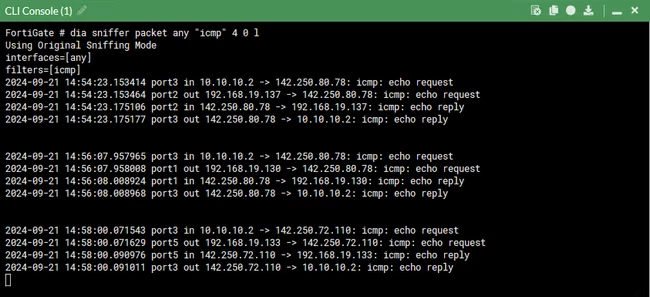
When all WAN links come back up, traffic again routes through WAN2 because the policy route for WAN2 is prioritized above WAN1, making WAN2 the primary link once again.
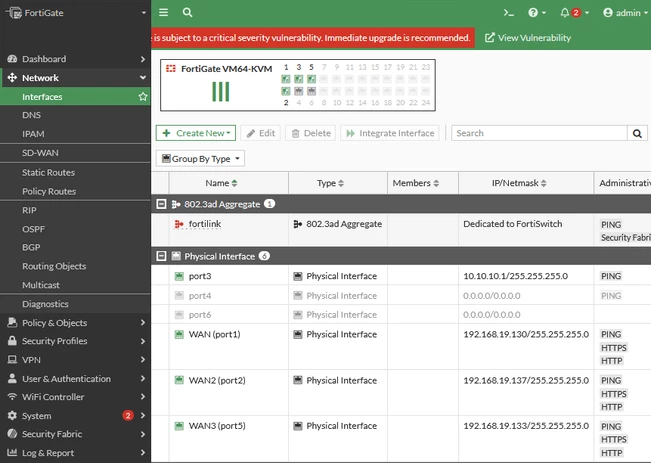
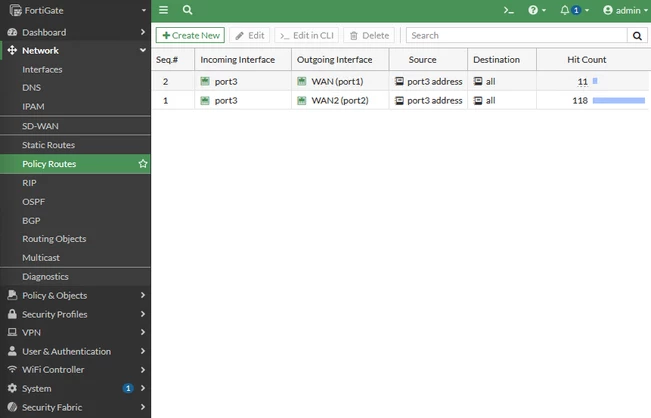
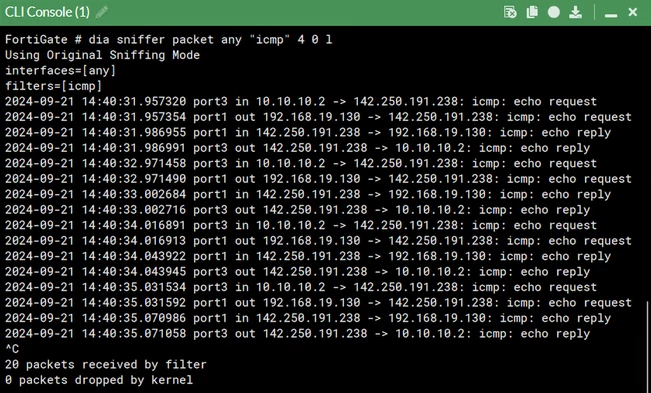
When all WAN links are operational, traffic is routed through WAN1 because the policy-route for WAN1 is administratively moved above WAN2, making WAN1 the primary link.
Note:
Related articles: Redundant Internet connection without load-balancing Setting up ISP Failover with Static and DHCP Interfaces Other necessary changes to make when changing WAN IP |