New Member
Oct 7, 2026 9:49 AM UTC
Question

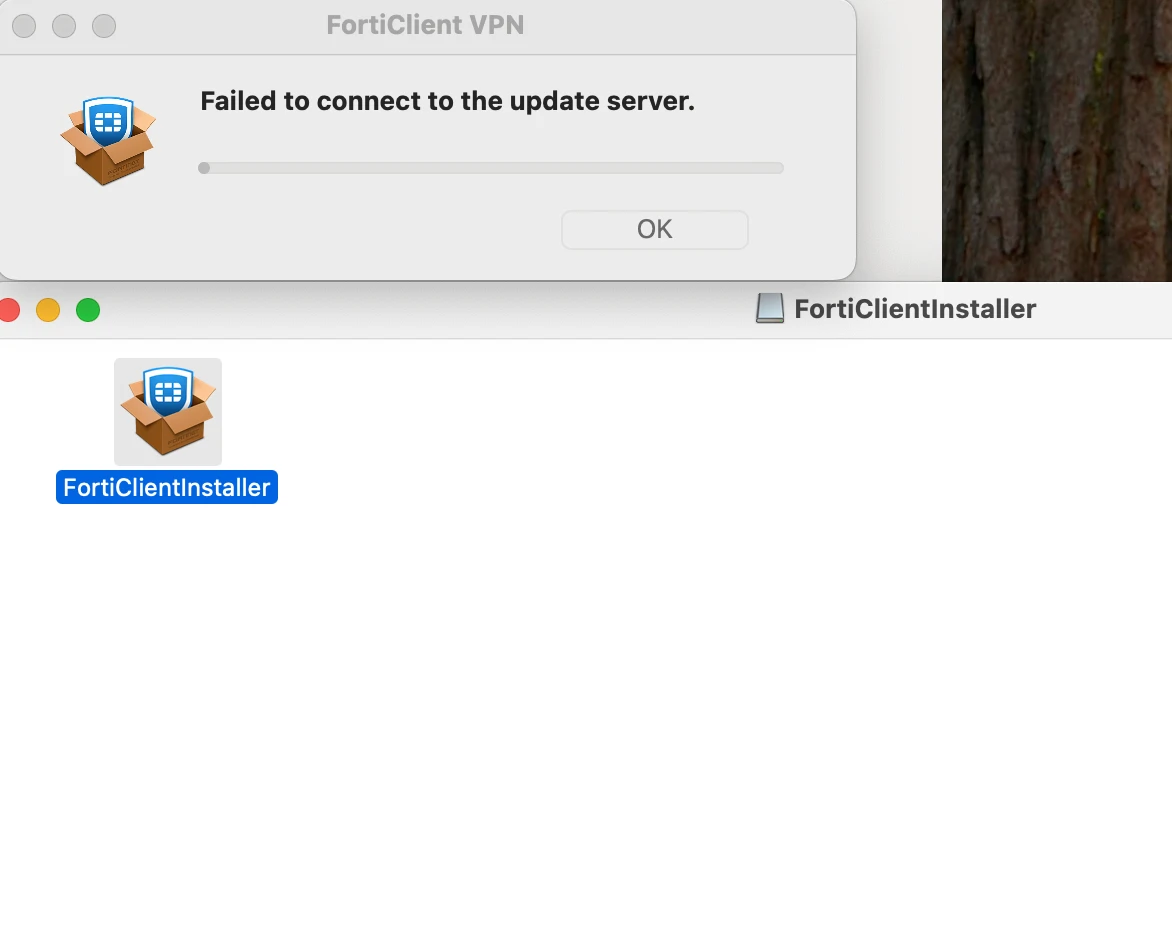
Unable to Install Forticlient VPN

Hi I am trying to install my FortiClient but I am getting this error. I have had it installed before but then I had to uninstall it due to issues. 


    2 replies

    kaman
    Staff
    Staff
    Oct 7, 2026 1:22 PM UTC

    Hi Mieke,
     

    To resolve the "failed to connect to the update server" error when installing FortiClient VPN, you can try the following steps:


    ++ Check Internet Connection: Ensure that your internet connection is stable and not restricted by any firewall or network policies that might block access to Fortinet servers.


    ++ Use Alternate Download Method: If you are unable to access the offline installer as a free user, you can try downloading the FortiClient VPN directly from the Fortinet support site:

    Go to support.fortinet.com.
    Navigate to Support -> Firmware Download.
    Select FortiClient and choose the appropriate version for your operating system.
    Download the installer and proceed with the installation.

    ++ Firewall/Antivirus Settings: Temporarily disable any firewall or antivirus software that might be blocking the installation process and try again.

    ++ Proxy Settings: If you are using a proxy server, ensure that it is correctly configured to allow access to Fortinet's update servers.


    Regards,
    Aman
     

    Translate
    sjoshi
    Staff
    Staff
    Oct 7, 2026 11:16 PM UTC

    Hi ​@Mieke 

    what is the FCT version you are trying to install

    The error "Failed to connect to the update server" appears during FortiClient installation on macOS when the installer cannot reach Fortinet's update servers to fetch the latest version or components


    FortiClient needs to reach specific Fortinet servers to complete installation. The key requirements are:

    forticlient.fortinet.net on TCP port 80 — used to retrieve the list of available update servers

    TCP port 443 — for secure communication to the nearest update server

    UDP port 8889 — for retrieving AntiVirus and Vulnerability signatures 


    If your firewall, proxy, or network blocks these destinations, the installation will fail with the update server connection error.

    Translate
    Thanks, Salon
    Risk and Resilience in the Age of AI. An OT Thought Leadership Summit for Houston's Critical Infrastructure Leaders. Date: Thursday, December 3, 2026. Time: 8:30 am - 1:30 pm (CT). Location: The Westin Houston, Memorial City | 945 Gessner Road, Houston, TX 77024

