lucas_p
Visitor III
Sep 4, 2025 2:34 PM UTC
Solved

IPsec - 52 / 5 000 adding a new VPN causes the previous one to not work

Hello 


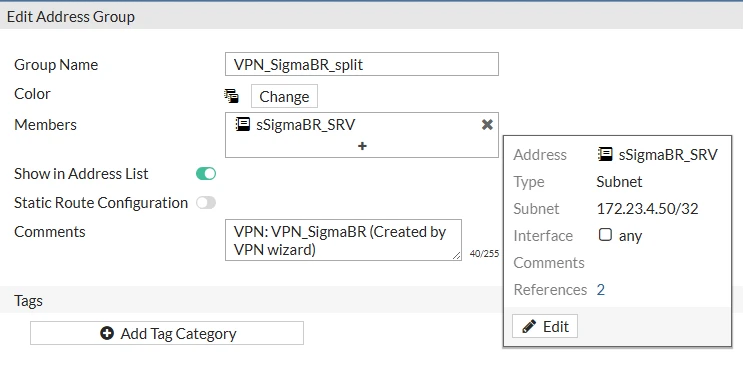
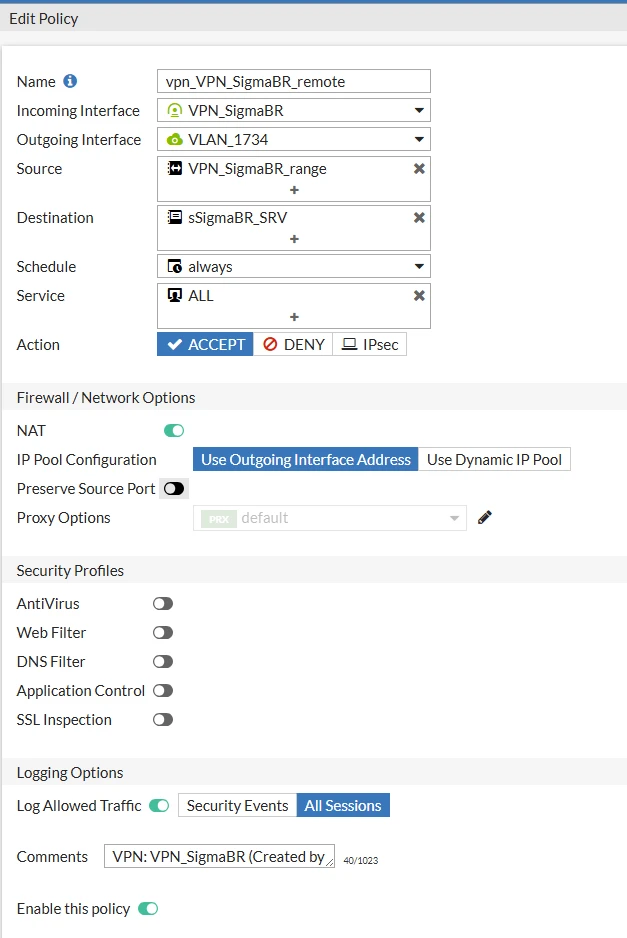
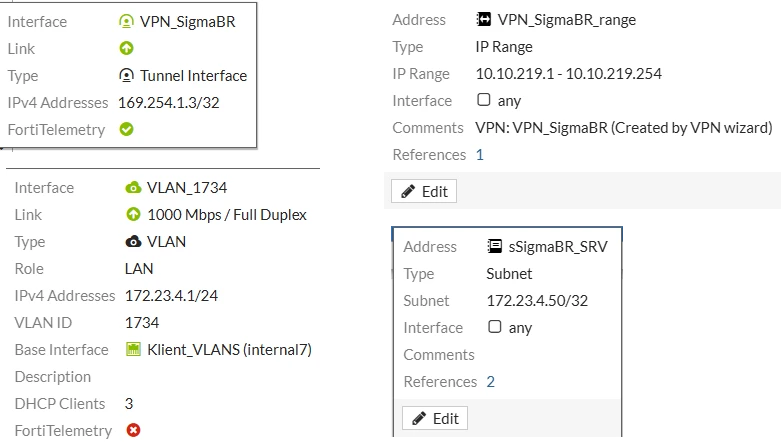
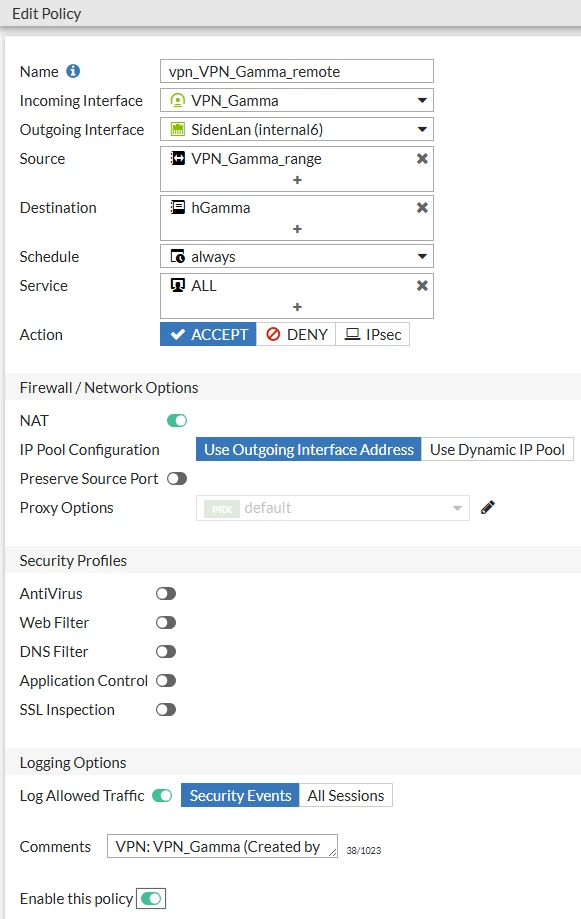
I'm having trouble configuring an IPsec VPN. I configure one IPSec VPN and everything works fine. Clients connect and everything works fine. When I add another VPN, the previous one stops working. Below is the configuration of the first working VPN:
 

image.png


image.png


image.png


image.png

 
I'm adding a second VPN


image.png

image.png


image.png

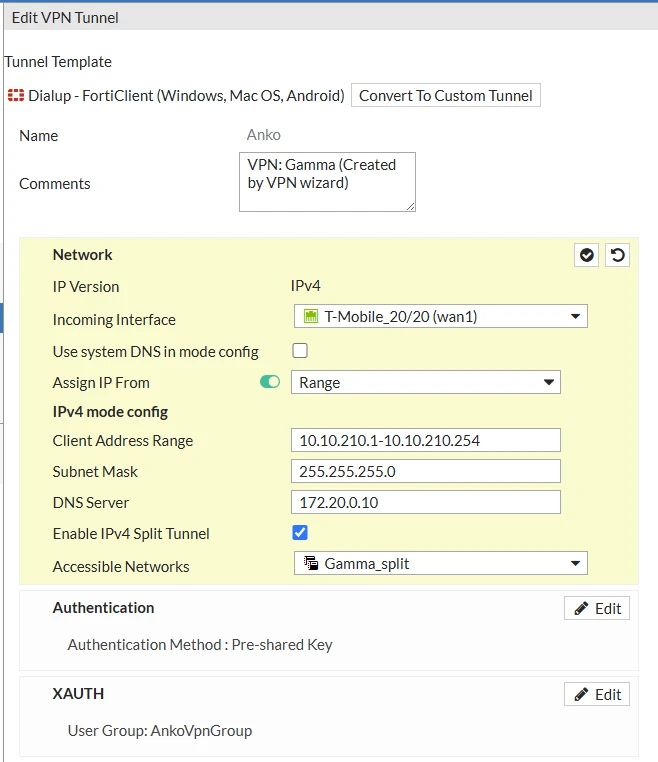
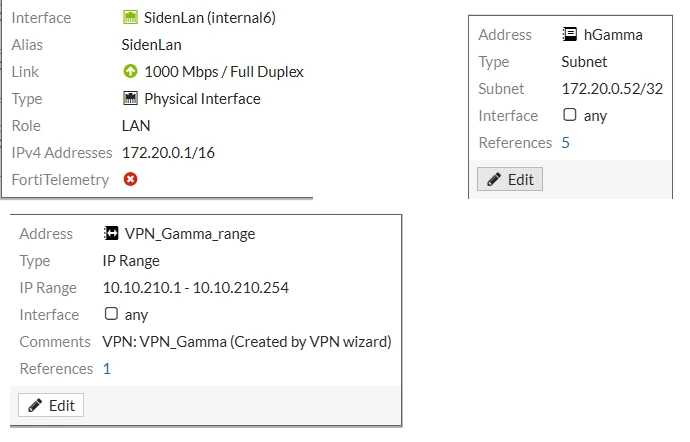
After adding a second VPN, "VPN_Gamma," the first one stopped working. Only after disabling the vpn_VPN_Gamma_remote policy did the first VPN start working again. What could be causing this?

pminarik
pminarikAnswer
Staff
Sep 9, 2025 9:55 AM UTC

Incoming connection attempts are matched to local tunnel phase1 configurations based on:

  • destination IP (IP of the interface the tunnel is bound to, or the manually set IP)
  • remote peer's IP (site-to-site tunnels only)
  • IKE version + mode (main/aggressive, IKEv1 only)
  • crypto settings (encryption~AES/etc, hash~SHA256/etc, DH group)
  • authentication (PSK, certificate, EAP)
  • certificate details (if certs are used)
  • peer ID (for v1 aggressive mode, or v2)

If the configurations overlap and an incoming connection can match multiple phase1 definitions, the first one sorted alphabetically always wins.

Given that the tunnel named "VPN_Sigma_BR" stops working when you create a tunnel named "Anko", I would say that this is a very strong indicator that their configs overlap, and thus the alphabetically first tunnel wins.


We don't see the full configuration to judge this with 100% certainty, but given the observed behaviour + the fact that both were initially created using the same wizard, this is almost certainly the case.


You will need to review the phase1 settings and decide on what you can and want to change to distinguish the tunnels. You have various options such as using different local IPs for each tunnel (if you have multiple IPs available), or using different interfaces, or using different and non-overlapping crypto settings (e.g. AES256-SHA256 for one tunnel and AES256-SHA384 for the other), using different peer IDs for each tunnel, etc.

2 replies

pminarik
Staff
pminarikAnswer
Staff
Sep 9, 2025 9:55 AM UTC

Incoming connection attempts are matched to local tunnel phase1 configurations based on:

  • destination IP (IP of the interface the tunnel is bound to, or the manually set IP)
  • remote peer's IP (site-to-site tunnels only)
  • IKE version + mode (main/aggressive, IKEv1 only)
  • crypto settings (encryption~AES/etc, hash~SHA256/etc, DH group)
  • authentication (PSK, certificate, EAP)
  • certificate details (if certs are used)
  • peer ID (for v1 aggressive mode, or v2)

If the configurations overlap and an incoming connection can match multiple phase1 definitions, the first one sorted alphabetically always wins.

Given that the tunnel named "VPN_Sigma_BR" stops working when you create a tunnel named "Anko", I would say that this is a very strong indicator that their configs overlap, and thus the alphabetically first tunnel wins.


We don't see the full configuration to judge this with 100% certainty, but given the observed behaviour + the fact that both were initially created using the same wizard, this is almost certainly the case.


You will need to review the phase1 settings and decide on what you can and want to change to distinguish the tunnels. You have various options such as using different local IPs for each tunnel (if you have multiple IPs available), or using different interfaces, or using different and non-overlapping crypto settings (e.g. AES256-SHA256 for one tunnel and AES256-SHA384 for the other), using different peer IDs for each tunnel, etc.
Translate
lucas_p
lucas_pAuthor
Visitor III
Sep 9, 2025 10:13 AM UTC
 
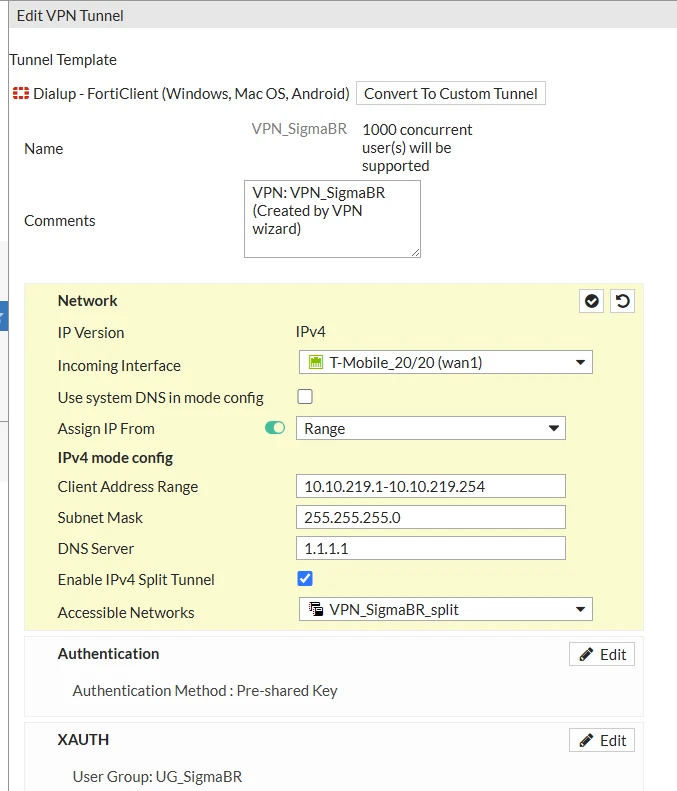
Thanks for the reply. I was wondering what the overlap was. I thought that different Pre-shared Keys
 
image.png
and Client Address Ranges
image.png
were enough to distinguish VPN connections. I generated the configuration for these VPNs differently using PerrID, and that helped.
 
image.png
Translate
Risk and Resilience in the Age of AI. An OT Thought Leadership Summit for Houston's Critical Infrastructure Leaders. Date: Thursday, December 3, 2026. Time: 8:30 am - 1:30 pm (CT). Location: The Westin Houston, Memorial City | 945 Gessner Road, Houston, TX 77024