UmarKM
New Member
Dec 6, 2022 1:29 PM UTC
Question

How to block block Mobile OS models in 7.2

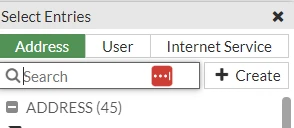
how to block Device tab not available, 

Fortinet v7.2.1
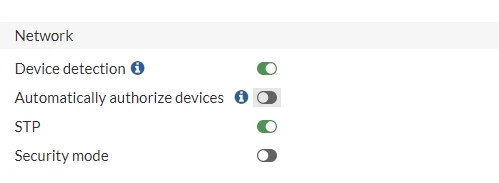
UmarKM_0-1670333148526.png

Device detection is enabled

UmarKM_1-1670333304402.png


5 replies

Esteemed Contributor III
Dec 7, 2022 5:50 AM UTC

Hi Team,


This feature of device tab has been removed in latest versions, You can block using the mac address option.

could you please follow the below article and let us know if this helps
https://docs.fortinet.com/document/fortigate/7.0.5/administration-guide/407159/mac-addressed-based-policies

Translate
UmarKM
UmarKMAuthor
New Member
Dec 7, 2022 7:28 AM UTC

ok, in this case if i got list of mac address how can i add one time insted of added one by one
macaddr 00:0c:29:41:98:88

macaddr 02:0c:29:41:98:89

macaddr 03:0c:29:41:98:88


config firewall address     edit "test-mac-addr1"         set type mac         set macaddr 00:0c:29:41:98:88     next end  


Translate
sjoshi
Staff
Staff
Dec 7, 2022 6:06 PM UTC

Dear


Thank you for posting to the Fortinet Community Forum.


Problem Description:-

How to block block Mobile OS models in 7.2
 
You can also use the application control in the firewall policy to block mobile devices.
Please go through the article below:-

Let us know if this helps.

Thanks

Translate
Thanks, Salon
sandy123
New Member
Apr 24, 2023 8:49 AM UTC

I tried fallowing this but it is not working in my firewall

Translate
Johnharper
New Member
Apr 25, 2023 9:16 AM UTC

Open application control profile.
Select category to be mobile.
Choose FortiOS Signature to monitor/quarantine/block/allow.
Now save it and apply the profile to the respective policy.

Translate
Risk and Resilience in the Age of AI. An OT Thought Leadership Summit for Houston's Critical Infrastructure Leaders. Date: Thursday, December 3, 2026. Time: 8:30 am - 1:30 pm (CT). Location: The Westin Houston, Memorial City | 945 Gessner Road, Houston, TX 77024