

Question
Forticlient Fails to connect after trying MFA Authentication Twice
Hello all,
I am currently assisting a user who cannot connect to our NJ vpn on her laptop. We are using Microsoft for MFA currently. The weird thing is- Forticlient will send the authentication code to the users phone, user approves it. Then it will get to like 60 percent, send the authentication code again after its already been entered- then it will fail with this message
Spoiler 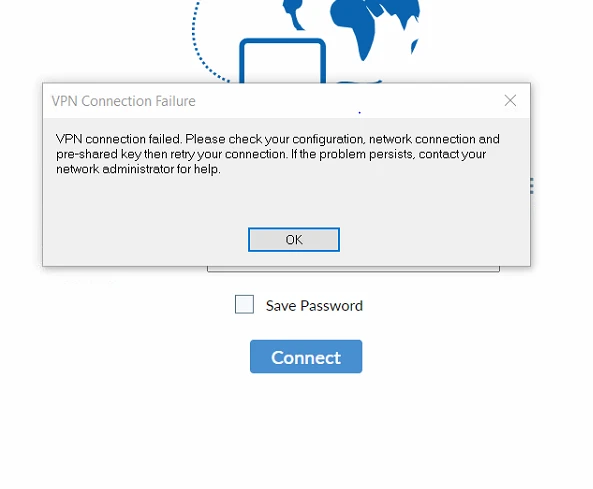
Mind you- we have a backup option that our users connect to in Pennsylvania and the user can connect to that one with no issues. First, we made sure there were no issues with the NJ vpn, I can connect on my computer with no issues, my other teammates tried on their laptops and had no issues either. Myself, as well as 2 other people tried connecting to NJ on the users laptop and it failed for all of us. We tried repairing Forticlient, then completed a full uninstall/ reinstall of the Client and still the same results. We tried having the user connect using her wifi hotspot to make sure there wasnt an issue with her home network and it did the same thing for all of us. the Client sent the authentication verification 2 times and then failed with the same message each time. The laptop has been updated, wifi adapter re-installed. Performed a network reset on the laptop just in case to no avail. Has anyone experienced this or have any suggestions? Any advice is appreciated, thank you!
Mind you- we have a backup option that our users connect to in Pennsylvania and the user can connect to that one with no issues. First, we made sure there were no issues with the NJ vpn, I can connect on my computer with no issues, my other teammates tried on their laptops and had no issues either. Myself, as well as 2 other people tried connecting to NJ on the users laptop and it failed for all of us. We tried repairing Forticlient, then completed a full uninstall/ reinstall of the Client and still the same results. We tried having the user connect using her wifi hotspot to make sure there wasnt an issue with her home network and it did the same thing for all of us. the Client sent the authentication verification 2 times and then failed with the same message each time. The laptop has been updated, wifi adapter re-installed. Performed a network reset on the laptop just in case to no avail. Has anyone experienced this or have any suggestions? Any advice is appreciated, thank you!
