

michelr
Visitor III
Oct 2, 2026 5:21 AM UTC
Solved

502 unknown content-encoding with Firefox and Google

Hi everyone,

we using a Fortigate G900 with v7.6.7 as explicit proxy.

Since a couple of weeks, we have the problem that, when using Firefox, we can’t use the Google Search.

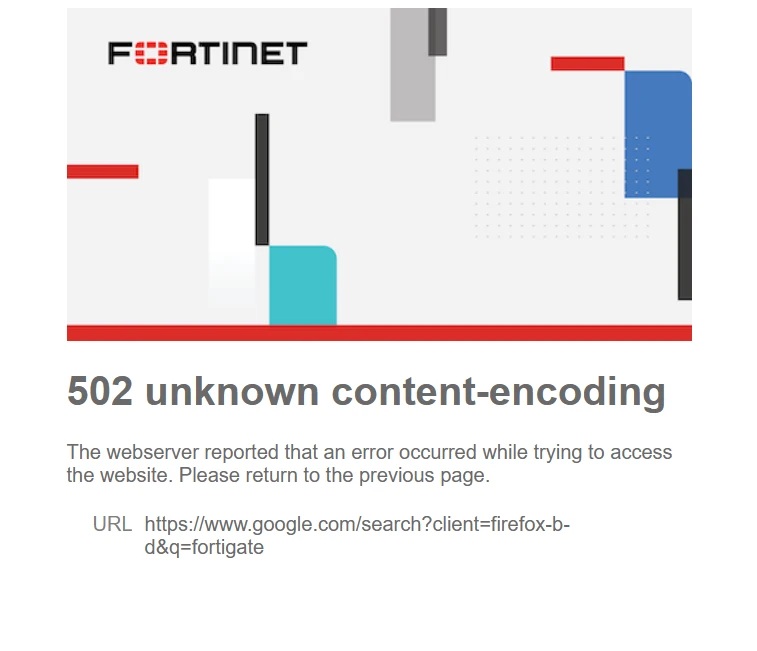
After we type anything in the search bar, we get the following error:

502 unknown content-encoding

The webserver reported that an error occurred while trying to access the website. Please return to the previous page.
URL     https://www.google.com/search?client=firefox-b-d&q=fortigate
 

Other Websites / Search-Engines with Firefox are working fine. With Edge or Chrome Browser Google works as well.

Have somebody an idea?


Regards, Michel

MG4
MG4Answer
Explorer III
Oct 16, 2026 1:30 PM UTC

Hi,

I have encountered the same issue on our FortiGate running FortiOS 7.6.7, specifically when accessing Google with Firefox. Microsoft Edge was not affected. Our configuration uses proxy-based inspection with SSL Deep Inspection.

We found that the issue was related to the following setting under Protocol Options → HTTP:

set unknown-content-encoding block

As a workaround, we cloned the default Protocol Options profile and changed the setting to:

set unknown-content-encoding inspect

We then assigned this profile to both our Firewall Policy and Proxy Policy:

set profile-protocol-options "TEST-HTTP-Encoding"

After applying these changes, Google started working normally in Firefox again.

We will keep using this workaround until Fortinet provides a proper fix or clarification regarding the underlying issue.

8 replies

sjoshi
Staff
Staff
Oct 2, 2026 7:04 AM UTC

Hi ​@michelr 


You may review below article:


Translate
Thanks, Salon
michelr
michelrAuthor
Visitor III
Oct 2, 2026 8:24 AM UTC

Maybe I'm wrong, but the article mentioned is about file downloads.
My problem, however, is about launching Google Search.
I also don't want to go ahead and change the entire antivirus profile right away. 

Translate
sjoshi
Staff
Staff
Oct 5, 2026 11:09 PM UTC

is it happening for all browser or only firefox?

Translate
Thanks, Salon
michelr
michelrAuthor
Visitor III
Oct 13, 2026 4:43 AM UTC

only FireFox

Translate
MG4
MG4Answer
Explorer III
Oct 16, 2026 1:30 PM UTC

Hi,

I have encountered the same issue on our FortiGate running FortiOS 7.6.7, specifically when accessing Google with Firefox. Microsoft Edge was not affected. Our configuration uses proxy-based inspection with SSL Deep Inspection.

We found that the issue was related to the following setting under Protocol Options → HTTP:

set unknown-content-encoding block

As a workaround, we cloned the default Protocol Options profile and changed the setting to:

set unknown-content-encoding inspect

We then assigned this profile to both our Firewall Policy and Proxy Policy:

set profile-protocol-options "TEST-HTTP-Encoding"

After applying these changes, Google started working normally in Firefox again.

We will keep using this workaround until Fortinet provides a proper fix or clarification regarding the underlying issue.

Translate
michelr
michelrAuthor
Visitor III
Oct 20, 2026 5:58 AM UTC

Hi MG4,

Thanks for your reply. That was the key tip.
I've now created a separate proxy policy and protocol for Google.
In the protocol, I then set the option you described.

Now Google Search works again in Firefox.

I wanted to use the extra rule to avoid enabling the option across the board.

Translate
Risk and Resilience in the Age of AI. An OT Thought Leadership Summit for Houston's Critical Infrastructure Leaders. Date: Thursday, December 3, 2026. Time: 8:30 am - 1:30 pm (CT). Location: The Westin Houston, Memorial City | 945 Gessner Road, Houston, TX 77024
