


Troubleshooting Tip: Resolving 'Cipher must be selected' error in server policy
Description
This article describes a solution to the error 'Cipher must be selected' when editing SSL settings in a server policy. The user may encounter this issue when trying to save changes to the server policy, even if no changes were made.
Scope
FortiWeb.
Solution
To resolve the 'Cipher must be selected' error, follow these steps:
Go to Server Policy -> Advanced SSL Settings and disable the SSL Ciphers Group feature if it is enabled.
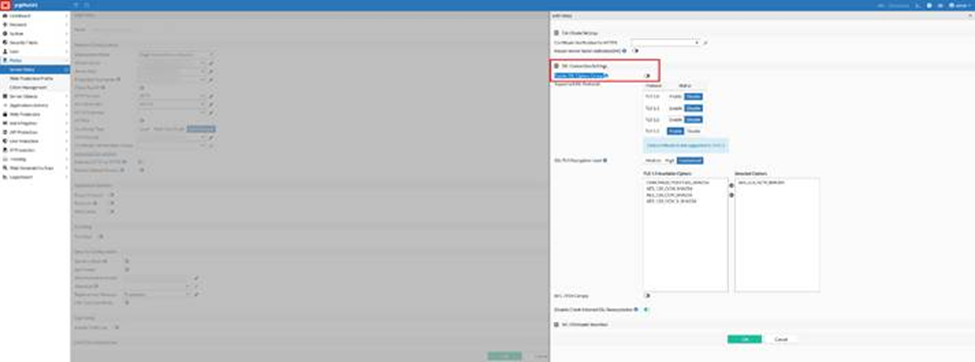
Select the desired Supported SSL Protocols and then select the Customized tab in the SSL / TLS Encryption Level section. From the list of available ciphers, select the desired Encryption Algorithm.
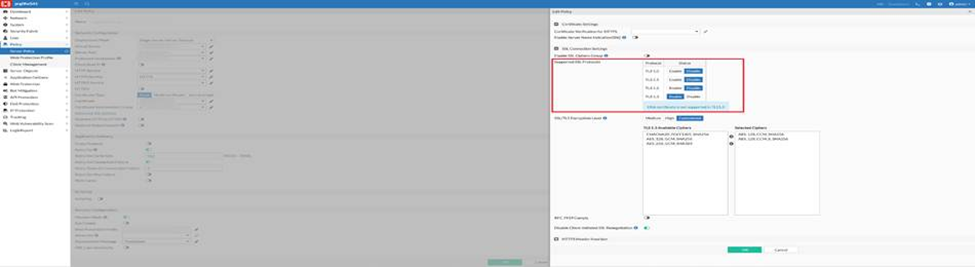
Confirm the configurations and then re-enable the SSL Ciphers Group feature. Select the desired Predefined SSL Cipher Group and confirm the selection. The error should now be resolved.
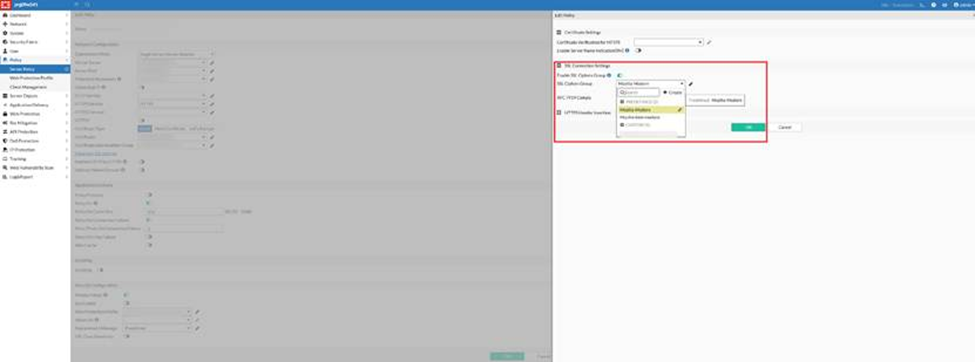
Make sure to select at least one encryption algorithm from the list of available ciphers to avoid the 'Cipher must be selected' error.
This issue should occur only in the GUI; use the CLI to change the server policy configuration as a workaround.
config server-policy policy
edit <policy_name>
set use-ciphers-group enable
set ssl-ciphers-group Test
end
Related document:
