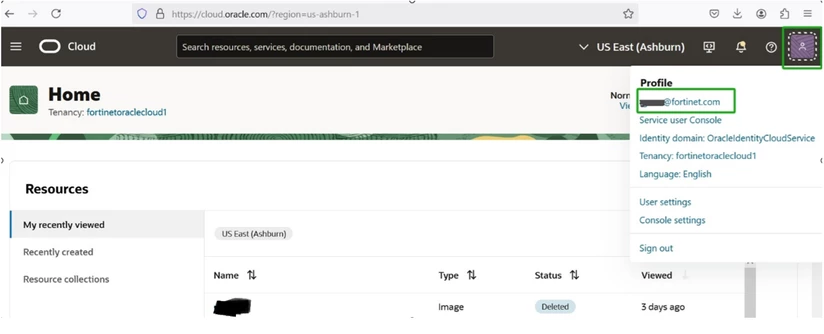
Solution | Login to OCI and select the account :
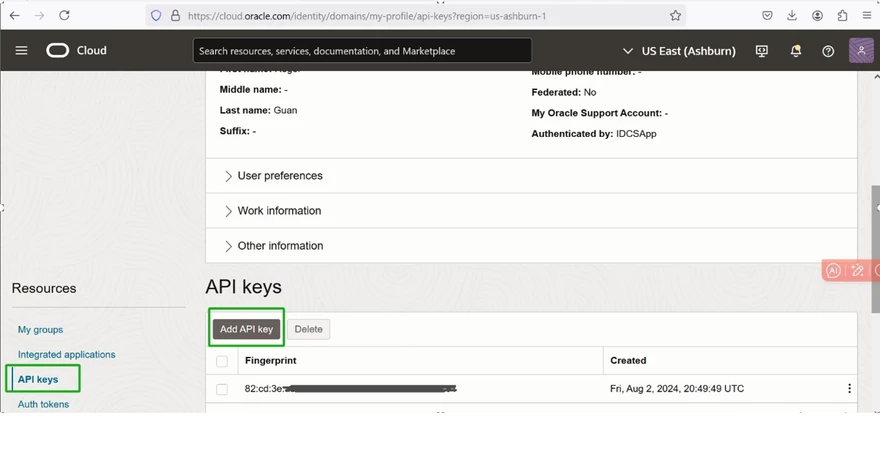
 Scroll down the page and find API keys, click Add API key
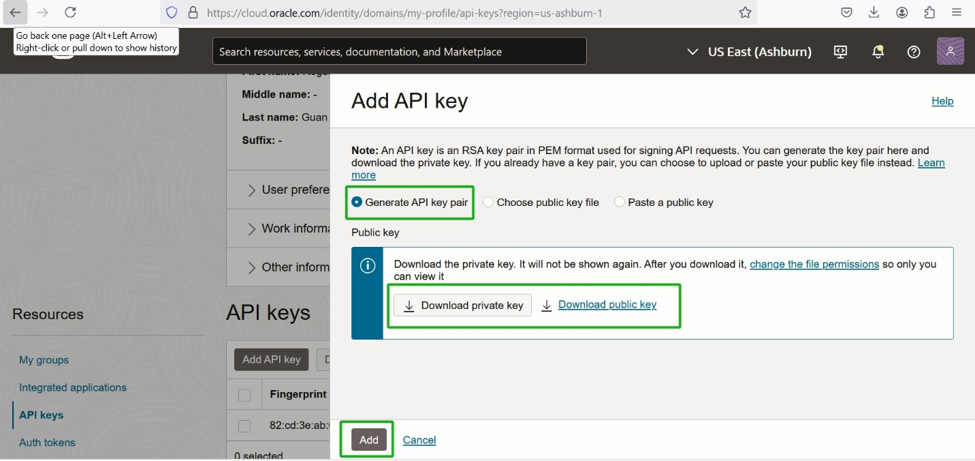
 Select Generate API key pair, download the private key and public key, rename the extension of the private key file from pem to key, and select 'Add' to add the key pair.
Copy the private key to a Linux system and run the following command to generate the certificate:
openssl req -new -key private.key -out oci-connector.csr

openssl x509 -req -in oci-connector.csr -out oci-connector.crt -signkey private.key -days 3650
Related document :
Overview Note:
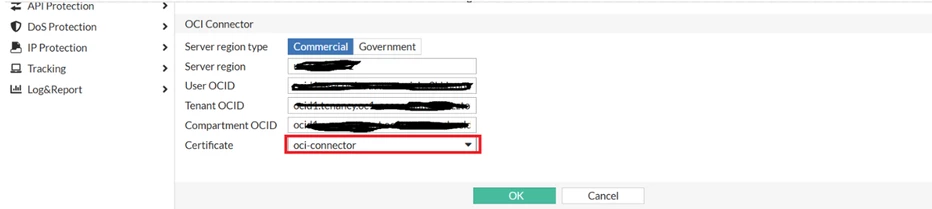
This is only valid for Public OCI Cloud, and not Government OCI Cloud. Upload the certificate in System -> Admin -> Certificates -> Admin Cert Local and apply it on the OCI Connector as follows:
 |



