When configuring a custom access rule in the FortiWeb graphical user interface, the Header Value field shows the error message "Please enter no more than 255 characters". This limitation prevents the use of long Regular Expressions (RegEx) for fields such as User-Agent, parameter, or user.
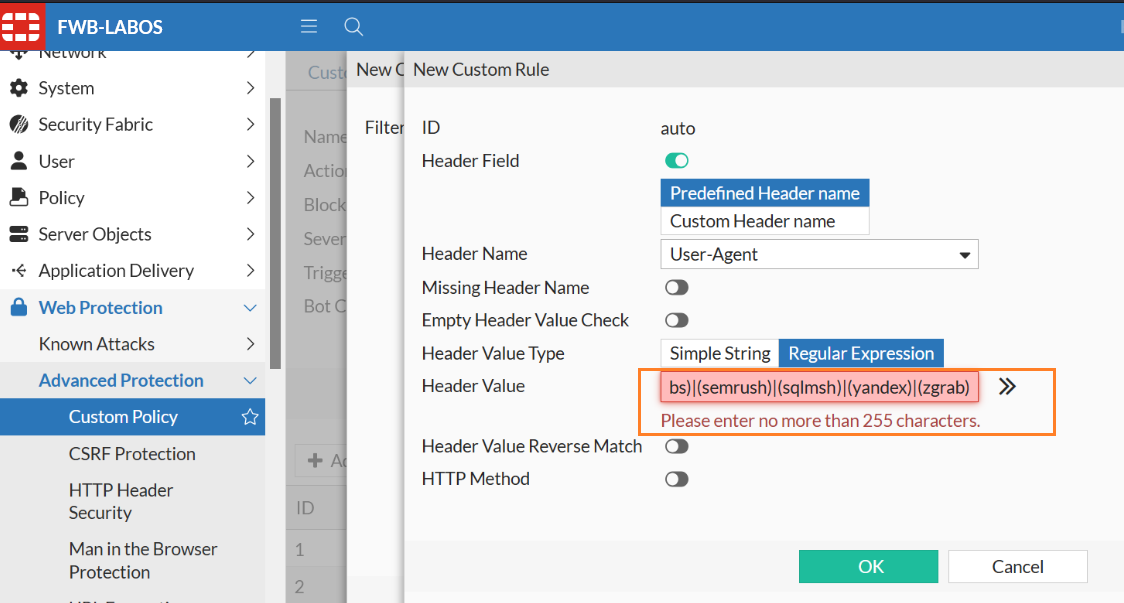
This issue is only happens with the FortiWeb's graphical user interface (GUI), no matter which browser is used, while the command line interface (CLI) allows up to 1023 characters.
To solve this, use the CLI to configure the custom rule, as the CLI supports a character limit of up to 1023 characters for the header-value field.
Access to the FortiWeb CLI and run the following commands to configure the custom access rule with the desired long header value:
config waf custom-access rule
   edit "CustomRule_Name"
      config http-header-filter
      edit 1
         set predefined-header user-agent
Write all of the required names in text form:
set header-value "(RegEx_Pattern_Here)|(RegEx_Pattern_02)|(Another_Pattern)|(Bot_name_here)|.....|(finalbot)"
Conclude the configuration as normal:
         next
      end
   next
end
Verify the configuration to ensure the long expression is applied correctly.
| 



