Solution | For FortiWeb HA pair firmware upgrades, the documented best practices are:
Confirm the HA member health before starting:
Verify both HA members are powered on. Verify they are available on all configured network interfaces. This helps prevent HA port monitoring from triggering an unintended failover and causing traffic interruption during the upgrade.
Prepare a checklist with all related FortiWeb services:
Perform the upgrade from the primary appliance:
Upgrade using the normal HA-aware procedure:
Install the firmware on the primary appliance. During a web UI upgrade, FortiWeb sends the firmware to the standby appliance first. The standby upgrades and reboots first. After the standby comes back and reports through the HA heartbeat, the original primary upgrades and reboots. While the original primary is rebooting, the standby temporarily becomes active and processes traffic.
Do not interrupt the web UI process:
When the GUI shows messages like this, follow these precautions:
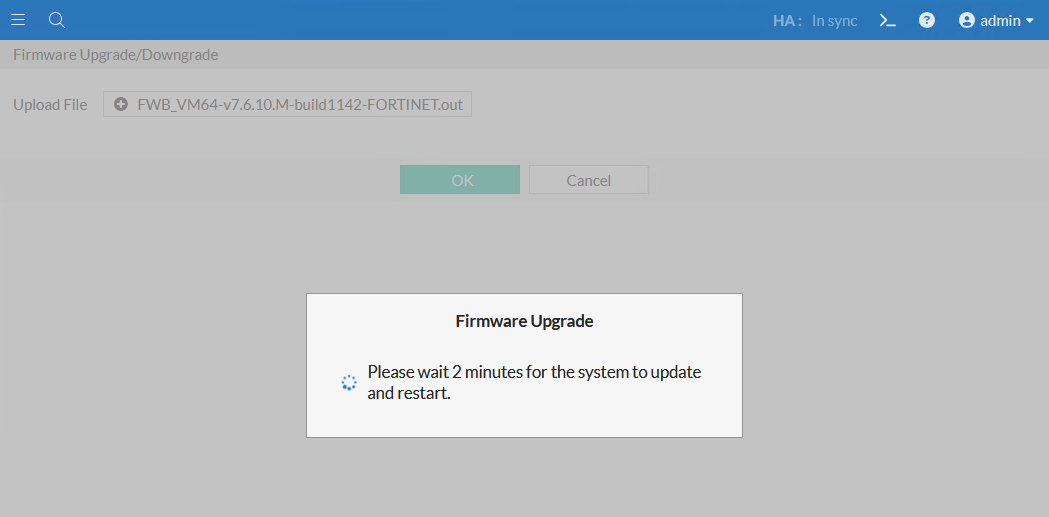
Do not close the browser. Do not use Back or Forward. Interrupting the process can cause a split-brain problem, where both appliances believe they are the main appliance.
Be careful with downgrade scenarios:
Do not use the HA upgrade procedure for downgrades. If downgrading: Switch the appliances out of HA, Downgrade each appliance individually, Place them back into HA mode.
Reason: The standby may detect older firmware on the main unit and try to upgrade it again to synchronize, undoing the downgrade.
Expect failover behavior based on HA role settings:
After both units reboot, which appliance becomes active depends on HA behavior:
Plan for reboot and conversion time:
Operational Recommendations
Based on the documented procedure, practical best practices include:
Schedule the upgrade during a maintenance window Monitor event logs for HA member transitions such as: "Member (FV-1KC3R11111111) left HA group". Ensure the HA heartbeat link is healthy before starting. Avoid any manual HA changes during the upgrade unless required by the procedure. After the upgrade, verify that: Both members rejoin the cluster. Traffic is passing normally. The expected appliance is active.
Related documentation: |




