


Technical Tip: FortiWan - How to create VLAN interface over LACP link
Description
Prior to build 136, it was not possible to create a VLAN interface over an LACP link (or we should limit to only 1 interface in the LACP).
The build 136 comes with the support of configuration of VLAN over LACP link.
The build 136 comes with the support of configuration of VLAN over LACP link.
Scope
FortiWAN, Build > 136.
Solution
If an upgrade to build 136 is required in order to follow this process, it is important to first clear any network settings and to backup the current configuration. The upgrade may impact the current configuration if network settings are not cleared, especially if LACP is being used.
The steps to setup a VLAN over LACP are as follows:
1) Go to System > Network Setting
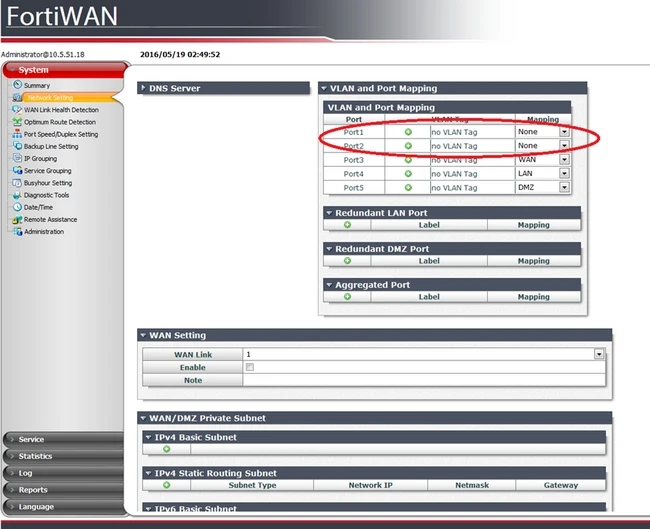
2) Go to 'VLAN and port Mapping' and set the port that is to be part of the LACP link to None.
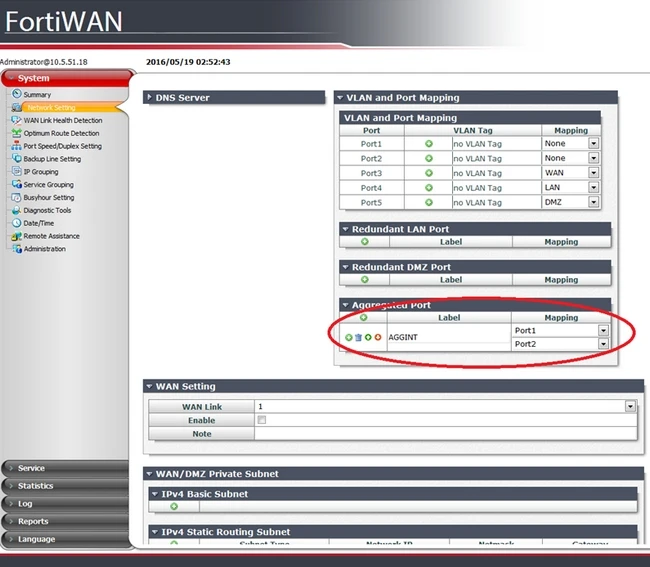
3) Configure the Aggregate Port with the ports which had been set to None in the previous step.
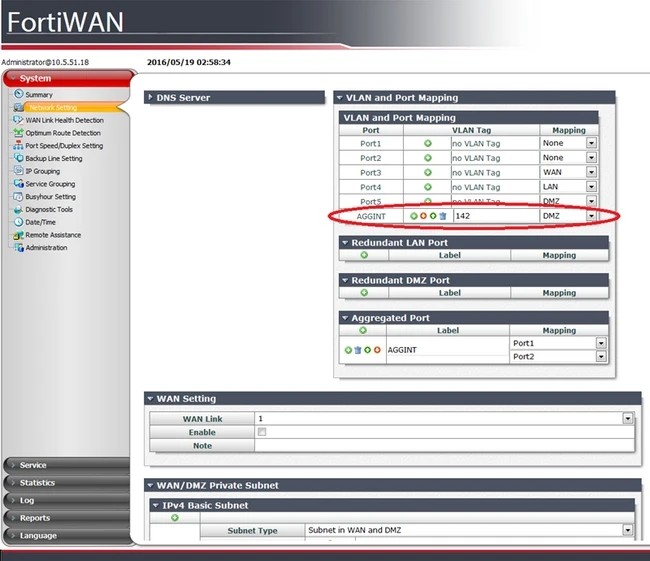
4) The aggregate interface should have appeared in the 'VLAN and Port Mapping' table now. Click on the green + sign, map it to the right port. In the following example it will be mapped to DMZ. Enter the VLAN number:
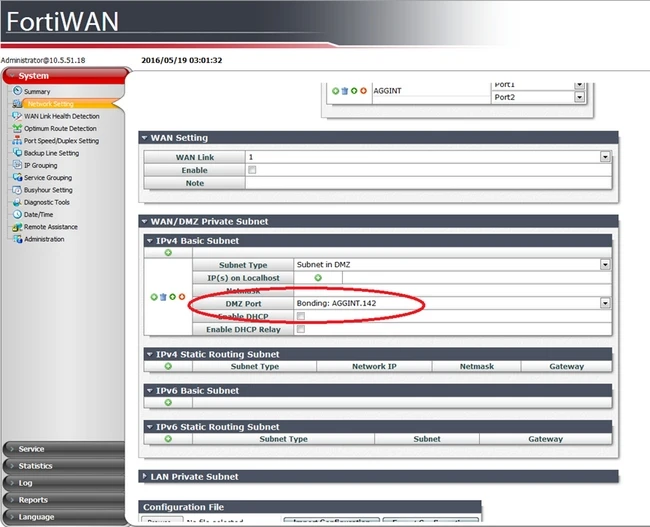
5) Use this new interface in the DMZ subnet (or whatever zone that mapped the interface).
Note that LACP on FortiWAN is active and cannot be changed; static port channel will not work with FortiWAN.
The steps to setup a VLAN over LACP are as follows:
1) Go to System > Network Setting
2) Go to 'VLAN and port Mapping' and set the port that is to be part of the LACP link to None.
3) Configure the Aggregate Port with the ports which had been set to None in the previous step.
4) The aggregate interface should have appeared in the 'VLAN and Port Mapping' table now. Click on the green + sign, map it to the right port. In the following example it will be mapped to DMZ. Enter the VLAN number:
5) Use this new interface in the DMZ subnet (or whatever zone that mapped the interface).
Note that LACP on FortiWAN is active and cannot be changed; static port channel will not work with FortiWAN.
