


Technical Tip: Specifying different destination pPort on a SIP trunk (FortiVoice SMB)
Description
For security purposes, some SIP Trunk providers request customers to use a different port (not default 5060) to reach the proxy server.
Unlike enterprise systems, the SMB GUI does not have a field to specify the port when configuring the VoIP profile.
Unlike enterprise systems, the SMB GUI does not have a field to specify the port when configuring the VoIP profile.
Solution
In order to use a different port than the default 5060, the proxy server name should be configured when creating the VoIP profile:
Proxy server name: X.X.X.X:PPPP
where:
X.X.X.X is the proxy server IP address provided by the SIP-Trunk provider.
PPPP is the port requested by the SIP-Trunk provoider.
Example
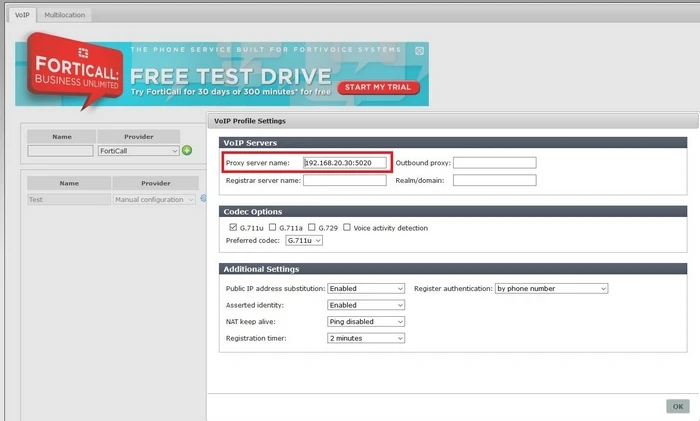
Proxy server name: X.X.X.X:PPPP
where:
X.X.X.X is the proxy server IP address provided by the SIP-Trunk provider.
PPPP is the port requested by the SIP-Trunk provoider.
Example
