Technical Tip: Enable SIP over TCP sessions in FortiVoice Enterprise
Description
This article describes that FortiVoice Enterprise is not configured to handle SIP over TCP messages by default. This has to be explicitly configured.
Scope
FortiVoice.
Solution
Use the following steps to get an extension to handle SIP over TCP messages.
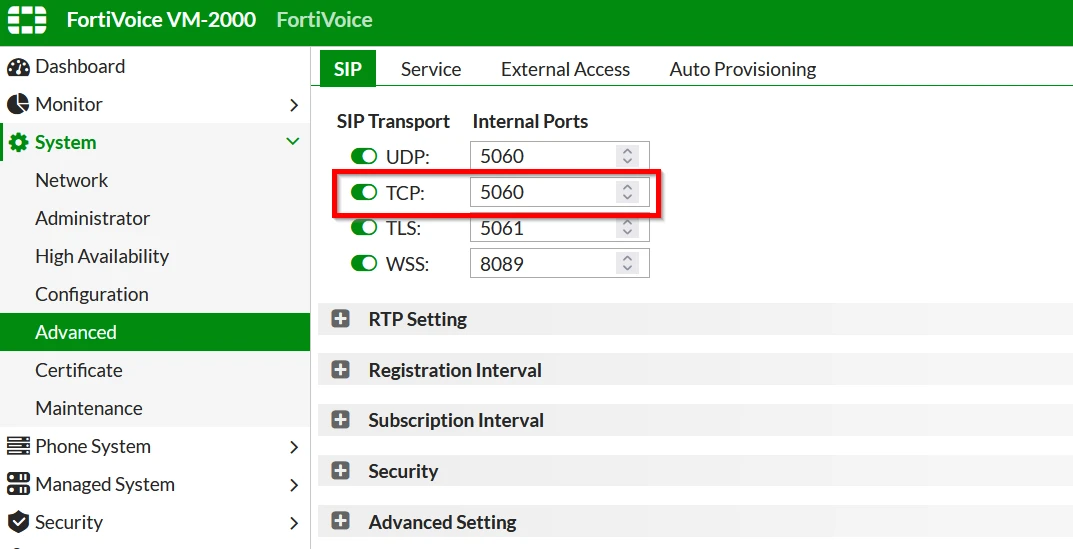
- Enable the TCP protocol in System -> Advanced. On the SIP tab check the box 'Enable TCP' under Transport Setting.
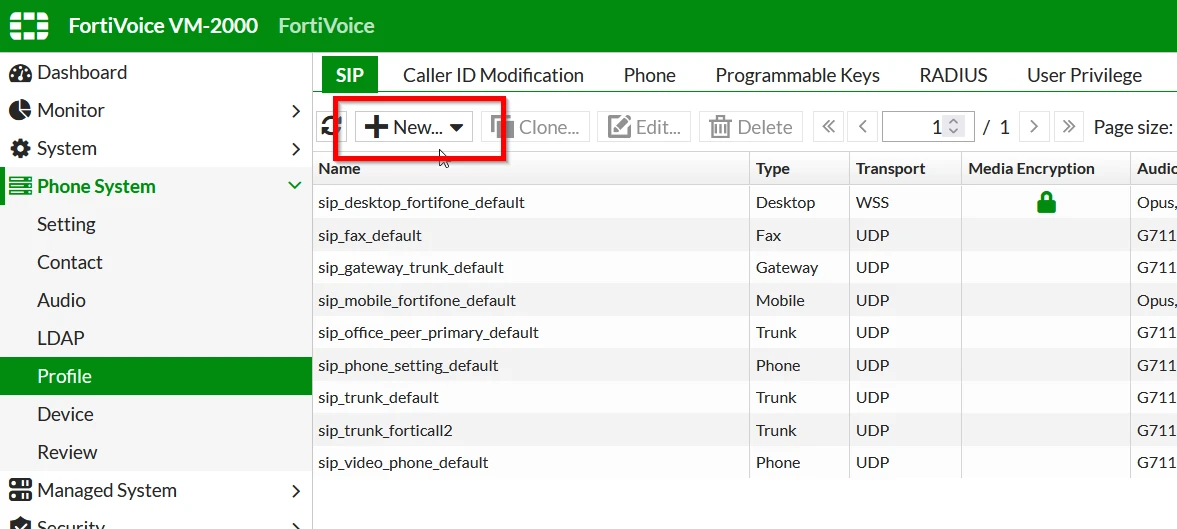
- In Phone System -> Profile, on the SIP tab select 'New'.
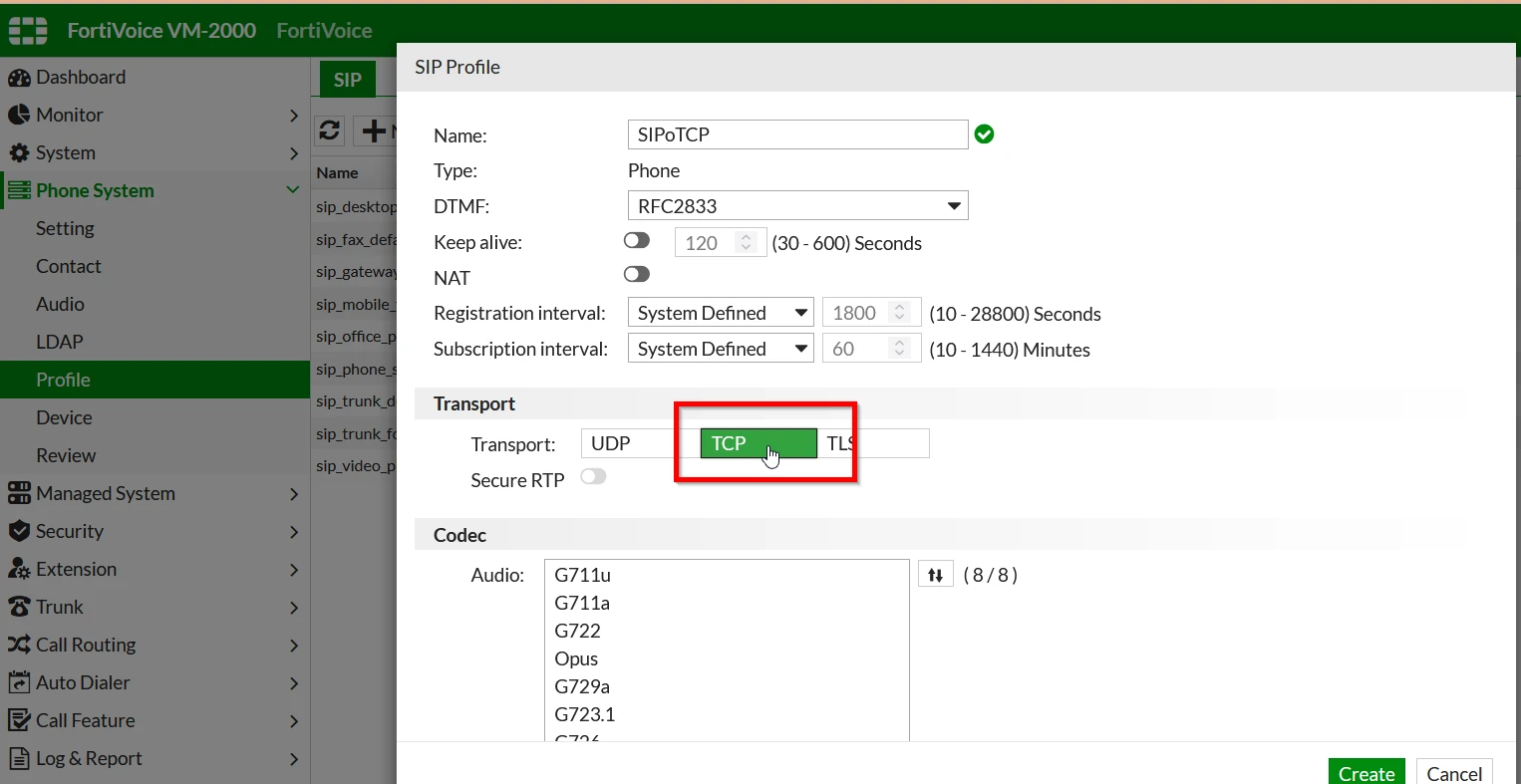
- Name the profile with a meaningful name (for example 'SIPoTCP') and under the Transport section select TCP.
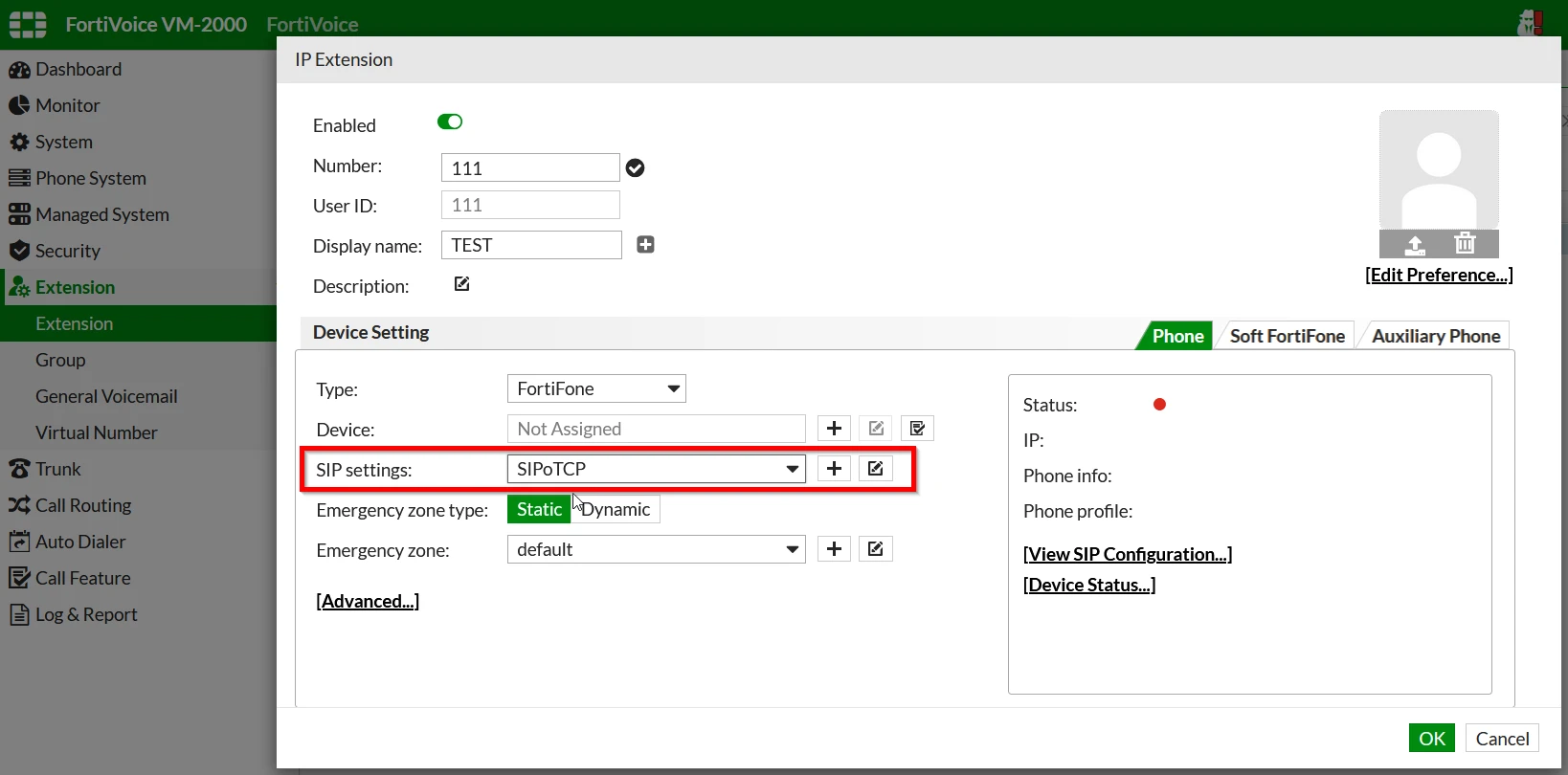
- In Extensions -> Extensions, edit the extension that is to handle TCP messages. In the Device Setting section choose the TCP profile that was created in step 3.