| Once the Audit log purging is enabled, the playbook is scheduled and is triggered by Playbook Appliance.
The default roles on FortiSOAR do not include the Delete permission on Audit log activities for security purposes. The playbook Appliance requires a Delete permission on Audit Log Activities to successfully complete the deletion.
This can be verified by checking the 'Effective Role permission' of the Appliance 'Playbook'.
For FortiSOAR versions older than 7.5.0: Navigate to Settings -> Appliance -> Playbook.
For versions later than 7.5.0, navigate to Settings -> Access Keys -> Under the Appliance Tab -> Playbook. - Check the roles linked to the appliance.
- Provide delete permission to one of the roles, the roles present can be seen at Settings -> Roles.
- Save the changes and verify the 'Effective Role permission' of the appliance as below.
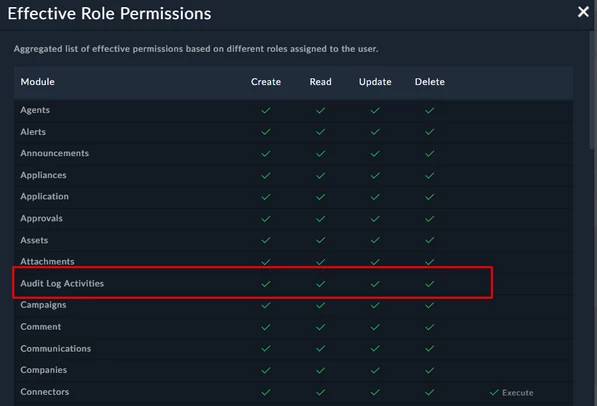
Trigger the schedule and verify the playbook execution.
If the issue with Audit log cleanup playbook persists, reach out to Fortinet Support. | 


