Hua_
Staff
Staff
Oct 6, 2026 11:50 AM UTC

Troubleshooting Tip: Investigating a 403 domain fronting blocked error

Description

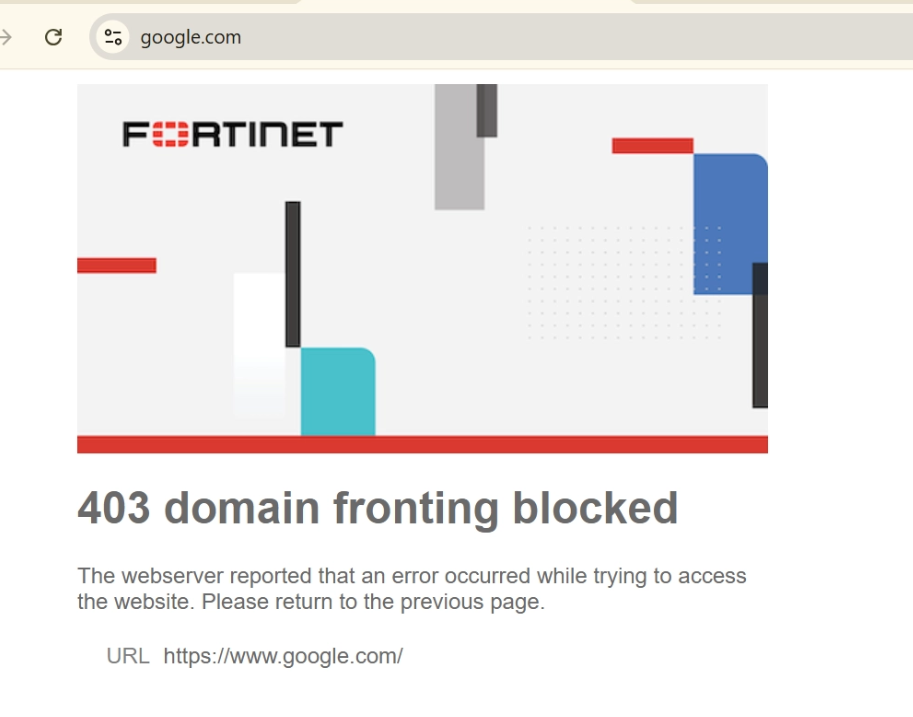
This article describes how to investigate a '403 domain fronting blocked' error that occurs when accessing a website.
116d0546.png

Scope

FortiSASE.

Solution

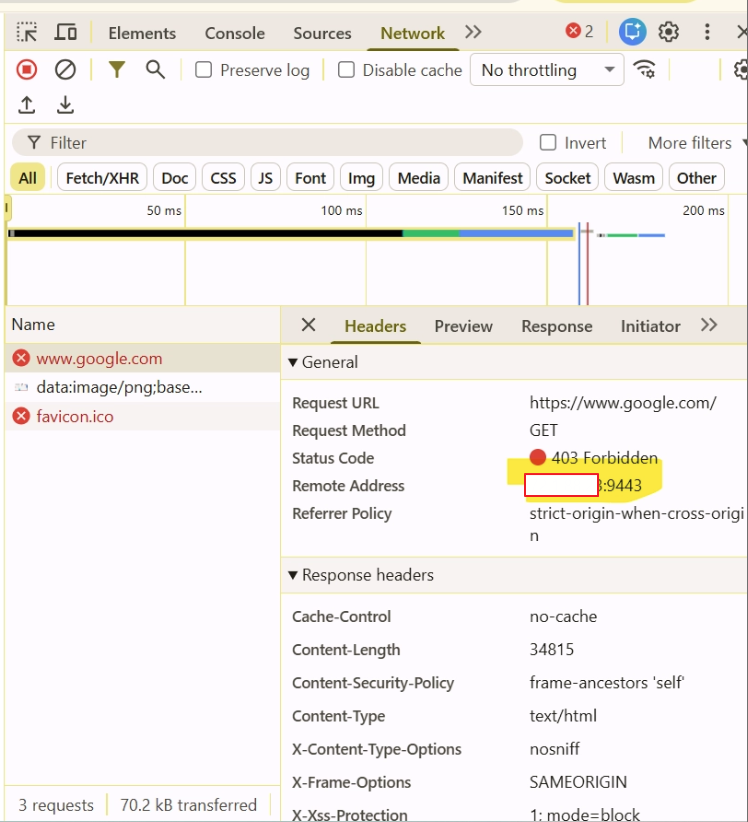
  1. In the browser, press F12 to open network inspection tools before accessing the website, then reproduce the issue.

  2. Inspect which port number is used when accessing the website. When accessing an HTTPS website, it should show port 443.

  3. Port 9443 is the FortiSASE proxy default port. When using the proxy service, it is not possible to connect to the SIA tunnel at the same time.


b9a9c29e.png


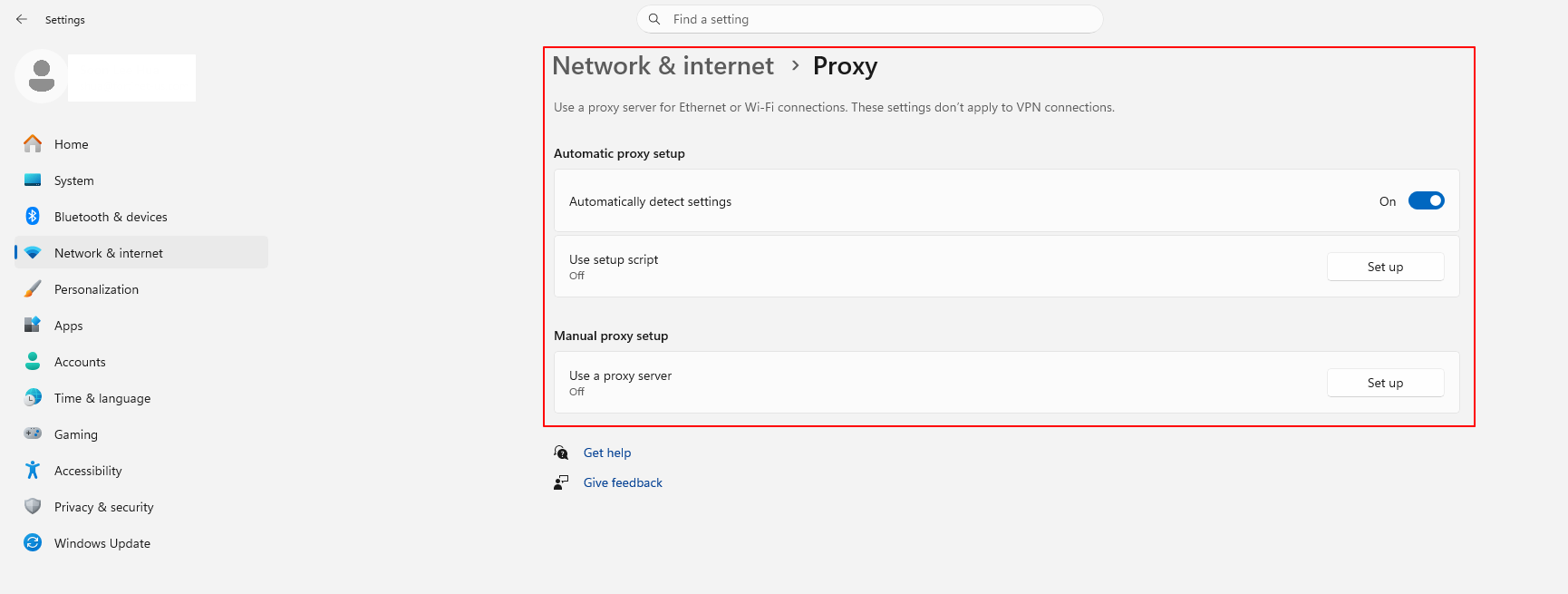
  1. The issue can be resolved by disabling the proxy settings on the endpoint machine and use only SIA tunnel for connection.


44430924.png


Root cause: 

  1. The Server Name Indication (SNI) is changed by the FortiSASE proxy service, and when the traffic reaches FortiSASE via the SIA tunnel, it is denied.

  2. The FortiSASE proxy and the SIA tunnel should not be used at the same time.

Risk and Resilience in the Age of AI. An OT Thought Leadership Summit for Houston's Critical Infrastructure Leaders. Date: Thursday, December 3, 2026. Time: 8:30 am - 1:30 pm (CT). Location: The Westin Houston, Memorial City | 945 Gessner Road, Houston, TX 77024