
Technical Tip: Using FortiSandbox lightning mode
Description
This article describes the steps to enable lightning mode and its benefits.
Scope
FortiSandbox version 5.2.0 and above.
Solution
Lightning mode has been introduced in FortiSandbox 5.2.
Benefits:
Reduces storage space by not saving clean job details.
Only basic job information is retained for 12 hours.
This mode is particularly beneficial for scanning large network shares.
Lightning mode can only be enabled by using a CLI command. See the documentation: lightning-mode.
GUI changes:
Once enabled, the following changes can be observed in the GUI:
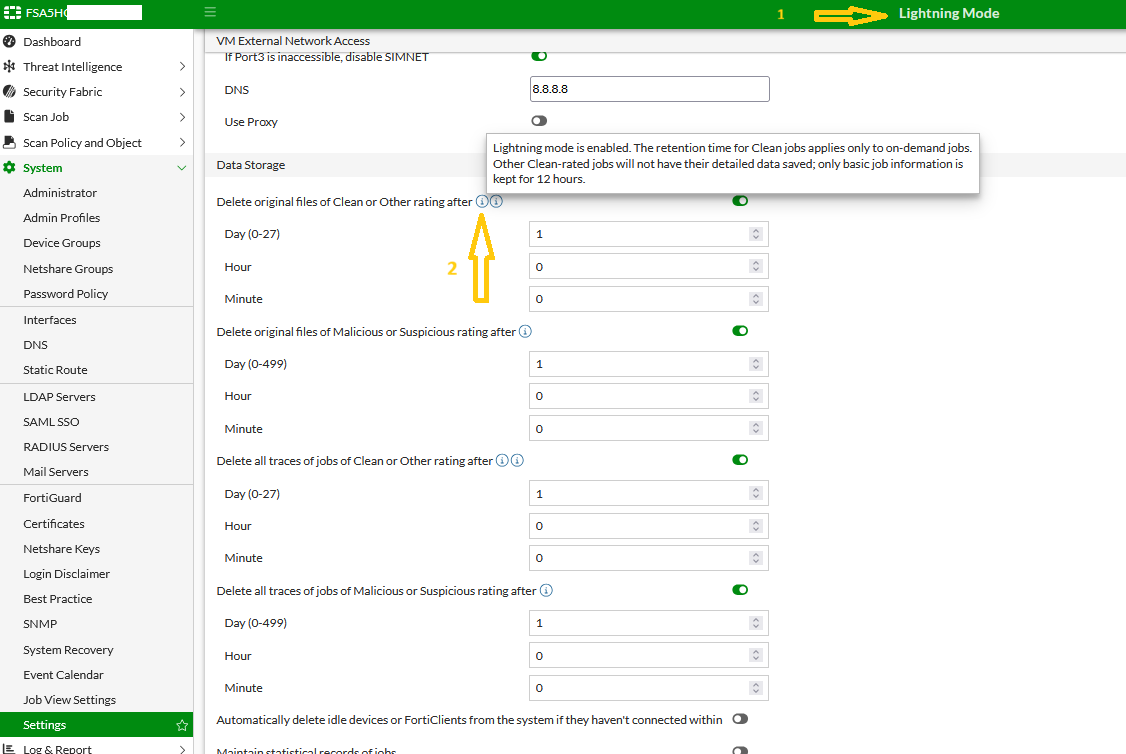
The device will show 'Lightning mode' in the top title bar.
A new hint icon appears under System -> Settings -> Data Storage with the following information.
"Lightning mode is enabled.
The retention time for clean jobs applies only to on-demand jobs.
Other Clean-rated jobs will not have their detailed data saved.
Only basic job information is kept for 12 hours."