


New user added to a user group on FortiPortal is not installed on FortiGate
Description
This article describes a scenario where a new user is added to an existing user group on FortiPortal, but after installing the configuration, the new user is not present in the user group on the FortiGate.
This can happen when the same user group already has a per-device mapping configured on FortiManager.
Scope
FortiPortal, FortiManager
Solution
When a user is added to an existing user group from FortiPortal and the configuration is installed, FortiPortal updates the default configuration of the user group on FortiManager.
However, if the same user group already has a per-device mapping configured for the target FortiGate/VDOM, FortiManager uses the per-device mapping for that device instead of the default configuration.
As a result, the newly added user is present in the default user group configuration on FortiManager but is not included in the configuration generated and installed on the FortiGate.
Per-device mappings may have been created previously on FortiManager, including automatically during an import of objects from managed FortiGate devices.
To verify this, on FortiManager navigate to: Policy & Objects -> User & Authentication -> User Groups.
Edit the affected user group and check whether a per-device mapping exists for the affected FortiGate/VDOM.
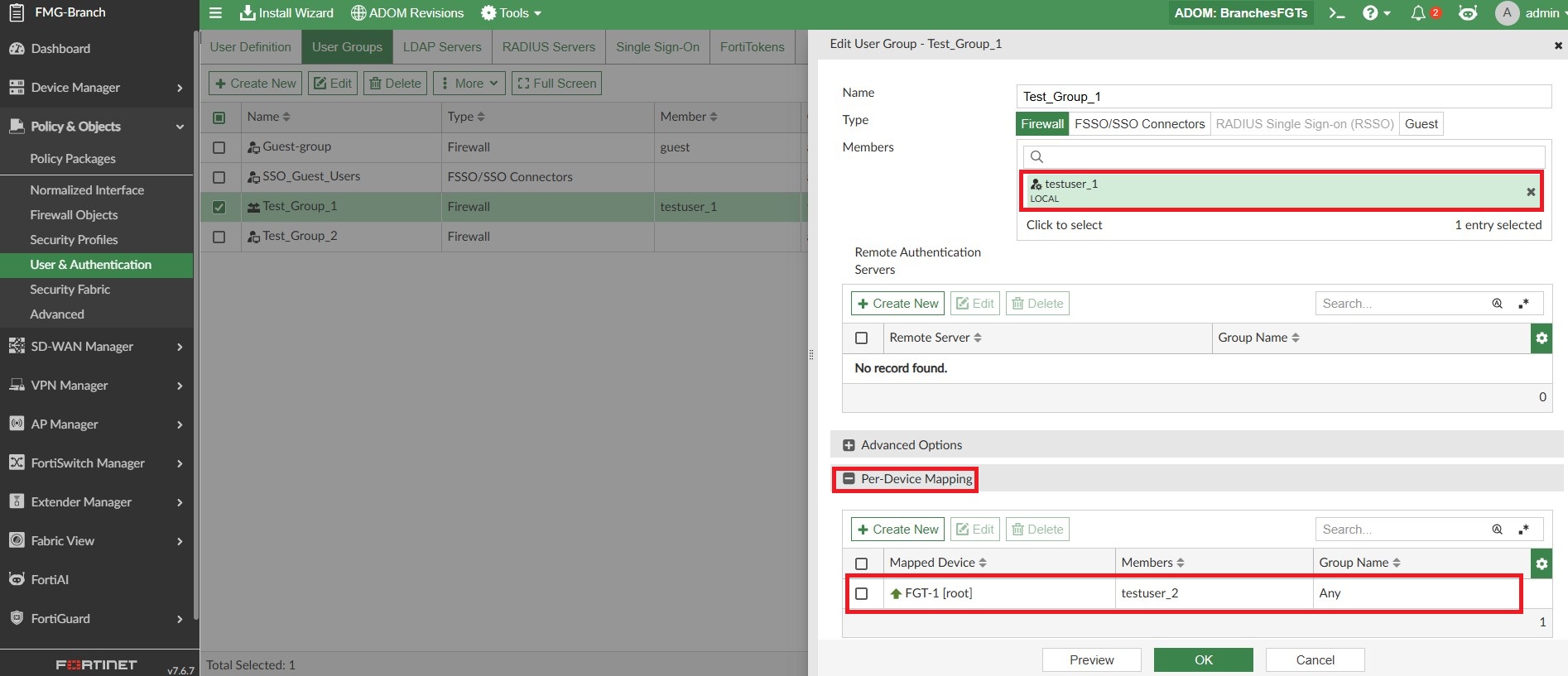
Compare the members configured in the default user group with the members configured in the per-device mapping.
In the above example, the default user group member contains testuser_1 while the per-device mapping contains testuser_2.
If the newly added user exists in the default configuration but is missing from the per-device mapping, FortiManager will continue to install the mapped configuration on the FortiGate without the new user.
FortiManager gives the device-specific mapping precedence over the default object configuration when generating the configuration for the device.
FortiPortal does not currently provide per-device mapping configuration for user and user-group objects. Therefore, changes made to the default user-group members from FortiPortal do not update an existing per-device mapping on FortiManager.
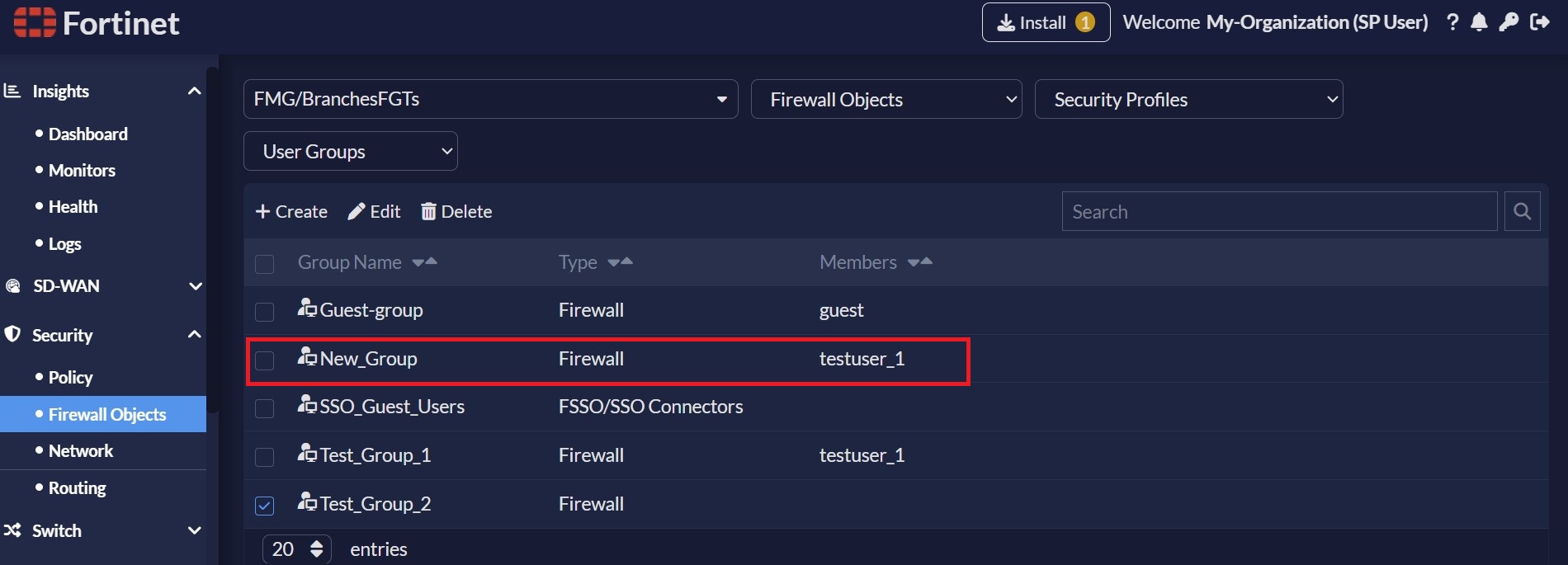
Since this is expected behavior when a per-device mapping exists, create a new user group from FortiPortal and add the required users to the new group.
Update the firewall policy on FortiPortal to use the newly created group and install the configuration.
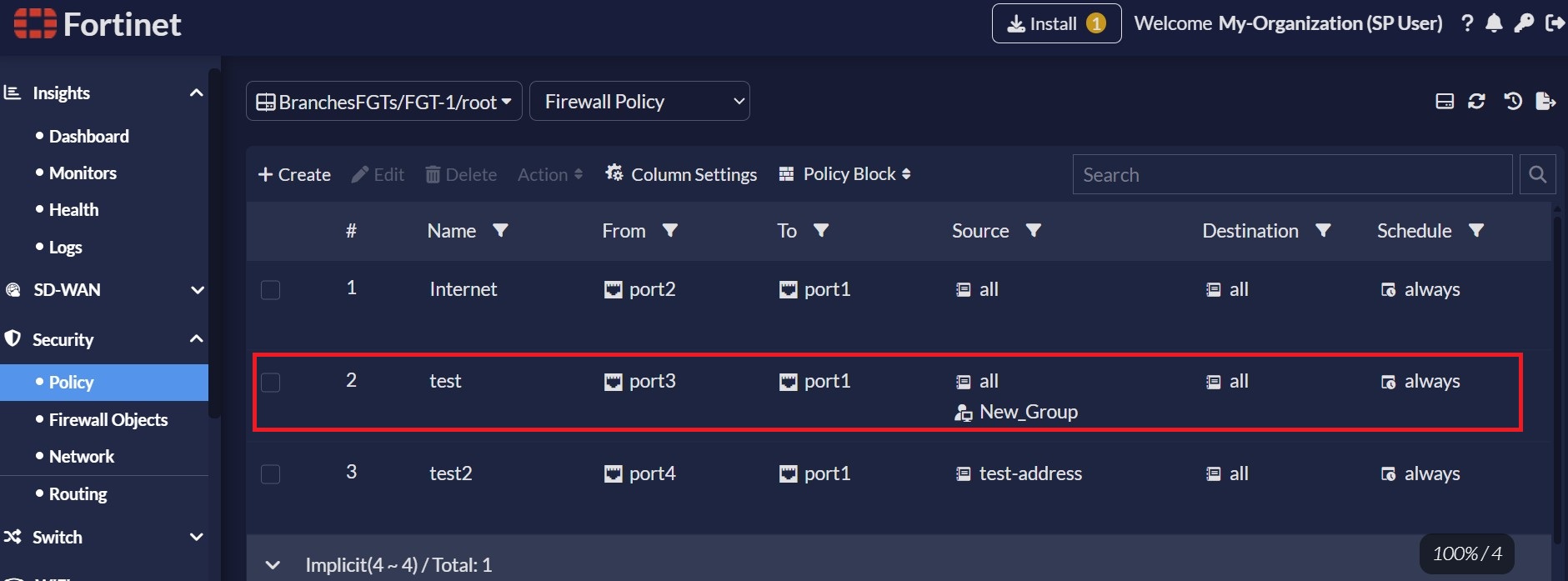
Since the new user group does not have the existing per-device mapping, FortiManager uses the default group configuration, and the users are installed correctly on the FortiGate.
Alternatively, if the existing per-device mapping is no longer required, it can be removed directly from FortiManager.
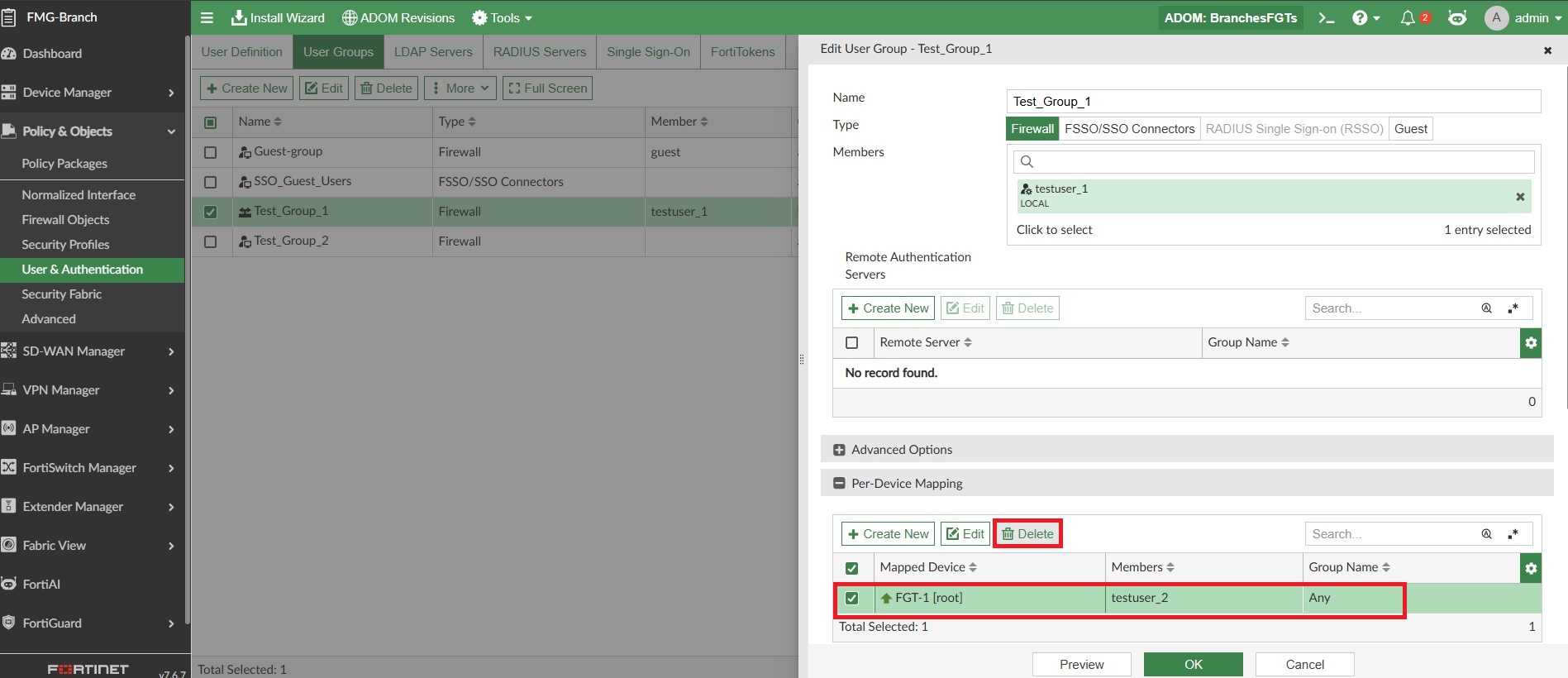
Before removing the mapping, verify whether the same object is being used by other managed FortiGate devices, as changing or removing the mapping may affect their installed configuration.

