In this setup, the client was connected to the EMS server. The objective is to use REST API (via the 'curl' command) to obtain the data from FortiPAM.
ZTNA-client [10.47.3.70] ==== EMS-server [10.47.4.59] ==== [10.47.2.54] FortiPAM
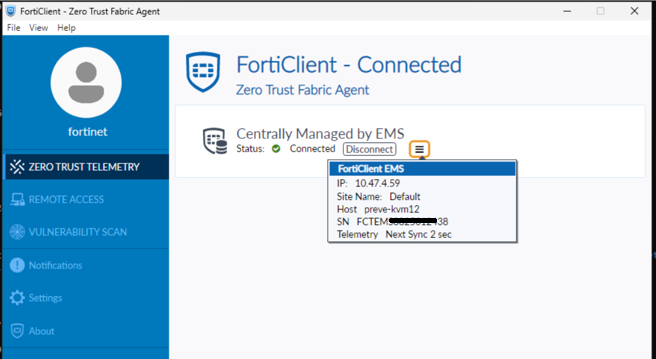
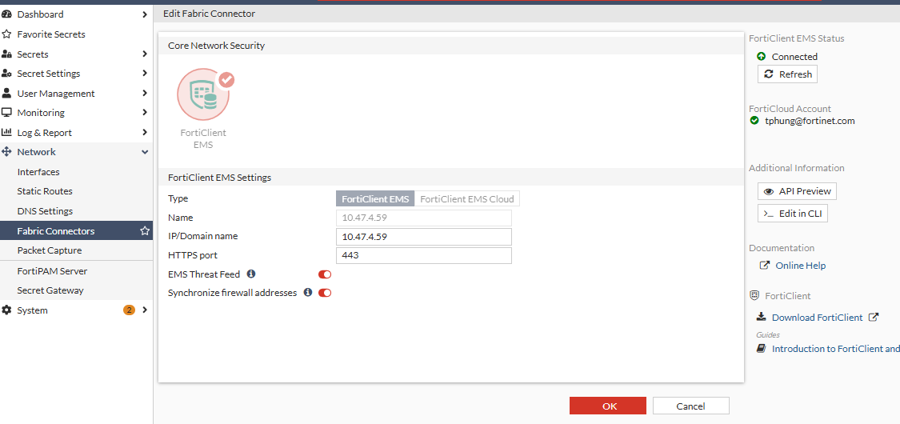
FortiPAM was also connected to the EMS server:
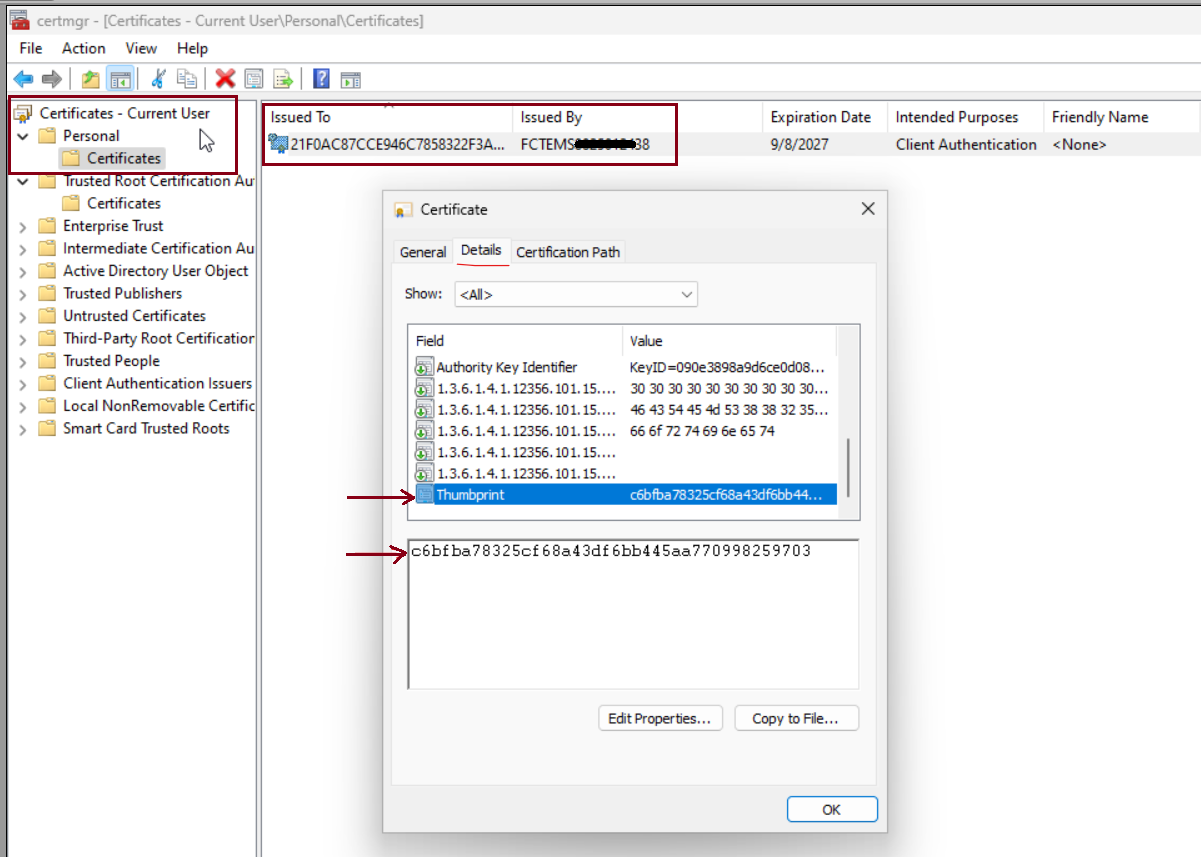
In the Windows client, the correct syntax of CURL command is:
curl.exe --location "<address_path_of_FortiPAM_resource_here>" -H "Authorization: Bearer <token_here>" -k --cert "CurrentUser\MY\<Thumbprint>"

In the Linux client, the pkcs11 tool needs to be installed to perform the cryptographic functions:
3.1 Download the FortiClient file with the .deb extension from the Fortinet Support Portal. 3.2 To install the newly downloaded FortiClient version:
sudo dpkg -i <forticlient file name.deb>
sudo apt install -f
3.3 Start FortiClient and connect to EMS:
forticlient gui
3.4 After that, install the 'pkcs11-tool':
sudo apt update
sudo apt install opensc opensc-pkcs11 pcscd
sudo apt install libengine-pkcs11-openssl
3.5 Check the cert:
pkcs11-tool --module /opt/forticlient/libcertd.so --list-slots
3.6, The correct syntax of CURL command is:
PKCS11_MODULE_PATH=/opt/forticlient/libcertd.so curl "<address_path_of_FortiPAM_resource_here>" -H "Authorization: Bearer <token_here>" -k --engine pkcs11 --cert 'pkcs11:object=fct-ztna-key;type=cert' --key 'pkcs11:object=fct-ztna-key;type=private'
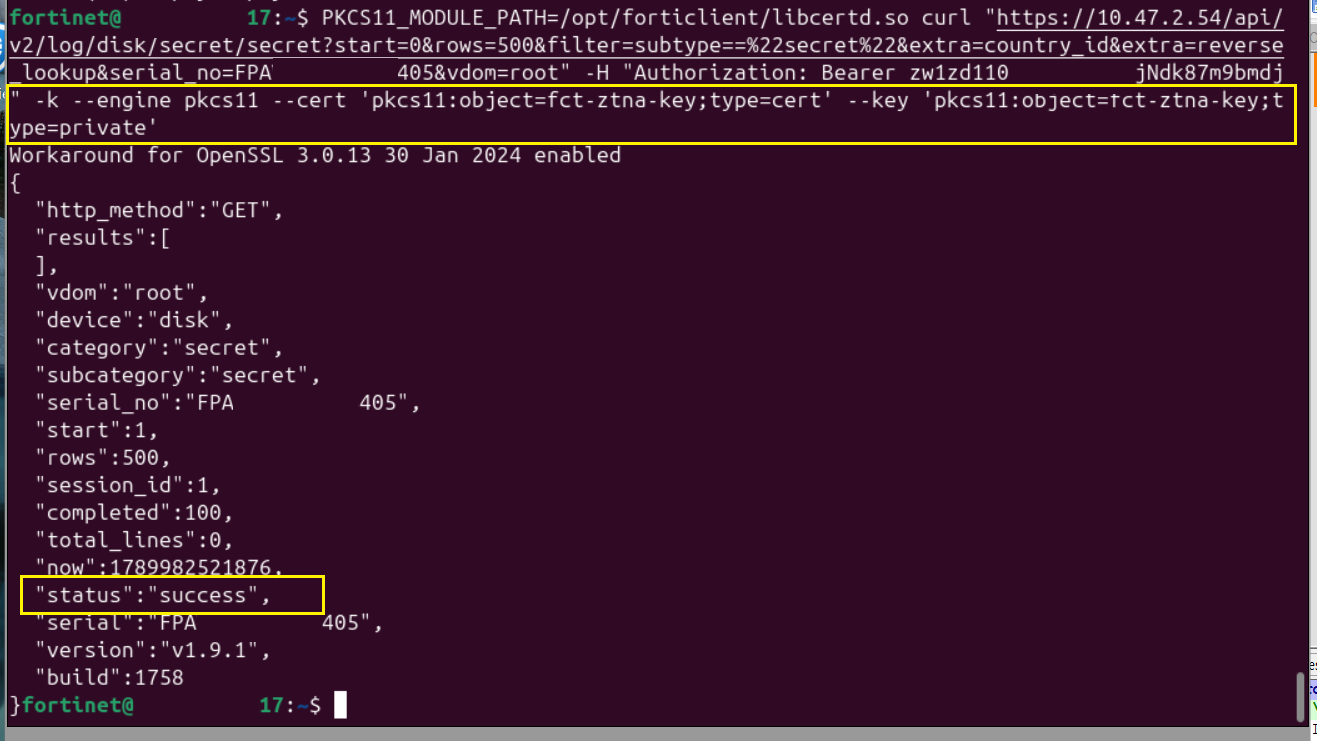
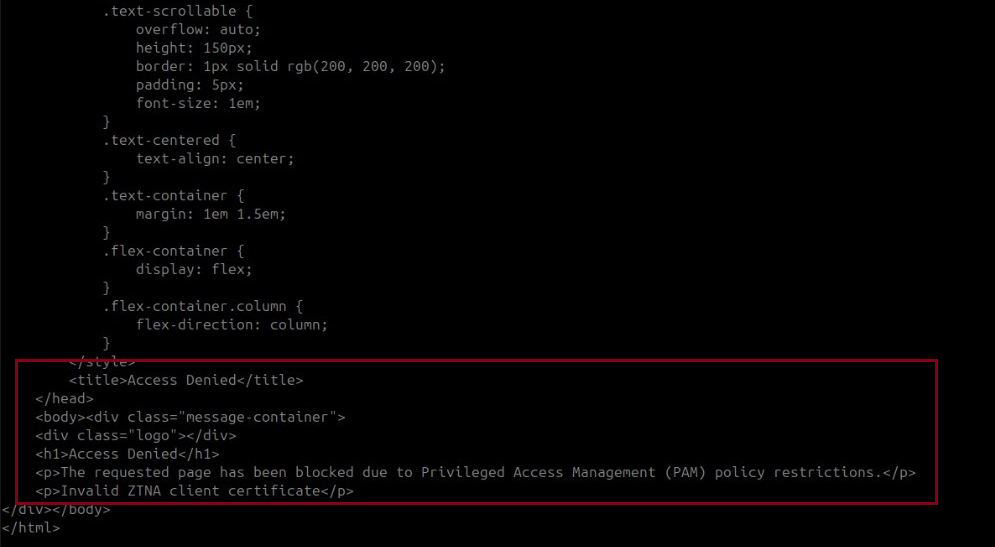
If the 'cert' is not included in the CURL command, the result will fail as follows:
 | 


