
Technical Tip: Guide to configure RADIUS Login to FortiPAM with OTP on Radius-Server
| Description | This article describes the steps required to configure RADIUS authentication on FortiPAM for users located on a remote RADIUS server, such as FortiAuthenticator, with OTP management handled by FortiAuthenticator as well. |
| Scope | FortiPAM. |
| Solution | Prerequisite: A RADIUS server must be preconfigured. In this scenario, FortiAuthenticator is used. A user named 'pamadmin' is also configured on the RADIUS server, with a specified token assigned to the user. On FortiAuthenticator, a RADIUS client entry is created for FortiPAM, and the corresponding RADIUS policy is preconfigured.
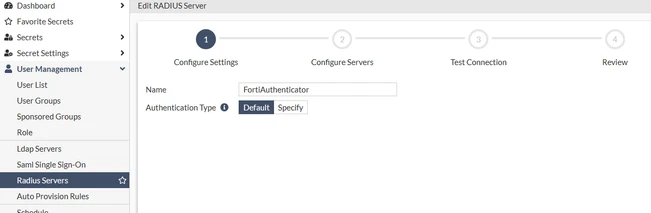
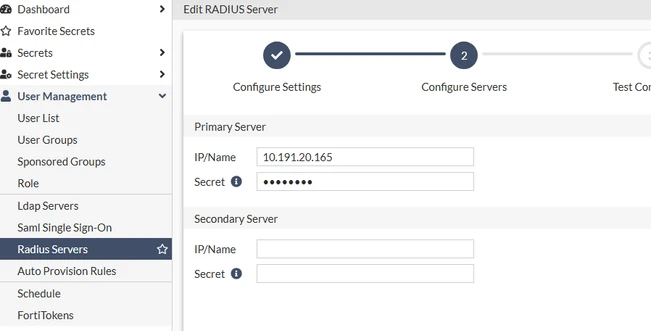
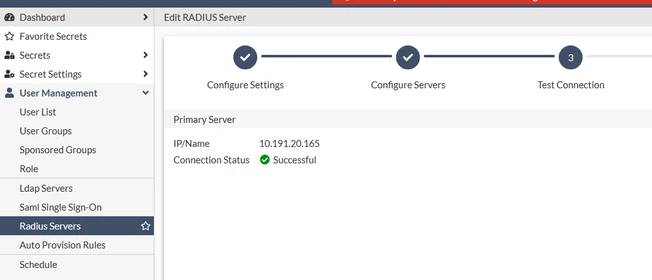
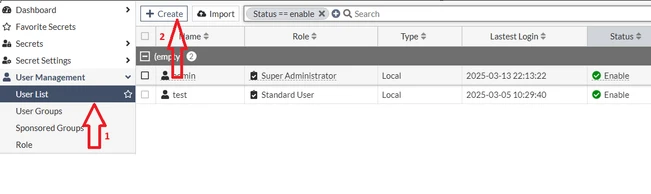
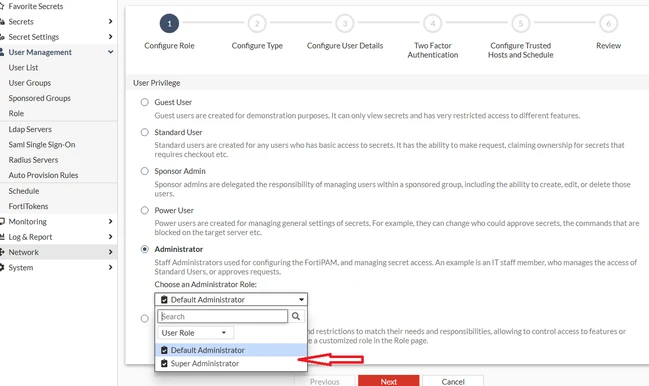
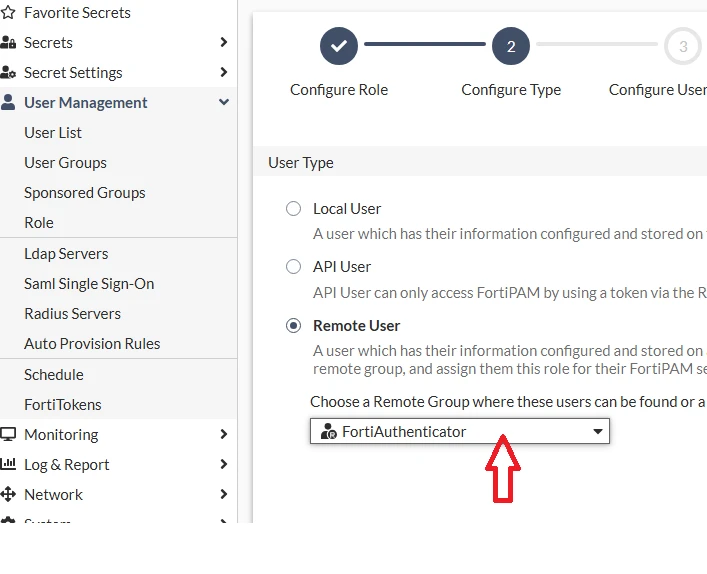
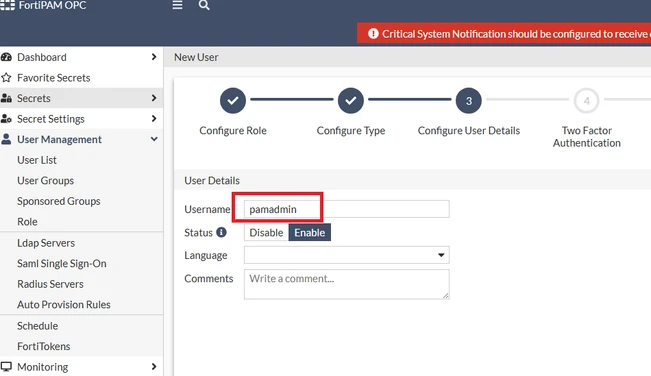
Steps to be followed on FortiPAM:
Authentication Type can be selected between PAP, CHAP, MSCHAP, and MSCHAPv2.
A user test can be performed from the CLI, similar to the process on a FortiGate firewall. The default authentication types are PAP, MS-CHAP-V2, and CHAP.
FPAVULTM23000759 $ diagnose test authserver radius FortiAuthenticator pap pamadmin ******** Token Code:****** authenticate 'pamadmin' against 'pap' succeeded, server=primary assigned_rad_session_id=555788133 session_timeout=0 secs idle_timeout=0 secs! Group membership(s) - pamrad
Make sure to configure the Auth-Schema as below:
config authentication scheme #(scheme)$ edit fortipam_auth_scheme #(fortipam_auth_scheme) $ set user-database local-admin-db FortiAuthenticato
Leave all other steps as default without making any changes.
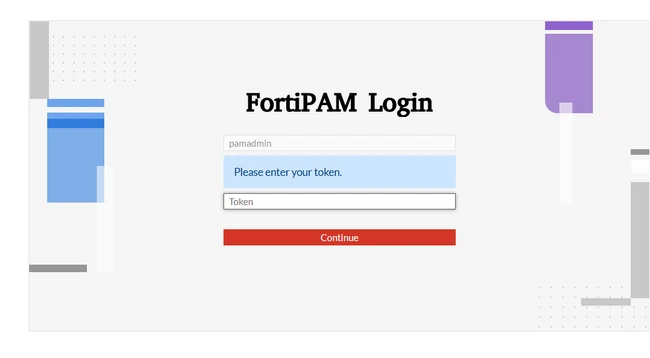
Test Login:
Go under Monitoring -> User - Monitor.
If authentication fails, additional debug logs can be checked from the FortiAuthenticator side at https://<FAC-IP>/debug by selecting RADIUS Authentication.
FortiPAM debugs for remote user authentication:
diagnose debug console timestamp enable diagnose debug application fnbamd -1 diagnose debug enable
FortiPAM debugs for RADIUS daemon:
diagnose debug console timestamp enable diagnose debug app radiusd -1 diagnose debug enable
Related documents: |