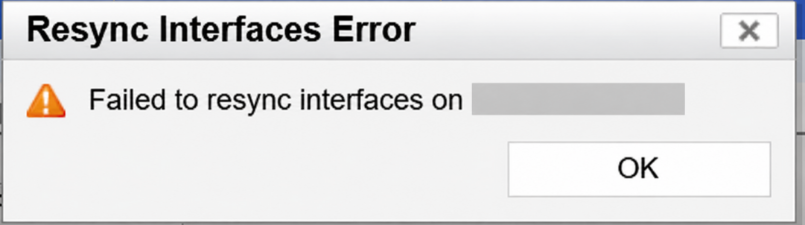
In the investigated case, the initial complaint was instability. During troubleshooting, multiple symptoms were observed, including: GUI/system behavior suggesting instability. Errors while trying to generate a log snapshot. Operational errors such as interface resynchronization failure. /storage utilization reported at 98% in the GUI.
Confirm the symptom from the GUI:


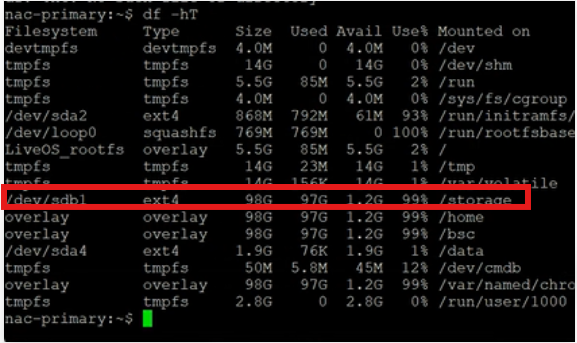
Enter the FortiNAC shell and check the file system utilization:
execute enter-shell
df -hT
Identify top 20 largest directories under /storage:
du -xh /storage --max-depth=1 | sort -rh | head -20
After, drill down to the directory which is consuming more space:
du -xh /storage/bsc --max-depth=1 | sort -rh | head -20
du -xh /storage/bsc/campusMgrUpdates --max-depth=1 | sort -rh | head -20
du -xh /storage/bsc/campusMgr --max-depth=1 | sort -rh | head -20
du -xh /storage/bsc/campusMgr --max-depth=1 | sort -rh | head -20
Further investigation in this example showed that /storage/bsc/campusMgrUpdates was consuming approximately 77 GB:
/storage                              93G
/storage/bsc                          93G
/storage/bsc/campusMgrUpdates         77G
/storage/bsc/campusMgr                13G
/storage/bsc/backups                 3.4G
There were multiple log-snapshot-* directories under campusMgrUpdates of approximately 8.7-8.8 GB each. These were responsible for most of the consumed disk space.
Delete the files.
rm -rf /storage/bsc/campusMgrUpdates/log-snapshot-*
Files are deleted, but checking the disk utilization again with 'df -hT' still shows it is 99% full.
Note: A reboot is required for the Disk storage utilization to be updated.
| 


