| Solution | By default, sponsors are required to log into the FortiNAC to approve registration requests. It is possible to approve requests by just selecting the link in the approval request email sent to the sponsor. - Go to 'Portal -> Portal Configuration', and select the desired portal configuration from the dropdown menu at the bottom of the page.
- Under 'Content Editor' go to 'Registration -> Self Registration Login'.
- By default, 'Sponsor Approval Link Requires Login' will be enabled and greyed out:
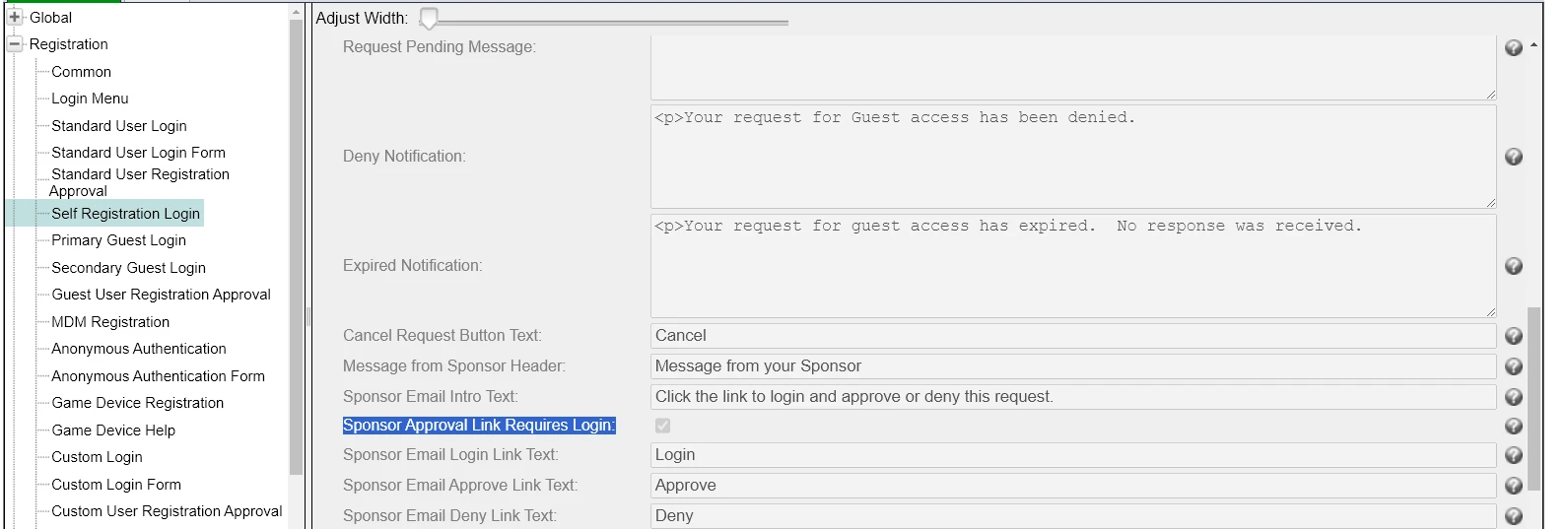
-
Go to 'Required Sponsor Approval' and change it from 'none' to 'Any Administrator', but do not apply the settings yet. This would allow us to edit the 'Sponsor Approval Link Requires Login'.
-
Go to 'Sponsor Approval Link Requires Login' and uncheck it.
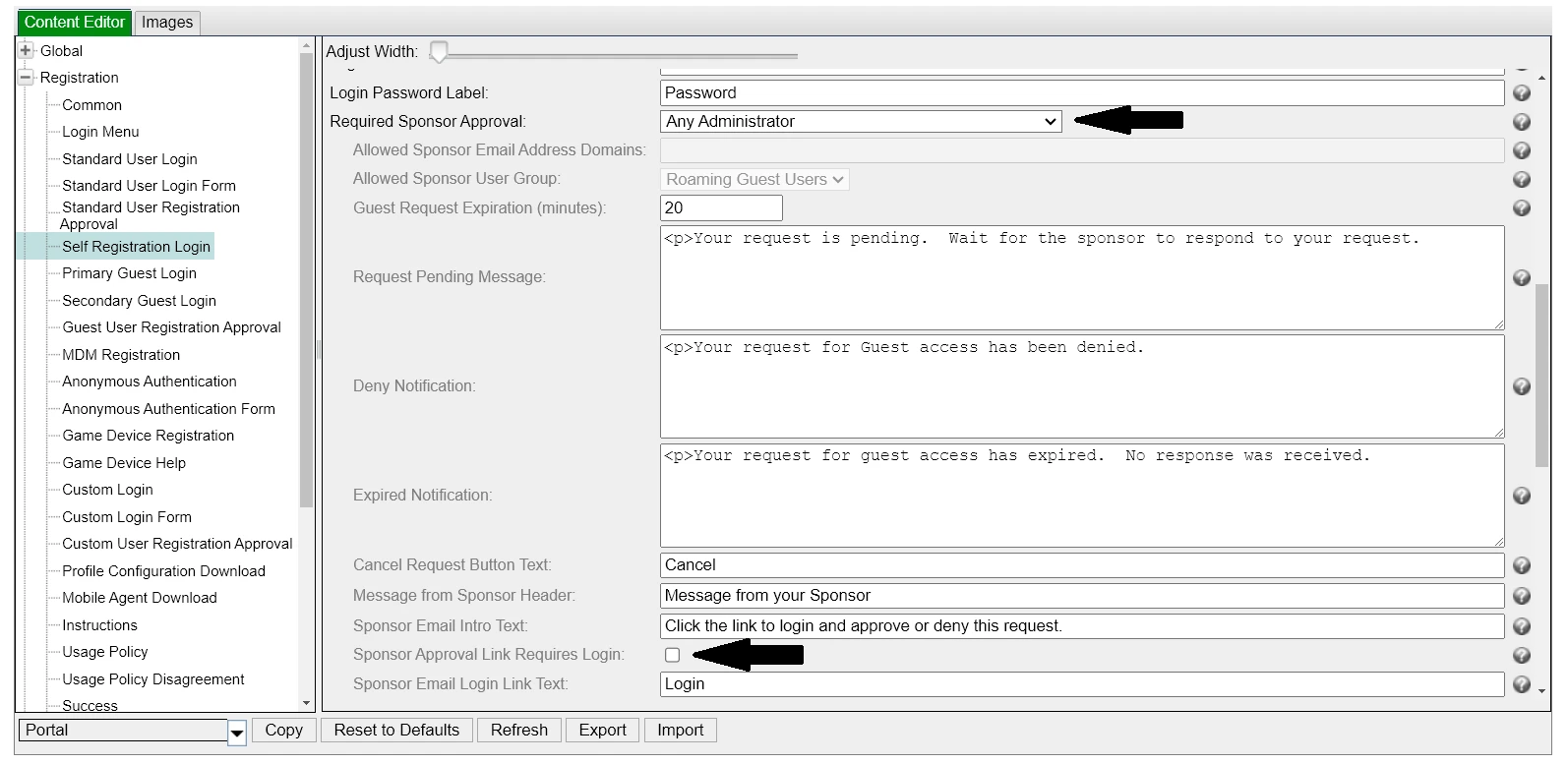 -
Go to 'Required Sponsor Approval' and switch it from 'Any administrator' to any desired option. -
Apply the settings.
|




