


XSS Vulnerability characters errors during "diagnose cdb check adom-integrity" check
Description
An issue on FortiManager 7.6 when running the database check command "diagnose cdb check adom-integrity".
Scope
FortiManager 7.6.7+.
Solution
Starting from version 7.6.7, XSS Vulnerability checks, which can limit special character usage in object names, are extended to templates and policy packages.
For instance:
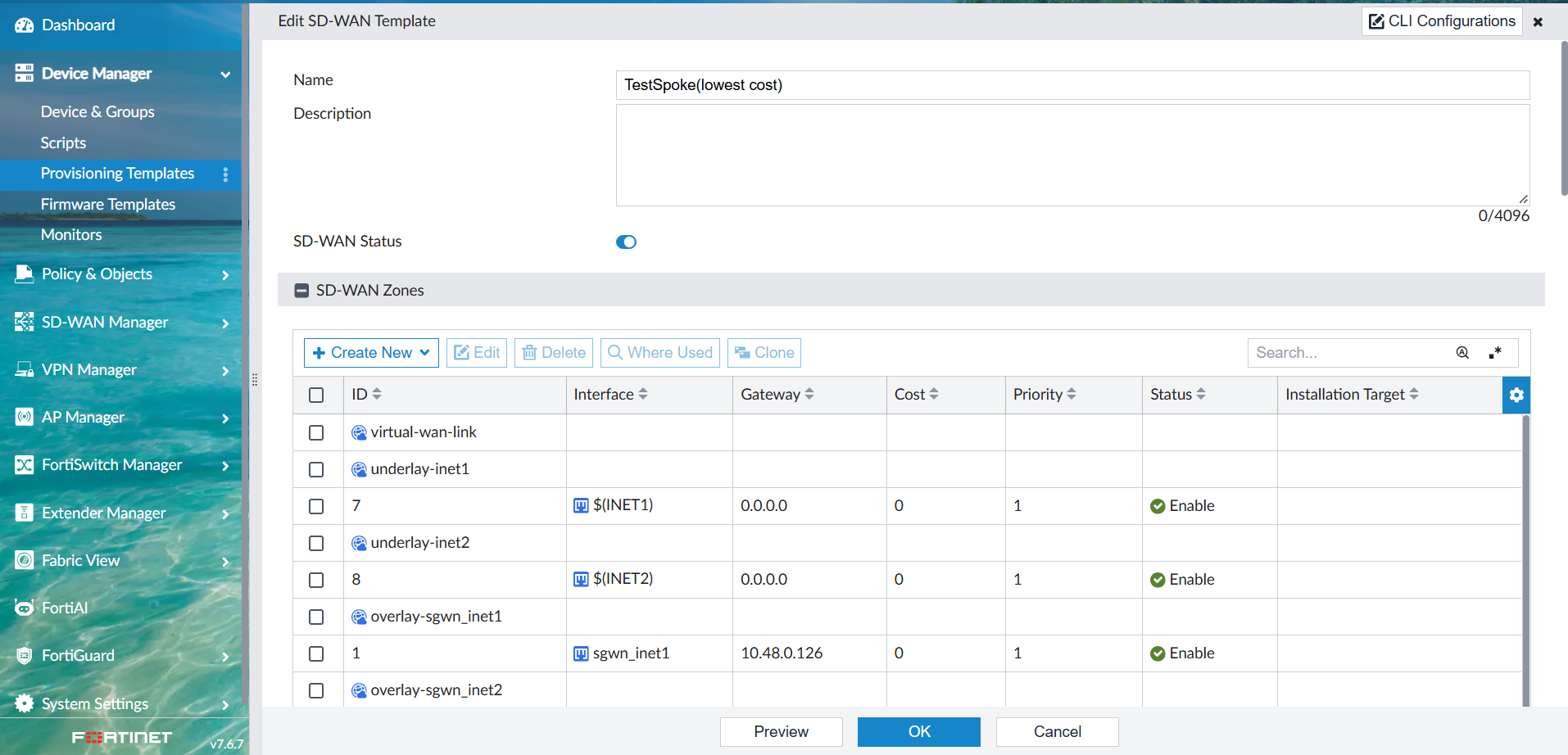
The command "diagnose cdb check adom-integrity" will present the following error:
iron-kvm104 # diagnose cdb check adom-integrity
	General updating - adom Test-ADOM    ... ...20%..50%..70%.....80%.....90%................100%	An error has occured: (errno=170):Package copy failed. object: wan template. detail: failed to copy TestSpoke: The string contains XSS vulnerability characters - name contains XSS characters
	General updating - adom Test-ADOM2 ... ...60%..80%..90%........100%	No errors
	General updating - adom FortiCarrier              ... ..70%.100%	No errors
	General updating - adom FortiFirewall             ... ..70%.100%	No errors
	General updating - adom FortiFirewallCarrier      ... ..60%.100%	No errors
	General updating - adom Unmanaged_Devices         ... .^C..40%.100%	No errors
	General updating - adom root                      ... ..20%.100%	No errors
	General updating - adom Global                    ... ..20%.100%	No errors
If the update check returns an error, please contact Fortinet Support for assistance.
While this will prevent a manual save of the configuration until the special characters are removed during normal UI operations, if templates with such names are present before the upgrade they will not be modified by the upgrade script but will be still available.
To resolve the issue, changing the name of the objects will be required.
Note: The characters below will generate the warning during adom-integrity checks:
< > ( ) # " ' \