| Solution | - By default, only an ADOM can be assigned to a single global policy package at a time. For this demonstration, a user is attempting to assign the global policy package named 'default' to ADOM 'adom_1' but gets prompted with an error.
- Further investigation has found that adom_1 is already assigned to the 'global_policypackage' global policy package, which explains why adom_1 cannot be assigned to another global policy package.
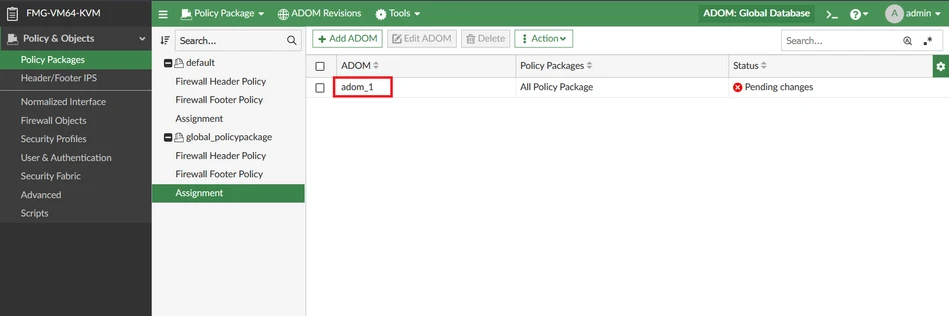
- Hence, the user needs to remove adom_1 from being assigned to the existing 'global_policypackage' global policy package before re-assigning it to the 'default' global policy package.
- Below CLI command below can also be used to check for any invalid global policy package assignment:
FMG# diagnose cdb upgrade check invalid-global-assignment 
|



