Even though FortiManager was deployed and used for some time, there are situations when, instead of the proper GUI login process, the following wizard could be observed:
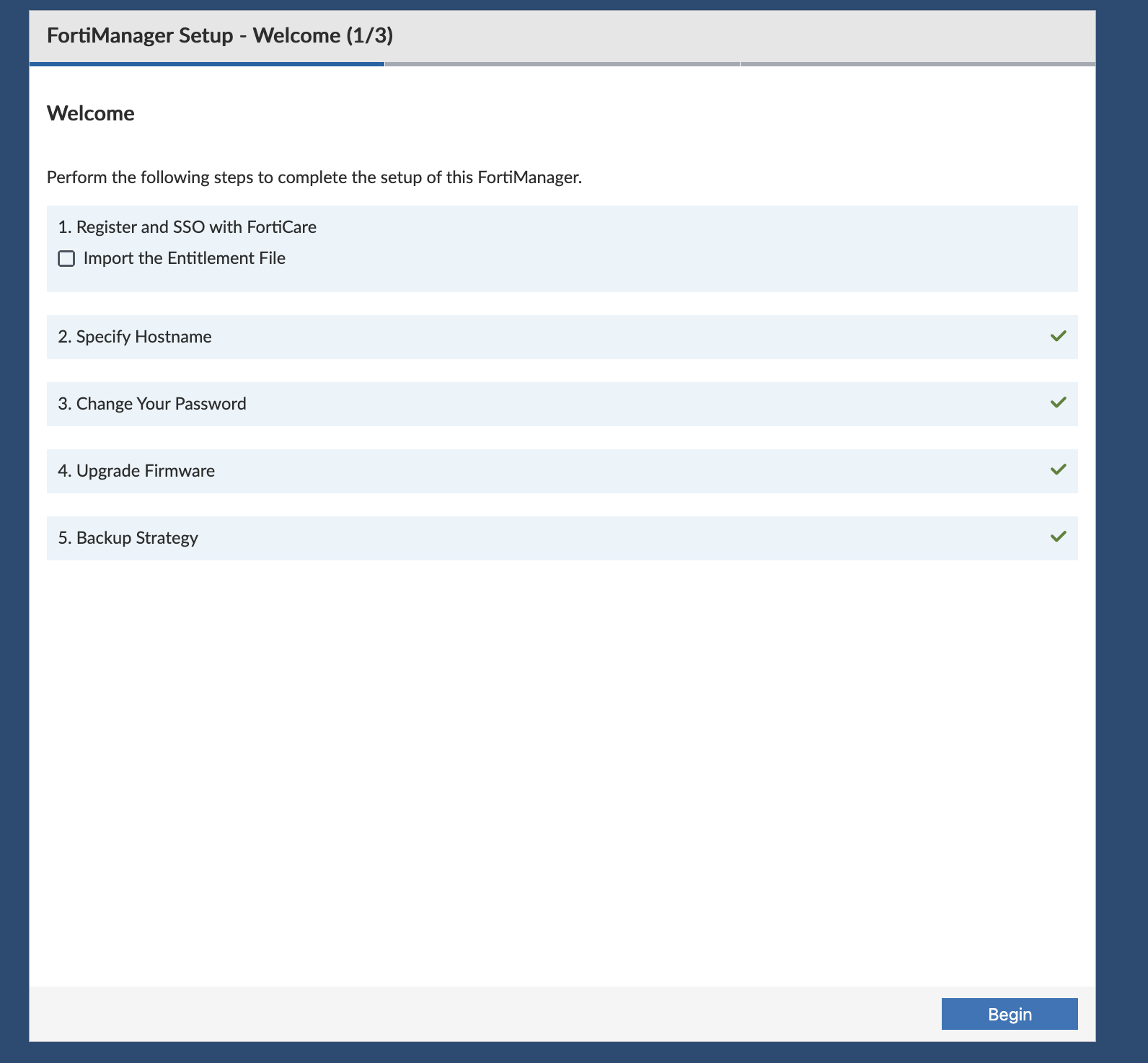
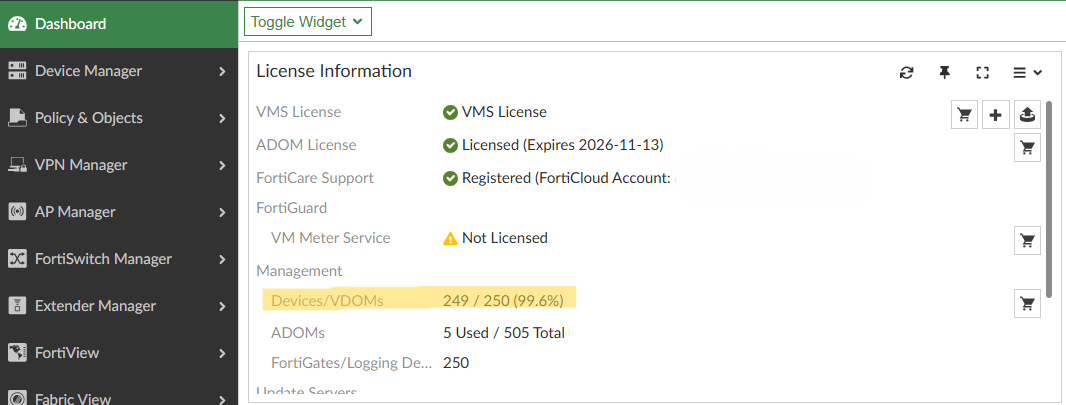
The issue happens when the number of added devices\VDOMs is higher than licensed.
Here is the License Information widget before excessive devices\VDOMs were added:
And that is how the widget looks after the limit is reached:
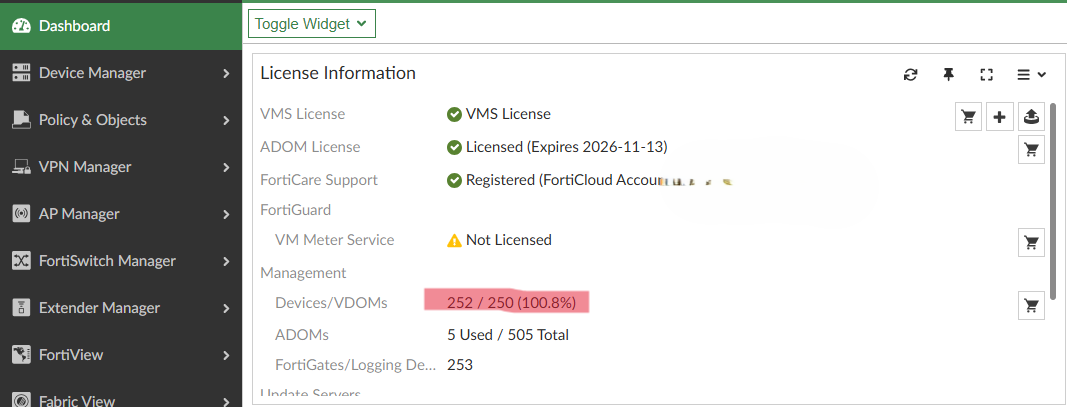
Despite GUI access looking locked, it is possible to proceed with the wizard and decline all changes\setup options to get further access, double-check licensing details and either apply new license with higher number of devices or remove some of availabe one to go below the threshold.
To verify the number of managed devices and available licenses, the following CLI commands could be used:
FMG # get system status
Platform Type                   : FMG-VM64-KVM
Platform Full Name              : FortiManager-VM64-KVM
...
Max Number of Device Groups     : 250
FMG # diagnose debug vminfo
VM license is valid.
fds_code: 200
Expired in : 129 days 22 hours 26 minutes

Type: VM-S
Max devices: 250
FMG # diagnose dvm device list
--- There are currently 252 devices/vdoms managed ---
--- There are currently 252 devices/vdoms count for license ---
|