


Troubleshooting Tip: Charts under 'Device & Groups' are not loading after upgrading to v7.6.x
| Description | This article describes a workaround for an issue that occurs after upgrading to version 7.6.x, where the charts under 'Device & Groups' are not loaded. |
| Scope | FortiManager. |
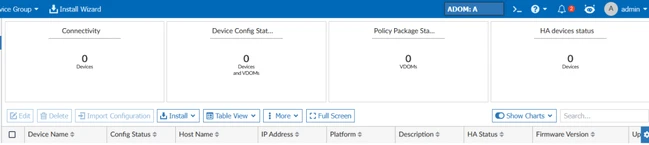
| Solution | When navigating to Device Manager/Device & Groups and selecting Managed FortiGates, the charts at the top—Connectivity, Device Config Status, Policy Package Status, and HA Device Status are not loaded, displaying 0 devices, although multiple devices are managed in ADOM A.
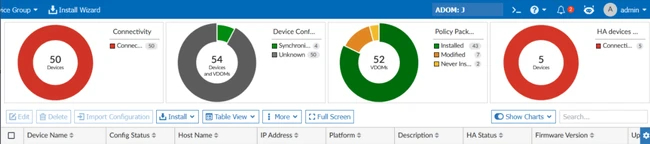
 The solution is to open an ADOM in which the charts are displayed correctly (e.g., ADOM J), and switch to the affected ADOM A:
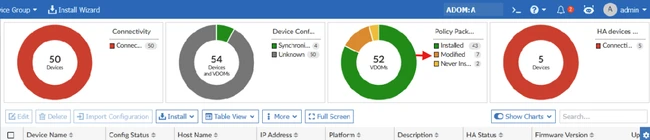
The correct filter is displayed in the affected ADOM A, and the device can be selected.
 |
